
Missing Invite Link on Aistro Dashboard

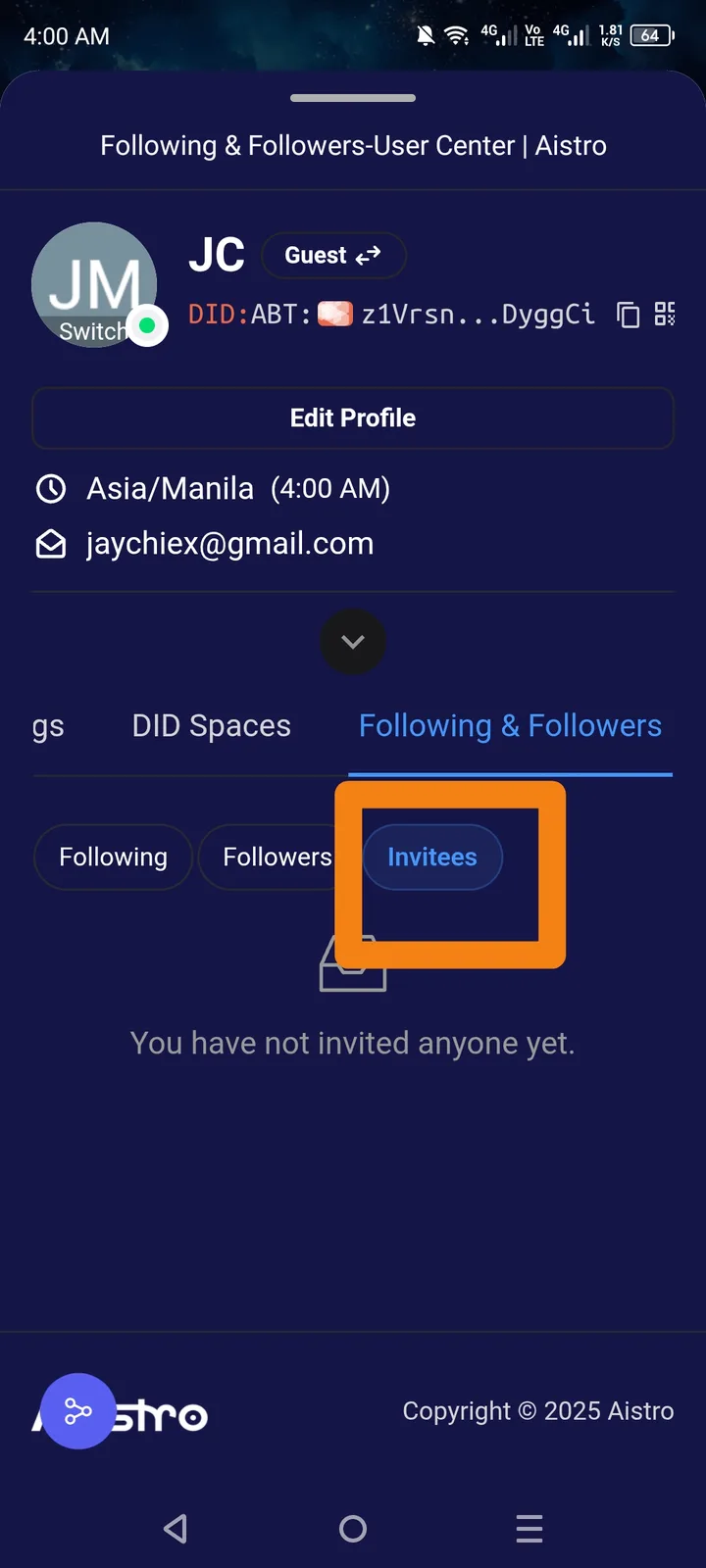
🌐 Platform: Aistro Dashboard
📱 Device: Mobile and Desktop (same result)
**🧾 Summary: I cannot find or access my personal invite link anywhere on the Aistro dashboard or settings.
**🧪 Steps to Reproduce:
- Log in to Aistro.io.
- Go to your Dashboard.
- Observe invitees are displayed.
- Try to locate the “Invite Link” (for sharing).
**💥 Actual Result:
- Invitees are shown on the dashboard.
- No visible or accessible invite link is found anywhere (Dashboard, Profile, or Settings).
**✅ Expected Result:
- The dashboard should display or provide access to the user’s unique invite/referral link, especially if invitees are already recorded.
**⚙️ Possible Cause:
- Missing UI element for “Invite Link.”
- Backend not returning invite link data to the dashboard.
- Invite module incomplete or hidden under wrong tab.
**📂 Severity: Medium (affects user referral experience and reward tracking)
**💡 Suggested Fix:
- Add a visible “Copy Invite Link” or “Share Invite” button under the invite section.
- Ensure the backend returns the user’s invite URL.
- Display the link in both Desktop and Mobile views.
1 条回复
Only users invited through here will be shown.