
No “Maximize All Tabs” Option When Tapping Tab Counter (6)

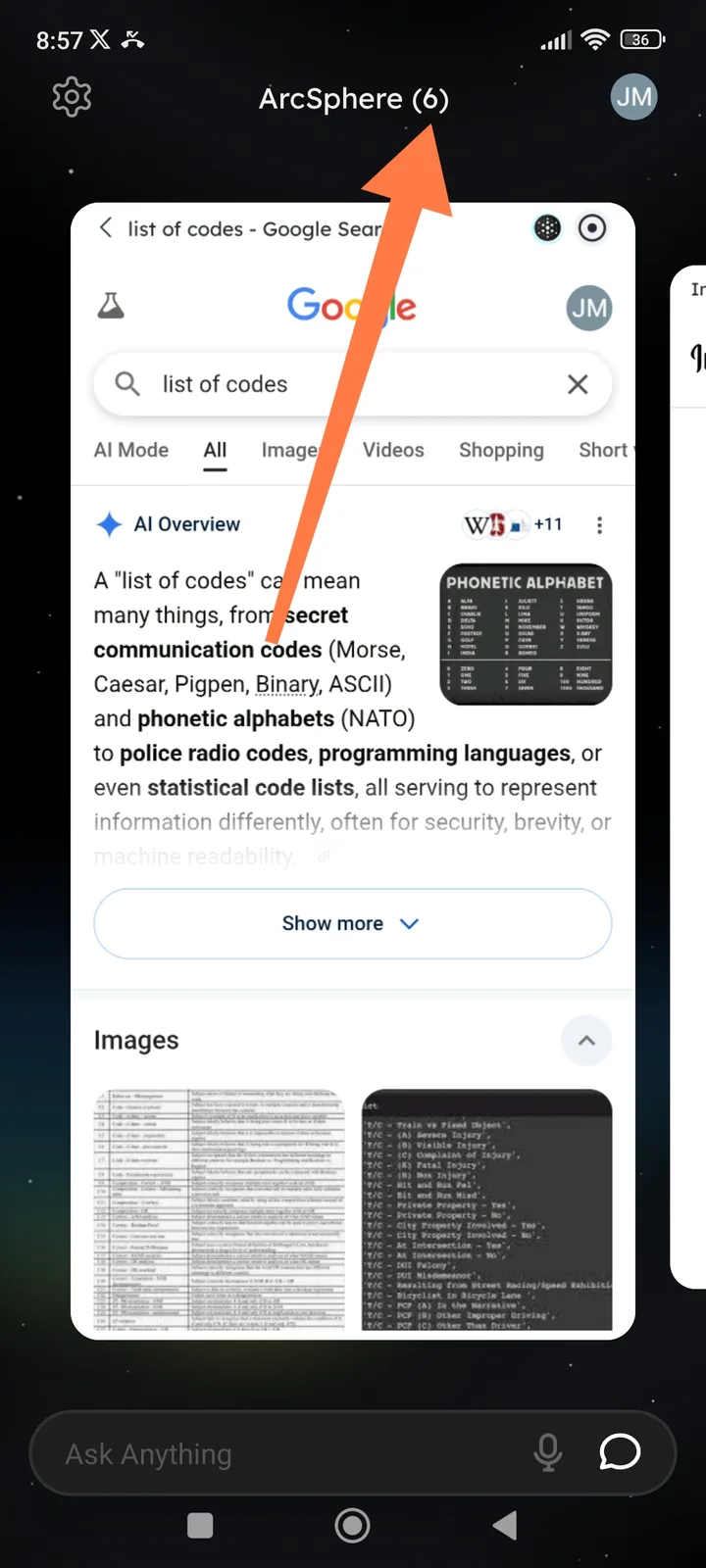
📌 Summary
When tapping the tab counter (e.g., “ArcSphere (6)”) at the top of the ArcSphere mobile interface, no options are shown to manage or maximize all open tabs. Users expect tab-management actions, but nothing happens.
🔁 Steps to Reproduce
Open ArcSphere
Open multiple tabs (e.g., 6 tabs)
Tap the tab counter text: ArcSphere (6) at the top
Observe the result
✅ Expected Behavior
Tapping the tab counter should open a tab management menu 🗂️
Options such as:
Maximize all tabs
View tab overview
Close all tabs
Switch between tabs
❌ Actual Behavior
No menu, dialog, or action appears
No way to maximize or manage all open tabs
Tab counter appears non-interactive or unresponsive
⚠️ Impact
Poor usability for users with multiple open tabs
Difficult to manage or review open sessions
UI element suggests