
Action Button Unresponsive on Red Envelope Cover Generation

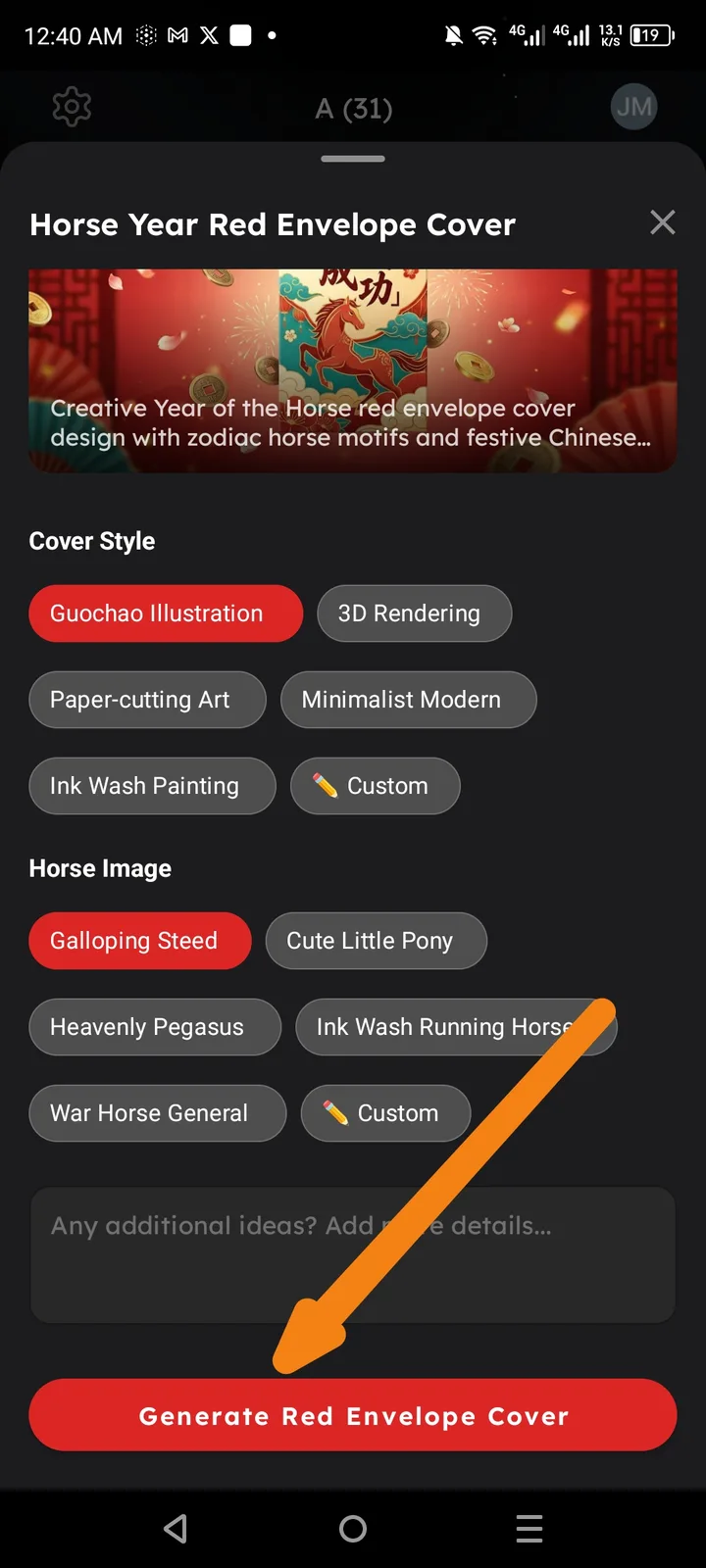
Description
In the "Horse Year Red Envelope Cover" interface, the primary action button "Generate Red Envelope Cover" does not trigger any action when tapped. The user is unable to proceed with the AI generation despite having selected valid styles and image motifs.
Steps to Reproduce
- Open ArcSphere and navigate to the Horse Year Red Envelope Cover tool.
- Select a Cover Style (e.g., "Guochao Illustration").
- Select a Horse Image motif (e.g., "Galloping Steed").
- (Optional) Add text in the "additional ideas" box.
- Tap the red "Generate Red Envelope Cover" button at the bottom of the screen.
Expected Result
The app should initiate the AI image generation process, showing a loading state or a progress bar, followed by the generated red envelope design.
Actual Result
The button is clickable (visual feedback occurs), but nothing happens. The screen remains on the selection menu and no generation starts.