
Cant connect to MyCrypto to sign message/verify add./inscrip

Using android wallet 4.17.0 I went to verify a contract (inscription I had made through inscription blocklet), and in the process of trying to connect to MyCrypto to sign a message and finish the process (for verifying my ETH address on etherscan, and verifying the inscription) I received an error right after scanning the QR:
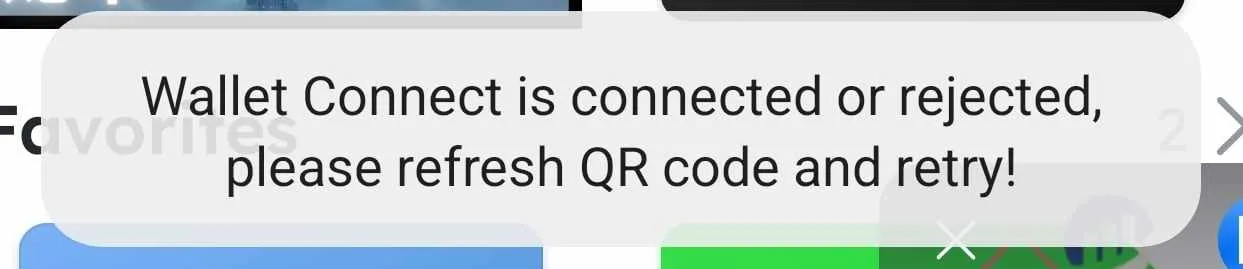
The error reads "Wallet Connect is connected or rejected, please refresh QR code and retry!"
It must've been rejected somewhere, as it didn't connect through
8 条回复
Can you provide the link for MyCrypto service, so that we can also go and connect to investigate?
https://app.mycrypto.com/sign-message
Okay, we will investigate as soon as possible.
https://medium.com/walletconnect/walletconnect-v1-0-has-now-been-shut-down-ff9baec96690
This application is still using Wallet Connect V1 , which has been shut down. z1croUysBVjGHD7KtHqZyhxKrCrSB2Z1Daa
How can I go about verifying my ETH address/Inscription Contract Address that originated from within DID Wallet?
Through etherscan, mycrypto.com was the only given solution for manual entering. The other option was use a web3 wallet, and DID Wallet doesn't get detected on mobile, or on desktop.
inscription tx: https://etherscan.io/tx/0x2ca123fafd8ca8774a295f743ce09673896540b594379e9cf68276be8cfdb17d
Update your wallet to latest version and open mycrypto.com in wallet . click trust to connect your wallet . And you can click "switch chain and wallet" to change wallet
Will check this out shortly, thanks
Was able to successfully claim it on etherscan, Trust worked great