
No Option to Delete Current Tabs

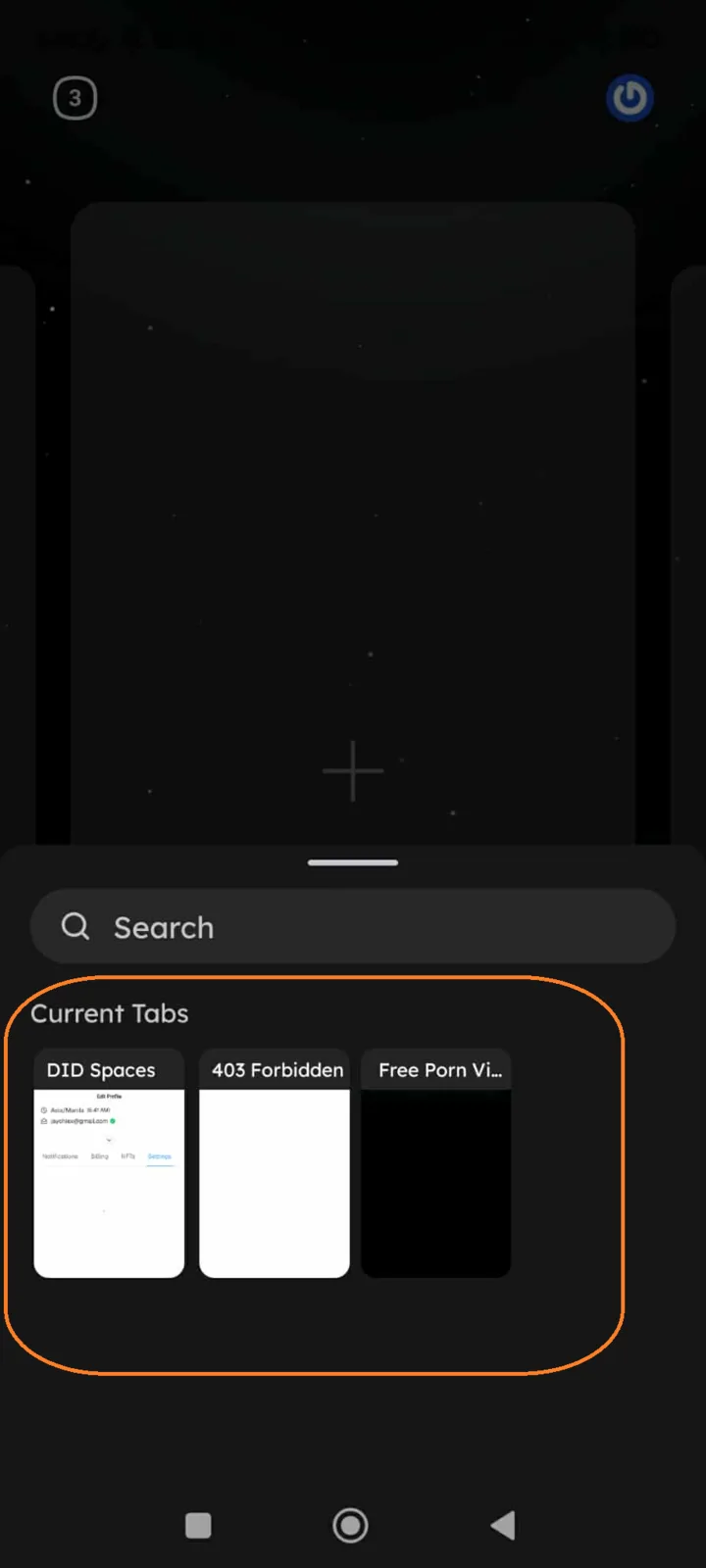
In the ArcSphere App, users are unable to delete or close current tabs. Once a tab is opened, it remains persistent, and there is no option to remove it.
Steps to Reproduce:
- Open the ArcSphere App.
- Navigate to the Tabs section.
- Try to delete or close an active/current tab.
Expected Result:
- Users should be able to delete or close tabs through a visible option (e.g., “X” button, swipe to delete, or menu option).
Actual Result:
- No option is provided to remove or manage current tabs.
- Tabs remain persistent even if the user no longer needs them.
Bug Description: The tab management feature is incomplete. Without a delete option, users accumulate unnecessary tabs, leading to clutter and reduced usability.
Severity Classification:
- Severity Level: 🟡 Low to Medium
Suggested Fix:
- Add a delete/close option for current tabs:
- “X” icon on each tab.
- Swipe-to-delete gesture (mobile).
- Context menu option (“Close Tab”).
- Ensure confirmation prompt if needed to avoid accidental tab deletion.
Priority: ⚠️ Medium – Recommended for better UX and navigation management.
1 条回复
你好,未来我们会考虑支持在 Search Tab 页面增加删除的能力,现在可以长按卡片进行删除。