
Published page rendering as raw code

Subject: Published page rendering as raw code
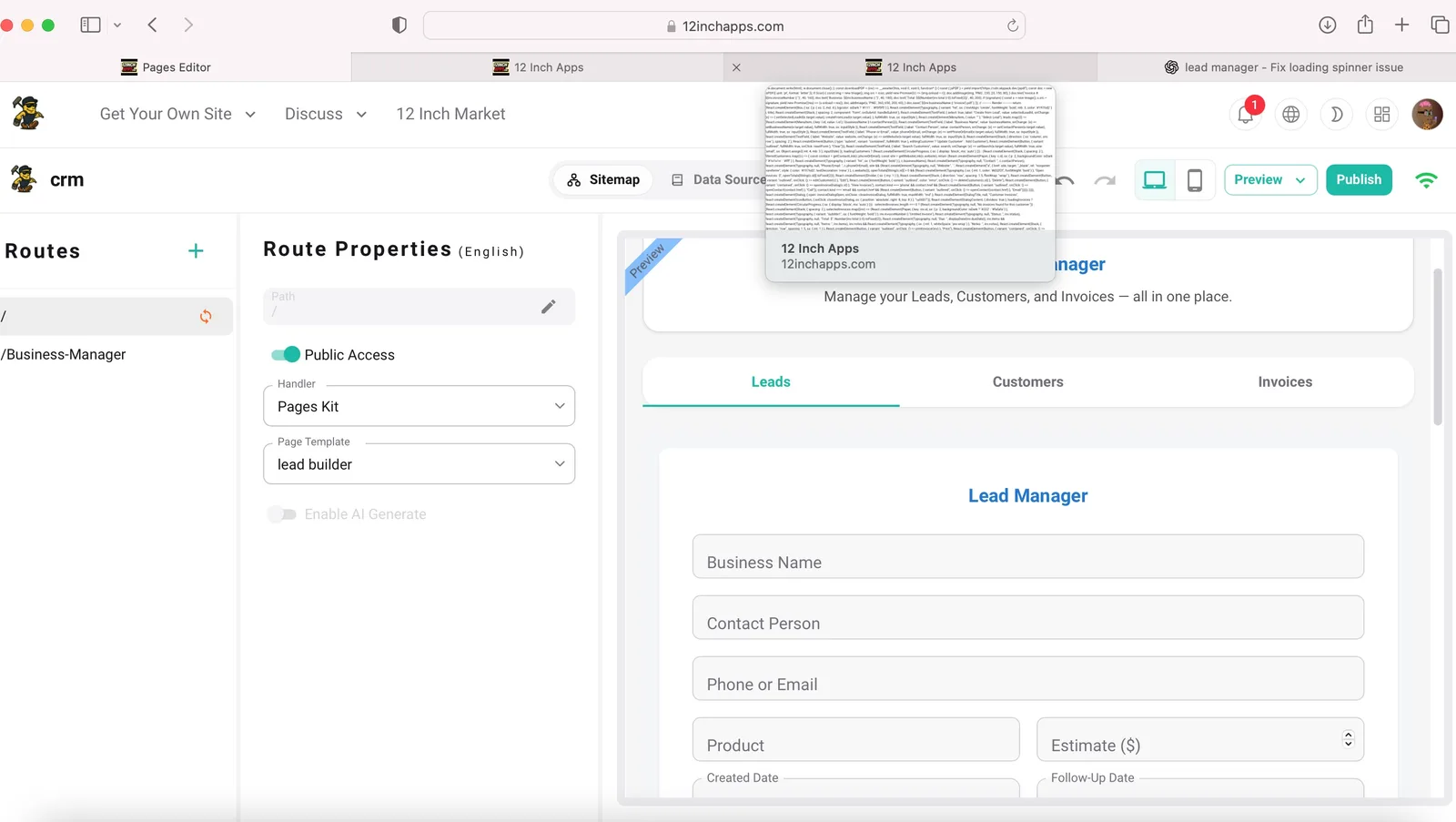
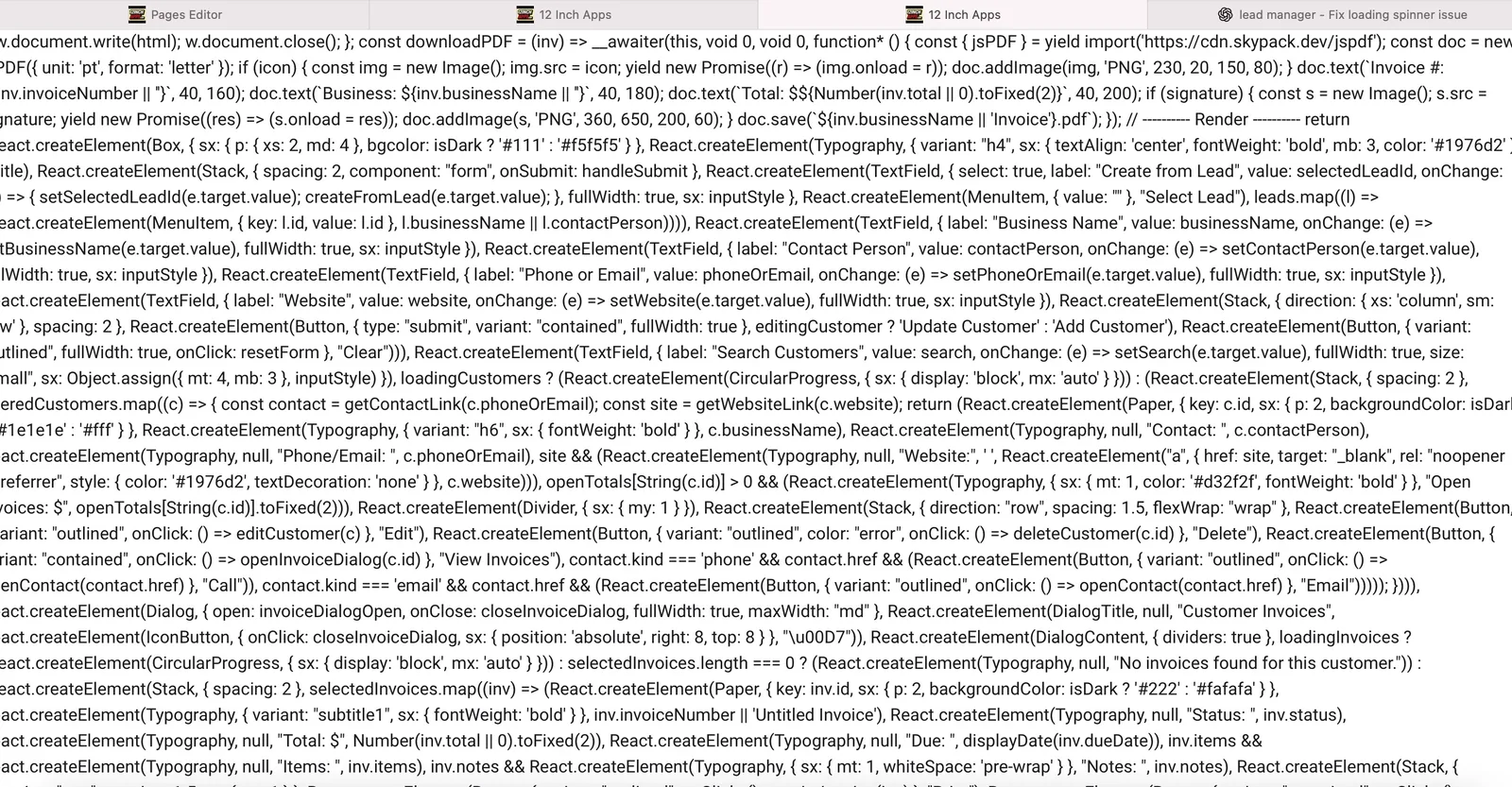
Hey team — I’ve got a weird Pages Kit issue. My CRM app shows up fine in the editor and preview, but after publishing, the live site just displays the React code (like React.createElement(...)) instead of rendering the component.
The component still has a proper default export and works in preview. I already tried clearing cache and republishing. Could this be a build caching issue or MIME-type problem on publish?
the page is
Thanks, 12inchapps.com
5 条回复
just adding a bit more context about my setup so you can reproduce it accurately:
I’m building a modular CRM inside Pages Kit composed of several React components:
script,icon, andsignaturedown the chain.The entire system works perfectly in the editor and in preview mode — forms load, signatures render, print functions operate normally.
The problem appears only after publishing: the live route (
/crm) displays raw compiled JavaScript (full ofReact.createElement(...)) instead of the rendered UI.Because preview still works, it looks like the publish process is serving the compiled bundle as plain text rather than mounting the React component.
This may indicate a MIME-type or route-registration problem when handling multi-component pages.
Let me know if you’d like me to share screenshots or logs from the editor.
I found this error in my Pages Kit logs:
act.js:1)\n at process.processTicksAndRejections (node/process/task_queues:105)\n at async /var/lib/blocklet/blocklets/pages-kit/0.6.89-G1ynI7M/blocklet-compact.js:1"}]
[27] [2025-10-13T01:54+00] [error] [pages-kit] [Invalid url]
[27] [2025-10-13T01:54+00] [error] [pages-kit] [check aigne hub available error Invalid url] [{"error":"Invalid url","error_stack":"Error: Invalid url\n at checkAigneConnection (/var/lib/blocklet/blocklets/pages-kit/0.6.89-G1ynI7M/blocklet-compact.js:1)\n at process.processTicksAndRejections (node/process/task_queues:105)\n at async /var/lib/blocklet/blocklets/pages-kit/0.6.89-G1ynI7M/blocklet-compact.js:1"}]
脚本被闭合了</script> ,估计转码才能马上解决你这里
Thank you. Please advise when I should recheck
I changed it to <\/script> and it works now.