
Duplicate Back Navigation on Rule Of Points Screen

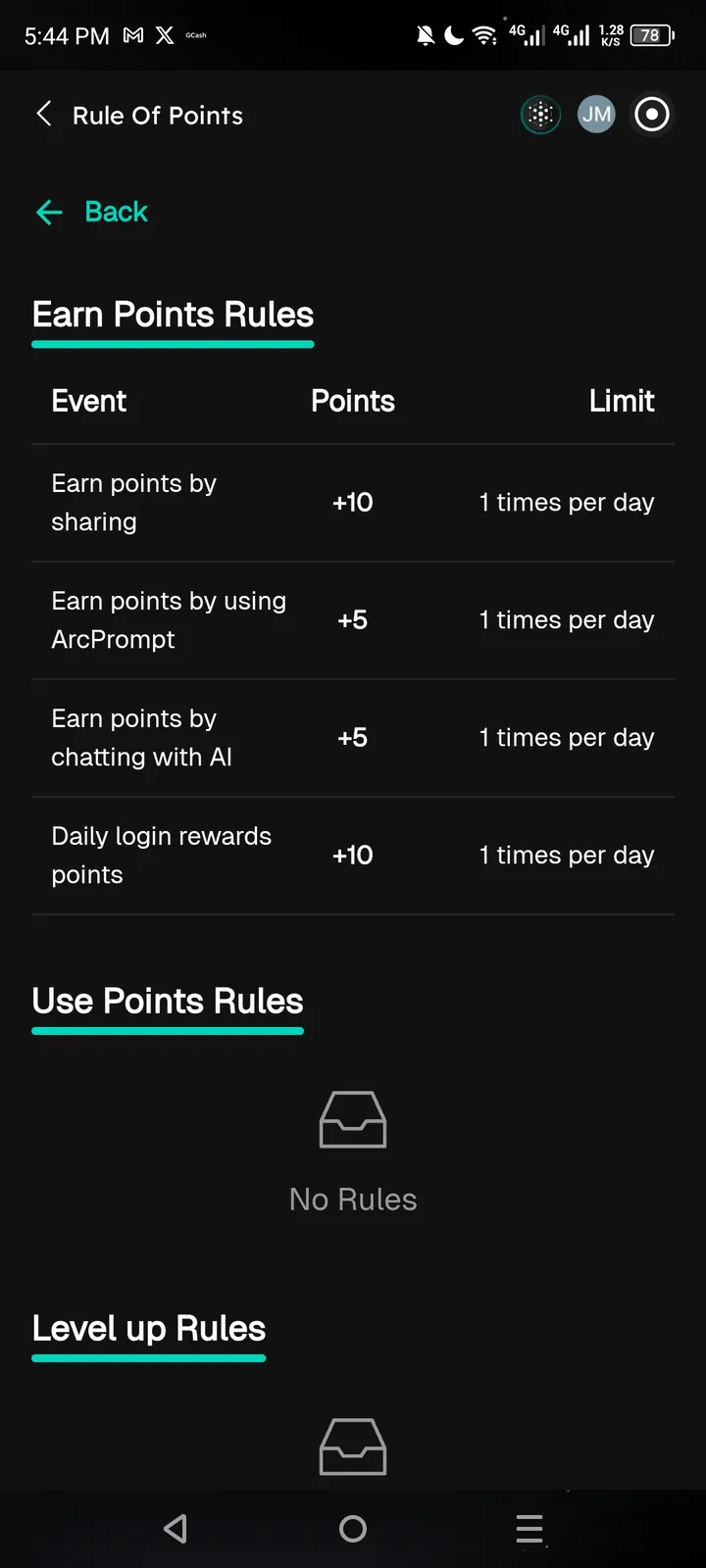
Description: The "Rule Of Points" screen displays two back navigation elements simultaneously, creating redundant UI and potential confusion.
Steps to Reproduce:
- Navigate to the Points/Arcsphere section
- Open "Rule Of Points"
- Observe the navigation header area
Expected Behavior: Only one back button should be visible (typically in the header).
Actual Behavior: Two back buttons are displayed:
- Header:
<(arrow only) - Below header:
<- Back(arrow with text)