
“Feedback” Button Does Not Create New Feedback Post

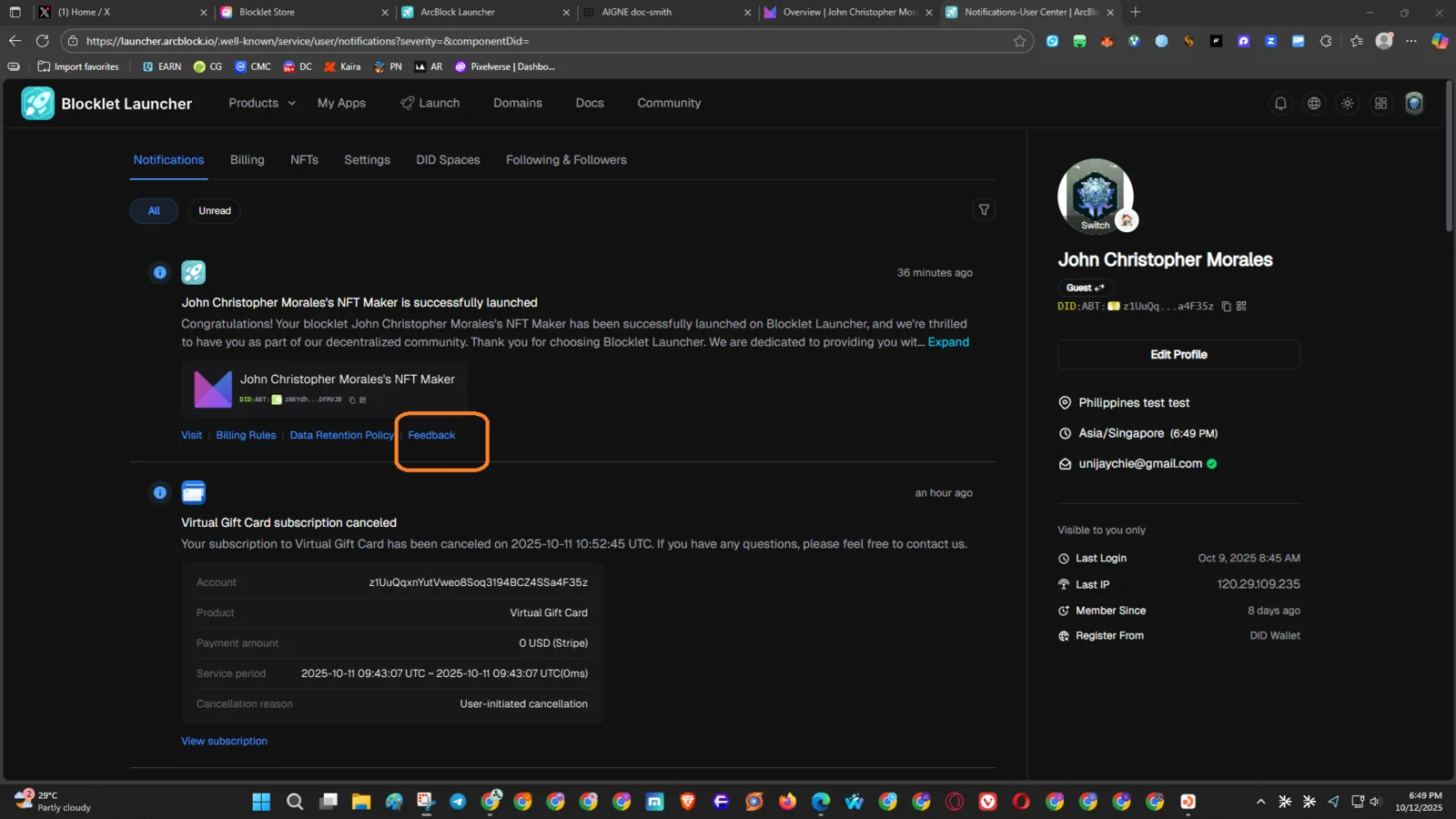
Product: Blocklet Launcher Feature: Notifications → Feedback Link Platform: Web (Desktop) Browser: Chrome URL: https://launcher.arcblock.io Linked Page: https://community.arcblock.io/
🧾 Description
When clicking the “Feedback” button from a notification (e.g., “John Christopher Morales’s NFT Maker is successfully launched”), the button redirects the user to https://community.arcblock.io/ instead of opening or creating a new feedback form/post.
This misleads the user because the expected action is to submit feedback directly related to the notification event.
🔁 Steps to Reproduce
- Go to https://launcher.arcblock.io.
- Open the Notifications tab.
- Find any event (e.g., NFT Maker successfully launched).
- Click the “Feedback” button below the message.
✅ Expected Behavior
- The Feedback button should open a dedicated feedback form or post creation modal, prefilled with the related notification context.
- Example: > Title: Feedback on NFT Maker Launch > Category: Product Feedback >
❌ Actual Behavior
- Clicking “Feedback” redirects to the ArcBlock Community homepage (
https://community.arcblock.io/) with no prefilled content. - No feedback is actually created.
📊 Impact
- Users cannot send contextual feedback easily.
- Breaks the UX flow for in-app reporting.
- Reduces engagement and accurate issue reporting for new blocklet launches.
🧩 Possible Fix Suggestion
- Modify the Feedback button’s URL or click handler to:
- Open a dedicated feedback submission modal, or
- Redirect to
https://community.arcblock.io/discussions/new?context={notification_id}.
- Pass parameters such as component name, DID, and timestamp for context.