
Unable to download APK files

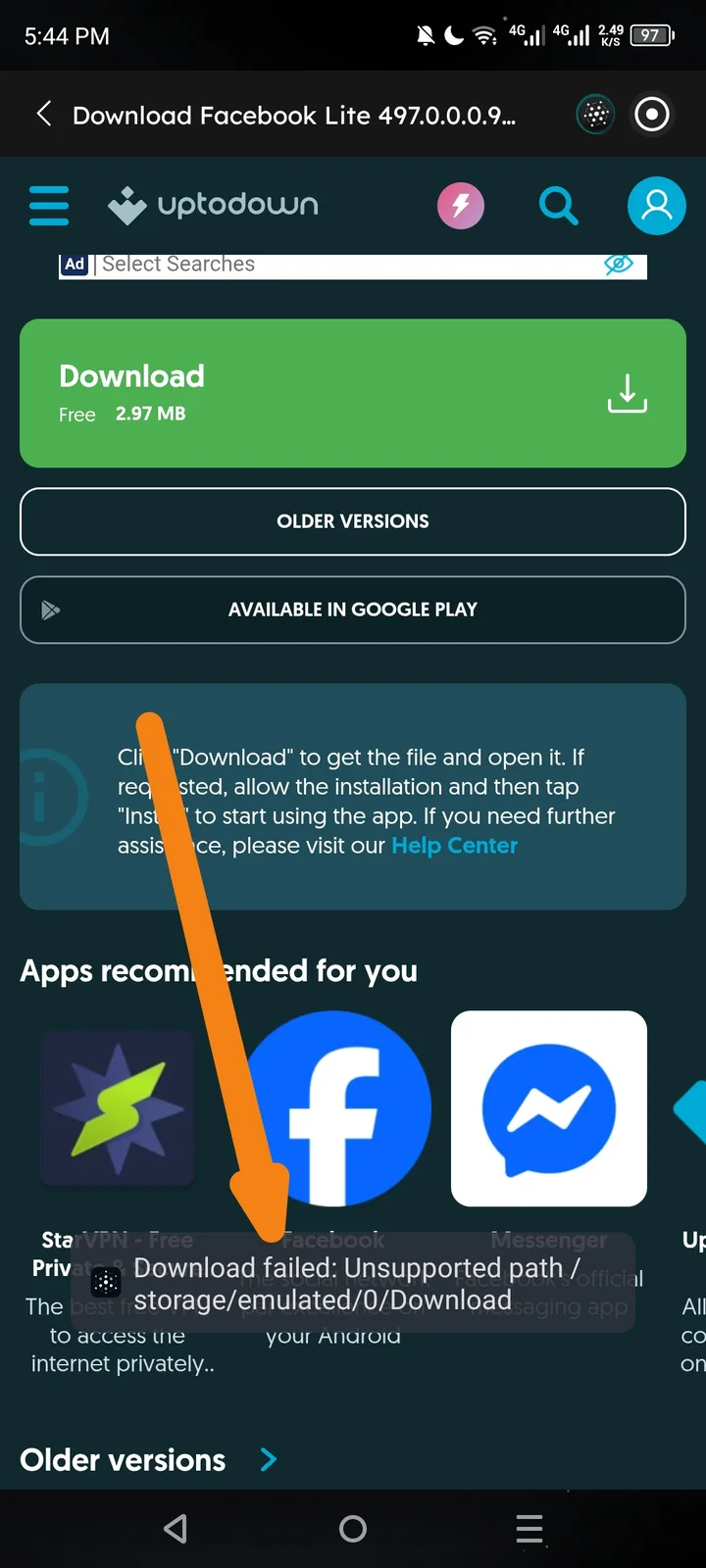
Summary: When attempting to download an APK file (e.g., Facebook Lite from Uptodown) using the Arcsphere browser, the download fails with a file path error.
Error Message: Download failed: Unsupported path /storage/emulated/0/Download
Steps to Reproduce:
- Open the Arcsphere browser within the June app.
- Navigate to a site to download an APK (e.g.,
uptodown.com). - Click the "Download" button for any app (e.g., Facebook Lite).
- Observe the error message at the bottom of the screen.
Expected Result: The browser should have permission to write to the device's download folder, or prompt the user to grant storage permissions so the APK can be downloaded.
Actual Result: The download fails immediately with an "Unsupported path" error, preventing any file downloads.