
Tab Title Remains in Chinese

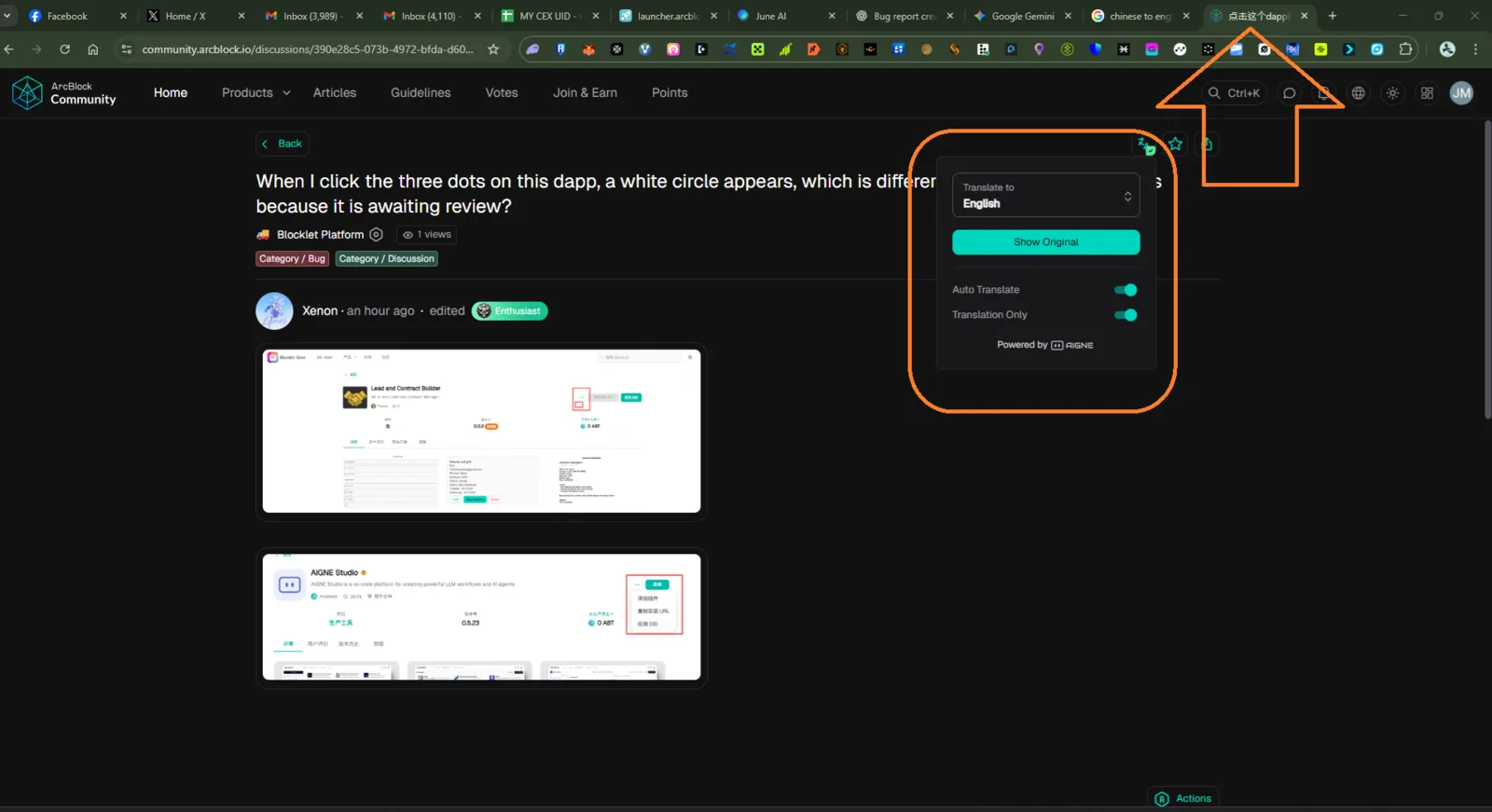
🧩 Description:
On the ArcBlock Community discussion pages (e.g. the link above), the browser tab title stays in Chinese (e.g. 点击这个 or similar) even when the page content/user interface is in English (or a different language). This leads to an inconsistent experience for users who view content in English but see Chinese in the tab.
🪜 Steps to Reproduce:
- Open the example discussion link: 👉 https://community.arcblock.io/discussions/390e28c5-073b-4972-bfda-d602da88f7b0
- Ensure the UI is displayed in English (or non-Chinese).
- Look at the browser/tab title (the label shown in the browser tab).
- Observe that it remains in Chinese text.
✅ Expected Result:
- The tab title should localize according to the UI language — e.g. “Discussions • ArcBlock Community” (in English).
- The metadata
<title>should change or be dynamic per language settings.
❌ Actual Result:
- The tab title remains in Chinese, regardless of the UI language setting.
- Even if the page content is English, the browser tab shows Chinese text.
⚠️ Impact:
- Confusing experience when users have multiple tabs open.
- Inconsistent localization across page content vs browser metadata.
- Minor but noticeable UX inconsistency for international users.
🔍 Possible Cause (Hypothesis):
- The
<title>HTML tag is hard-coded in Chinese and not bound to the translation/localization system. - No dynamic title update logic aligned with the current UI language setting.
🧰 Suggested Fix:
- Use a translation/localization framework to dynamically update the
<title>tag when the language changes. - Provide localized title strings for different languages (e.g. English, Chinese).
- Ensure consistency between UI language and metadata.
1 条回复
The title shown on the tab depends on the language the post was created in.