
“Secured by” Text Incomplete on Mozilla Browser

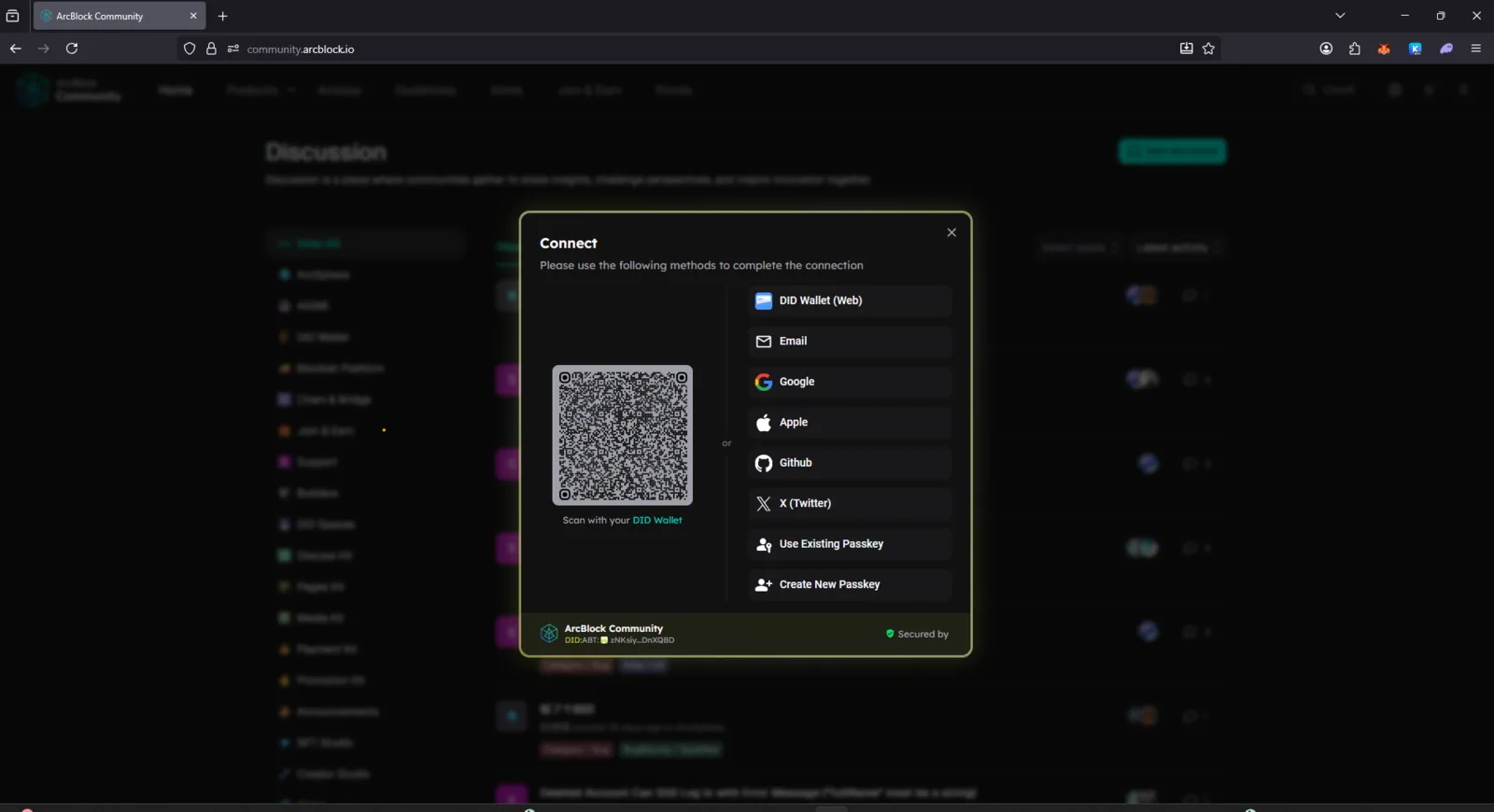
Product: ArcBlock Community – https://community.arcblock.io Component: Login / Connect Modal (DID Connect QR Dialog) Environment:
- Device: Desktop (Windows 11)
- Browser: Mozilla Firefox (latest version)
- Theme: Dark Mode
- Connection: Stable
🧾 Description
When opening the Connect modal in the ArcBlock Community site using Mozilla Firefox, the “Secured by” text at the bottom of the modal is incomplete or partially cut off. This issue does not appear on other browsers like Chrome or Edge.
🔁 Steps to Reproduce
- Open https://community.arcblock.io in Mozilla Firefox.
- Click the Login / Connect button.
- Observe the bottom of the modal (“Secured by DID Connect”).
✅ Expected Behavior
The “Secured by DID Connect” label should be fully visible and aligned properly.
❌ Actual Behavior
Only part of the text (e.g., “Secure by” or “Secured b”) appears, and the DID Connect branding is missing or clipped.
📊 Impact
- Branding visibility issue.
- Possible CSS compatibility issue with Firefox rendering.
- May affect user trust or recognition of DID Connect security.
🧰 Suggested Fix
- Adjust CSS for the modal footer (padding, overflow, and flex alignment).
- Verify text container height and text wrapping in Firefox.
- Test on other browsers for consistency.
2 条回复
We couldn’t reproduce the issue you mentioned. Does it still happen after you refresh the page?
Yes