
Missing Live Support Option

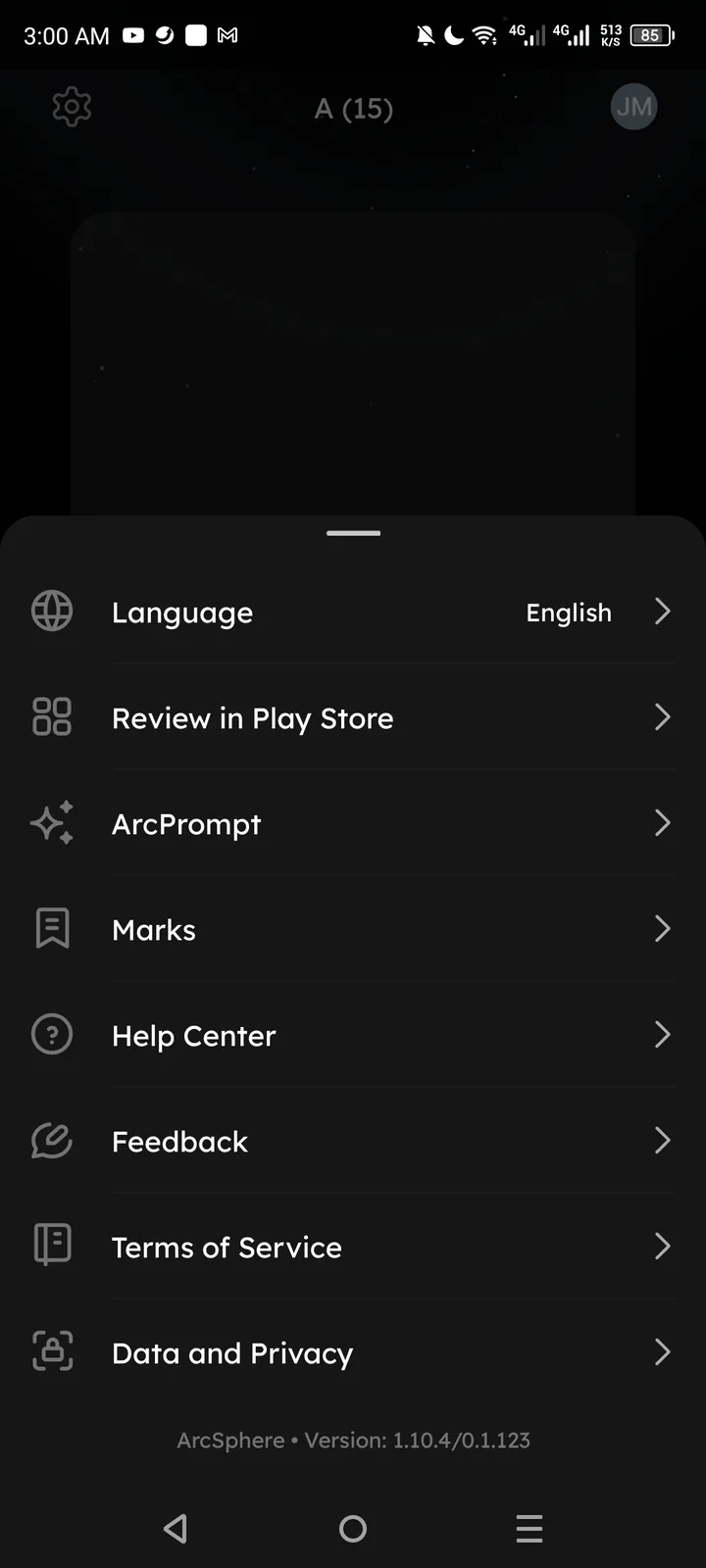
Description: The ArcSphere settings/menu lacks a dedicated "Live Support" or real-time chat option. While "Help Center" and "Feedback" are available, these typically involve static documentation or asynchronous communication. There is no visible way for users to receive immediate, live assistance within the app interface.
Steps to Reproduce:
- Open ArcSphere app.
- Access the settings or profile menu (as shown in the screenshot).
- Review the available support options (Language, Help Center, Feedback, etc.).
- Observe the absence of a "Live Support" or "Chat with Support" button.
Expected: An option for live, real-time customer support to help users resolve urgent issues instantly.
Actual: Only "Help Center" and "Feedback" are provided, which may lead to slower response times for critical user problems.
Priority: Medium (Enhances user trust and provides faster issue resolution). Suggested Solution: Integrate a live chat widget or a "Contact Support Live" button within the menu to provide immediate assistance.