
Post history missing from profile unless accessed from community page?

I've noticed if I open the inApp browser (Android) to www.arcblock.io and then click on my profile icon on the top right and go to www.arcblock.io/content/profile my post history is not visible.
I press the refresh arrow and recieve the message that the page has been refreshed, but still no content below it (screenshot). What does happen is that when it does the refresh the content flashes on the screen for a split second before disappearing again.
Edit: trying to upload the screenshot but I'm getting 'Upload Failed: the requested file could not be read, typically due to permission problems that have occurred after a reference to a file was acquired'.
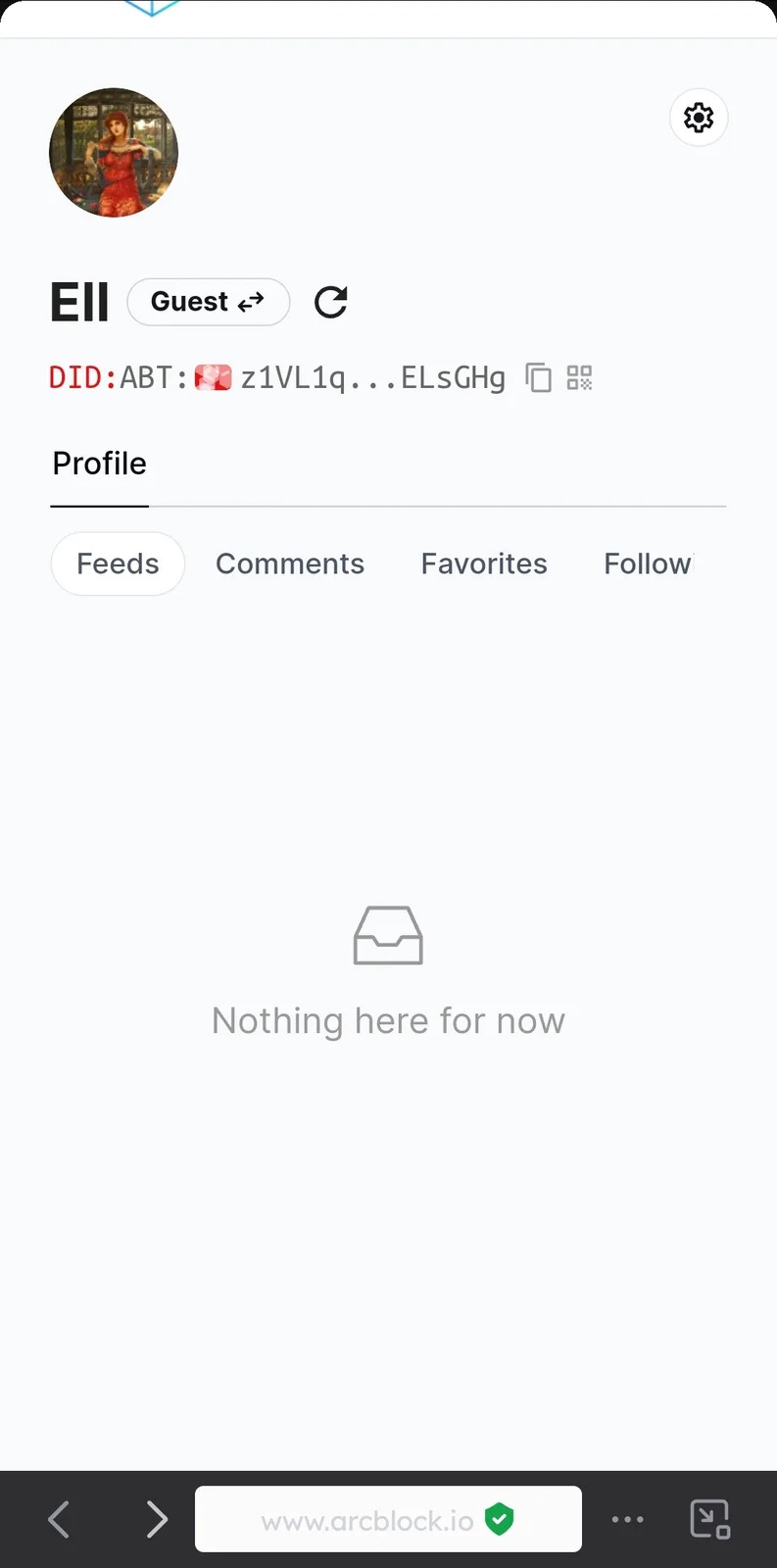
As an aside, I think the green message should say 'Refreshed profile successfully' instead of 'Refresh profile successfully'
I've noticed that if I open the browser to the arcblock community page and then after open the profile page, the post history does load successfully.
6 条回复
http://www.arcblock.io/ & https://community.arcblock.io/ are different sites, they have different profile pages
So the behavior you're seeing now is a normal expectation
Ok thank you, can I ask what the purpose of the headers are for outside of the community area? Surely it will confuse people if these headers are only for the the community portion but show up anyway (without content) whenever anyone accesses their profile?
Which header are you talking about?
The headers which say Feeds, Comments, Favourites, Follow.
If they are designed to be used with post history only visible when the user is in the community area, then why aren't they hidden (like the post history is) when the profile is accessed from other sources?
I can see your feeds without login
I noticed you have messed up two different site