
Auth0 setup not working correctly

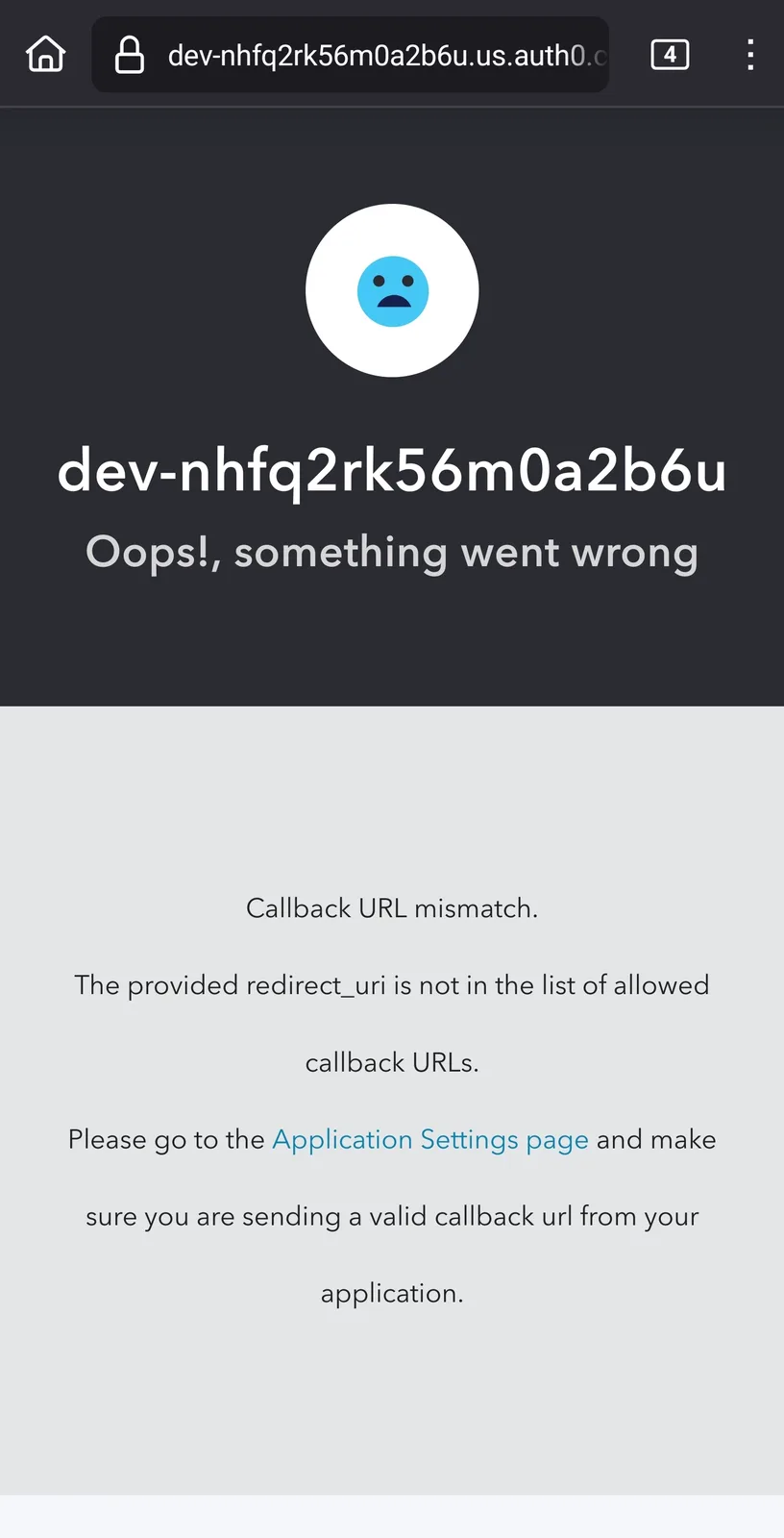
Not sure if its a bug on the blocklet server side - I attempted the Auth0 Login setup tutorial, but after finishing setup and attempting any of the login methods through Auth0 I'm met with a page saying there's a callback url mismatch.
The message
The settings for auth0
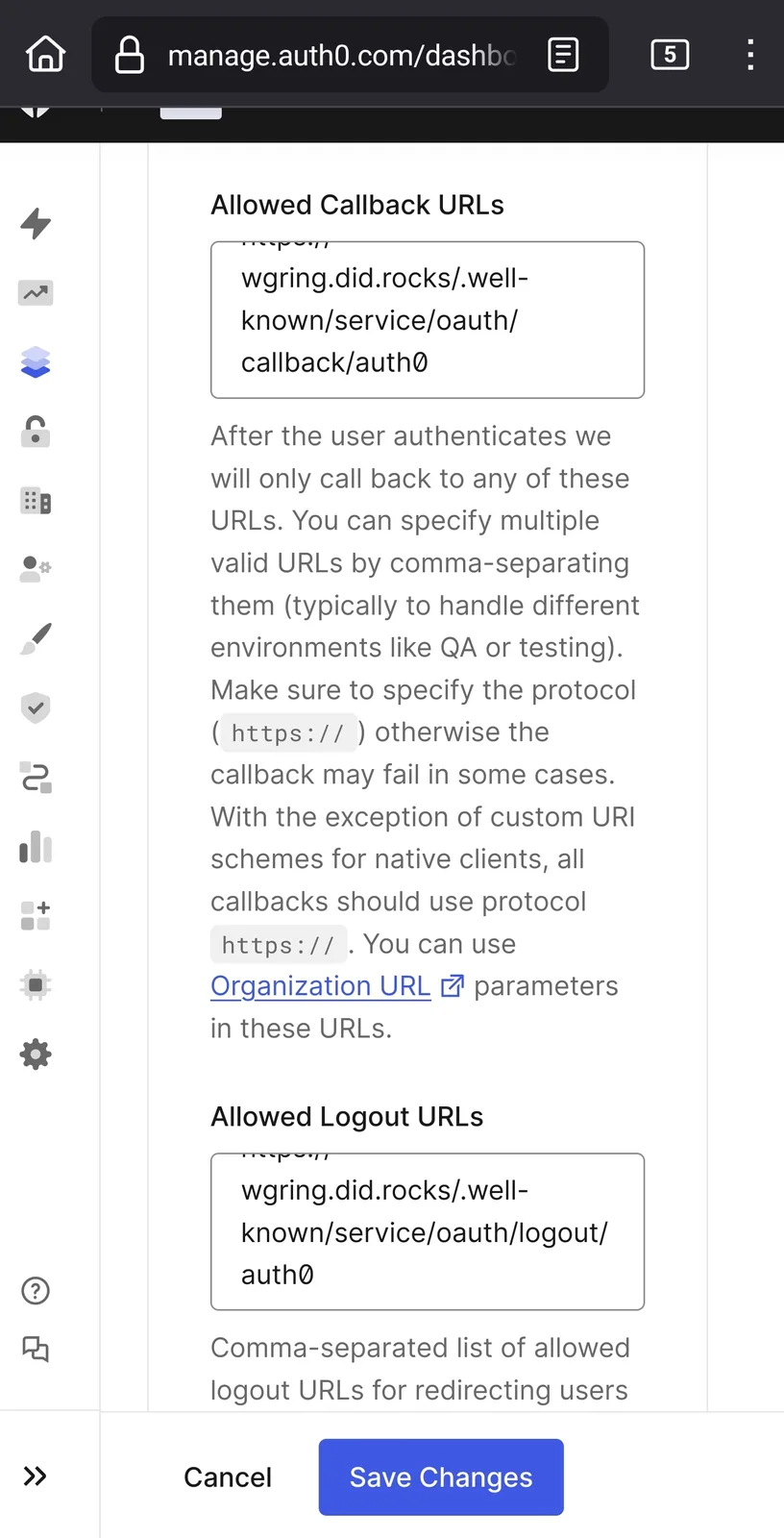
I've removed and added it twice, and attempted restarts on the blocklet space as well with the same outcome.
When checking the methods on wasil's site, his redirect seemed to work just fine (video comparisons; wasil's site then mine):
7 replies
Can you check if the App URL setting is correct? Must be same domain, you filled in auth0
Same yes. Same result with or without forward slash entered.
I noticed your error page URL is
https://dev-nhfq2rk56m0a2b6u.us.auth0.com/authorize?prompt=login&scope=openid+profile+email&response_type=code&client_id=73vPfpqxf2jtCyNZQb69E9bTmRkMpYGe&redirect_uri=https%3A%2F%2Fwgring.did.rocks%2F%2F.well-known%2Fservice%2Foauth%2Fcallback%2Fauth0which after decoding is
https://dev-nhfq2rk56m0a2b6u.us.auth0.com/authorize?prompt=login&scope=openid+profile+email&response_type=code&client_id=73vPfpqxf2jtCyNZQb69E9bTmRkMpYGe&redirect_uri=https://wgring.did.rocks//.well-known/service/oauth/callback/auth0You can find a double slash in
redirect_uri, please remove the last slash in App URL, then restart you blocklet, and try to login againya that allowed the page to show, though it gives me a warning that differs from the comparison previously:
That is because you enable Google login in auth0, but this Google login is using auth0 dev keys
You can disable Google login or just apply your own google login project
👀
Just publish two tutorials about
Google loginandGithub Login