
Certificate Verification Error on DID Wallet

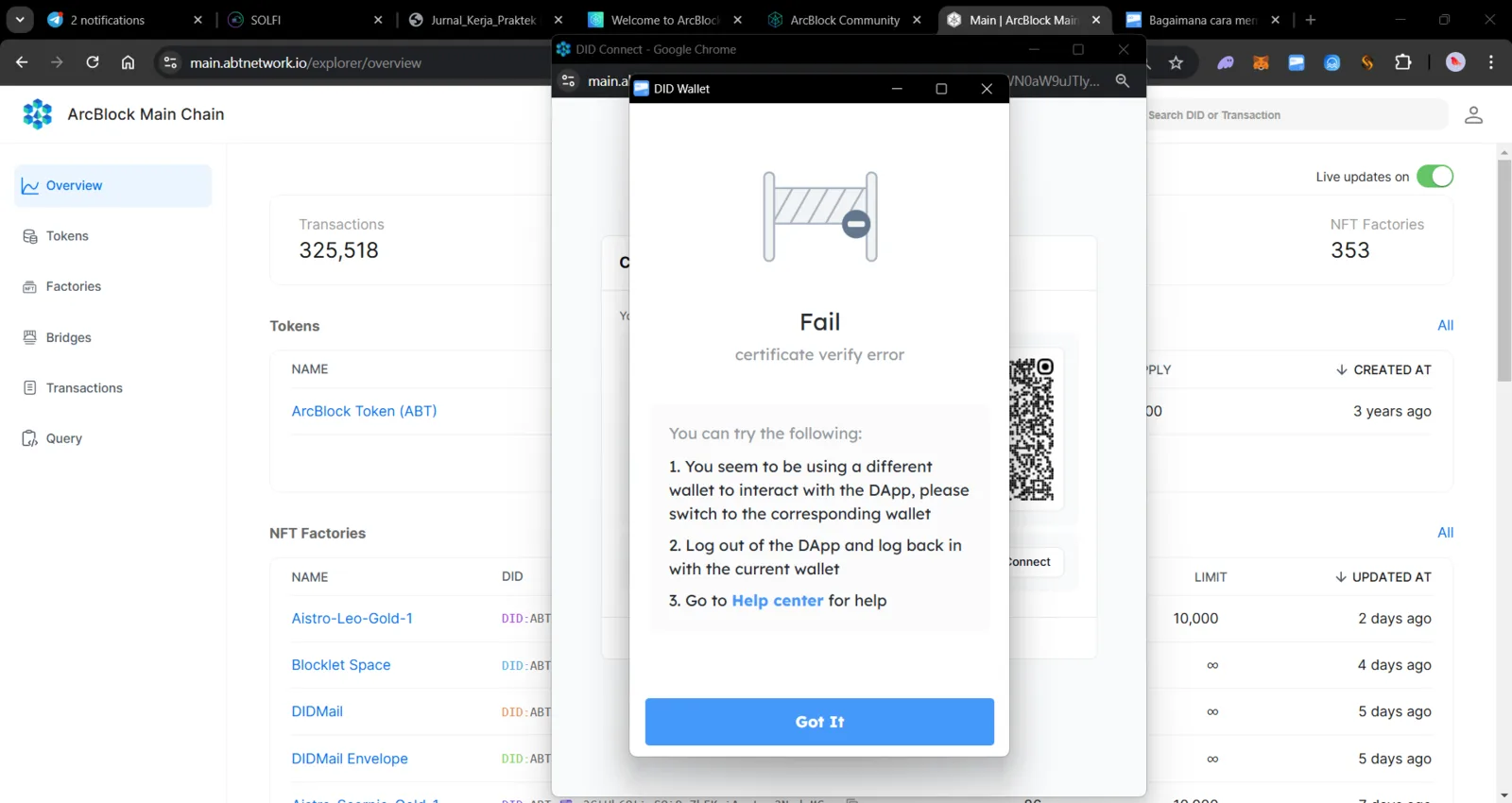
Users are encountering the error message "Fail: certificate verify error" when attempting to authenticate or interact using the DID Wallet on the ArcBlock Main Chain platform. This error indicates that the wallet being used is not recognized, or there is an issue with the security certificate. This prevents users from proceeding with interactions on the decentralized application (DApp).
Steps to Reproduce
- Open the ArcBlock Main Chain website at the URL: https://main.abtnetwork.io.
- Navigate to the Overview menu and select the option to connect using the DID Wallet.
- Attempt to authenticate or perform an activity that requires wallet connectivity.
- The system displays the error message "certificate verify error" in a pop-up window.
2 replies
z1VV21NqNWkiadznN32ALkos5dQqQwnCMty
This is an known issue: https://github.com/ArcBlock/blocklet-server/issues/10065