
Generating Artifacts Does Not Award Points

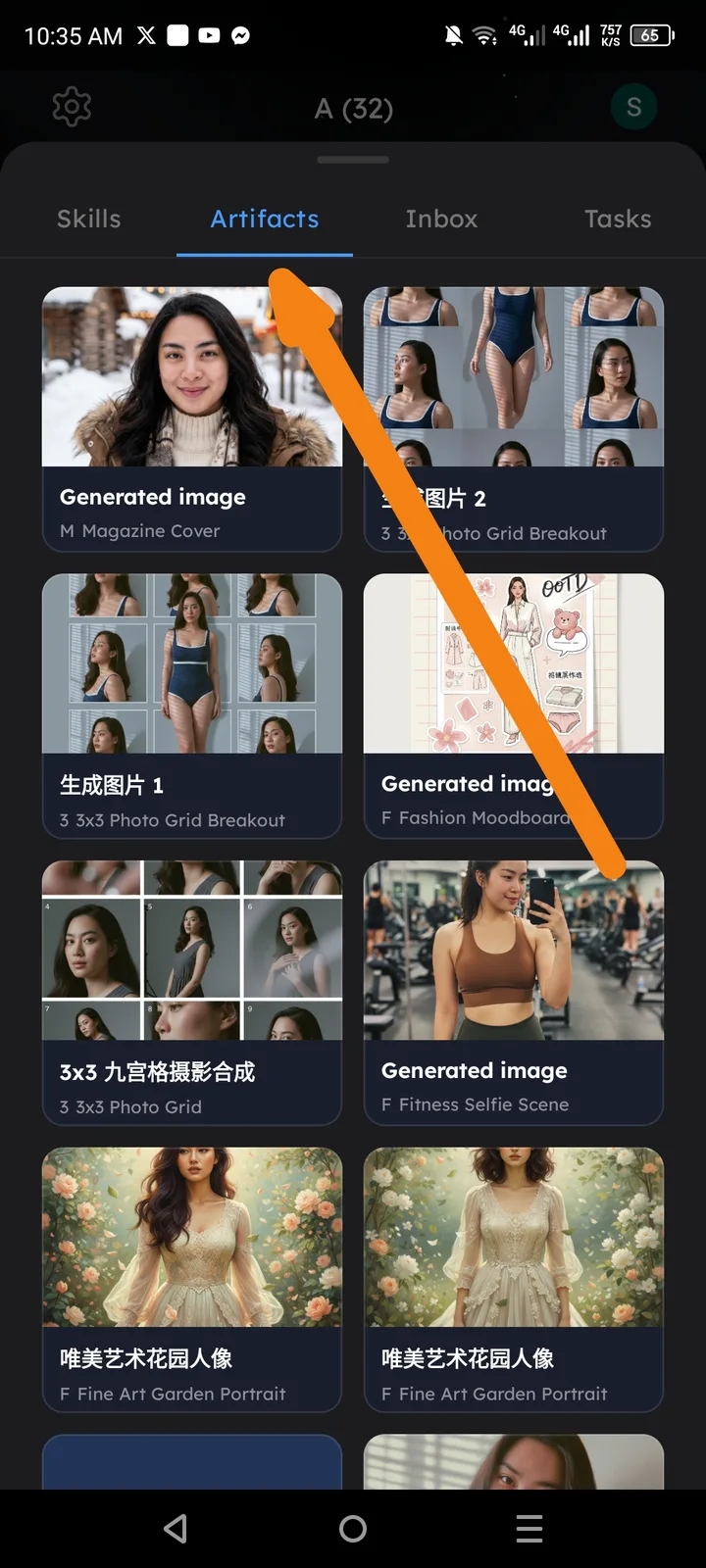
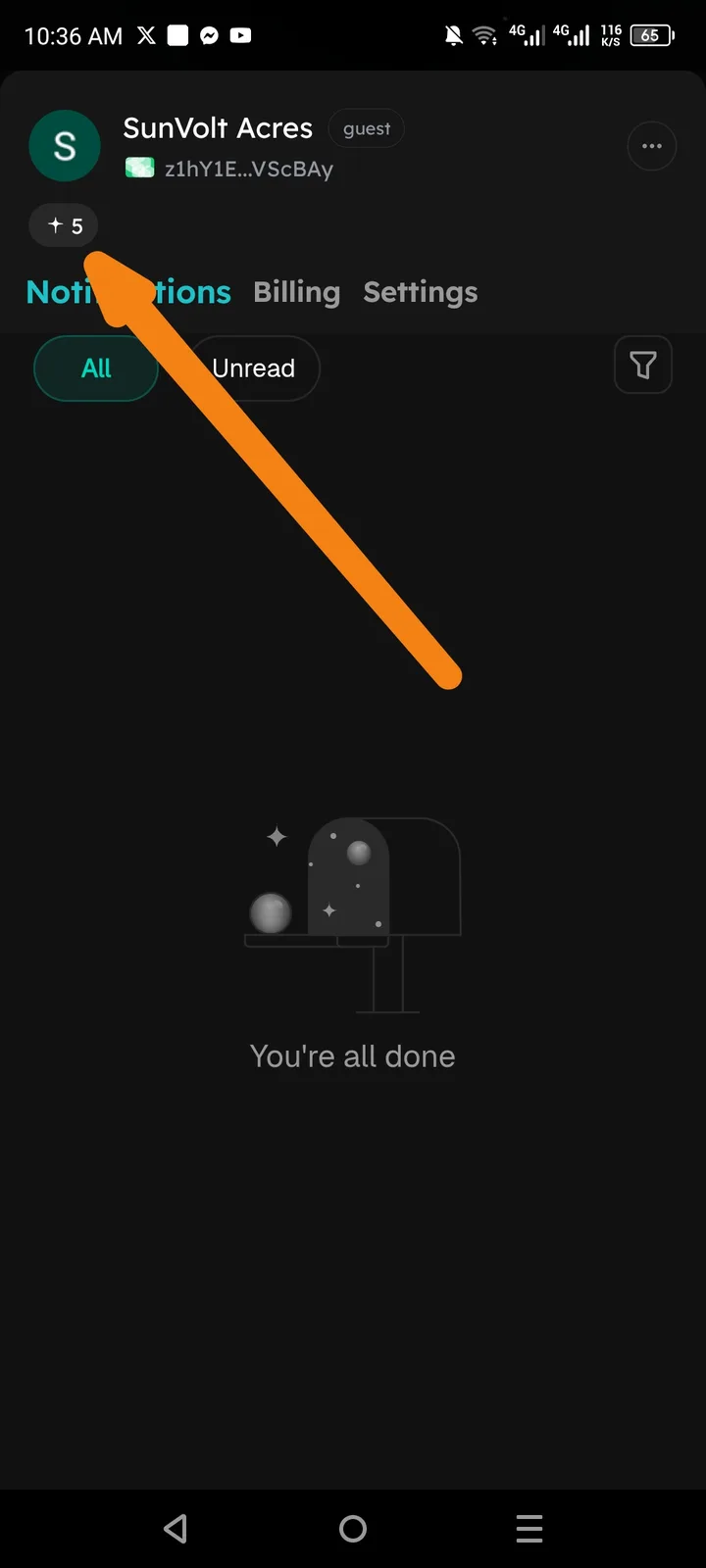
Users do not receive points after generating artifacts (AI-generated images) within the Arcsphere app. Despite successfully creating multiple artifacts, the points counter remains stagnant and no point notifications are triggered.
Steps to Reproduce
- Open the Arcsphere app and navigate to the Artifacts tab.
- Generate one or more AI image artifacts (e.g., Magazine Cover, Photo Grid, Fashion Moodboard, Fitness Selfie Scene, Fine Art Garden Portrait).
- After generation completes, navigate to the Profile / Notifications section.
- Observe the points balance and notification inbox.
Expected Behavior
- Each successfully generated artifact should award the user a defined number of points.
- A points notification (e.g., "+X points earned for generating an artifact") should appear in the Notifications inbox.
- The total points counter should increment accordingly.
Actual Behavior
- Multiple artifacts were generated successfully across various skill templates (M Magazine Cover, 3x3 Photo Grid Breakout, Fashion Moodboard, Fitness Selfie Scene, Fine Art Garden Portrait).
- The points balance remained at +5 with no new points awarded.
- The Notifications inbox is empty ("You're all done" state), confirming no point reward events were triggered.