
No Character Limit in “Update Wallet Title” Field

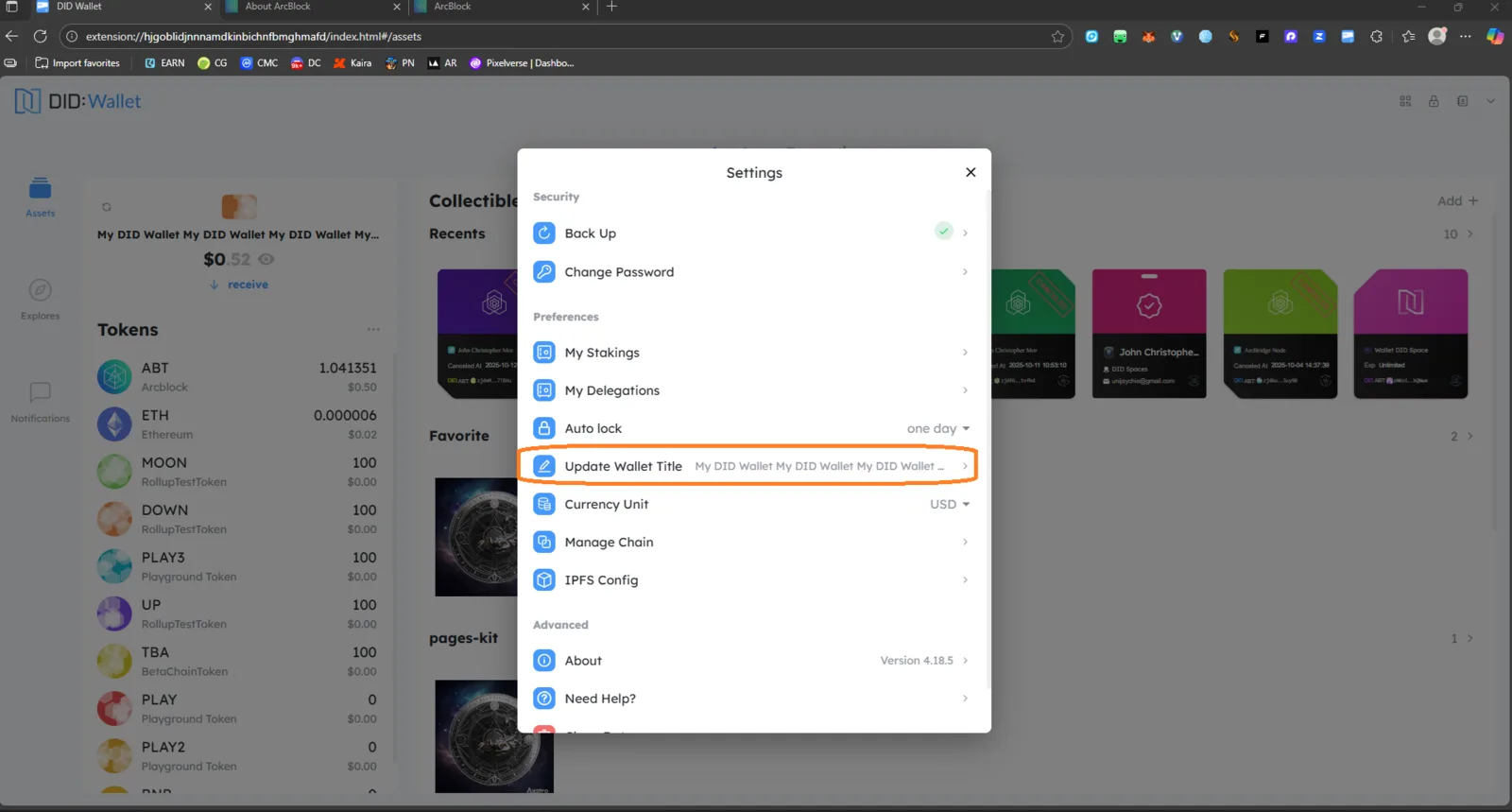
Target Product: DID Wallet (Browser Extension)
Version: 4.18.5
Location: Settings → Preferences → Update Wallet Title
Severity: Medium – UI/UX / Input Validation
Category: Input Validation & Design Consistency
Summary
The “Update Wallet Title” input field under Settings → Preferences does not have a character limit. Users can repeatedly enter long text (e.g. “My DID Wallet My DID Wallet My DID Wallet...”), resulting in excessive overflow and potential UI distortion.
Steps to Reproduce
- Open DID Wallet Extension.
- Navigate to Settings → Preferences → Update Wallet Title.
- Enter a long string or paste repeated text (e.g. 100+ characters).
- Save the change.
Observed Result
- The wallet title accepts unlimited text input.
- The text overflows beyond visible UI boundaries.
- No input validation or warning message appears.
- The title is displayed incorrectly in the main wallet view.
Expected Result
- The field should restrict input to a reasonable length (e.g. 30–50 characters).
- Display an error message or prevent saving when the limit is exceeded.
- The wallet title should remain neatly formatted and visible in the main interface.
Impact
- Causes UI overflow and text truncation.
- Reduces readability in both main wallet view and settings.
- May cause inconsistent layout rendering across devices.
Recommendation
✅ Implement maxLength property (e.g. 50 characters). ✅ Add inline validation (e.g. “Title too long – max 50 characters”). ✅ Optionally, include automatic trimming for pasted input.