
Missing "Report Image" Button in AIGNE

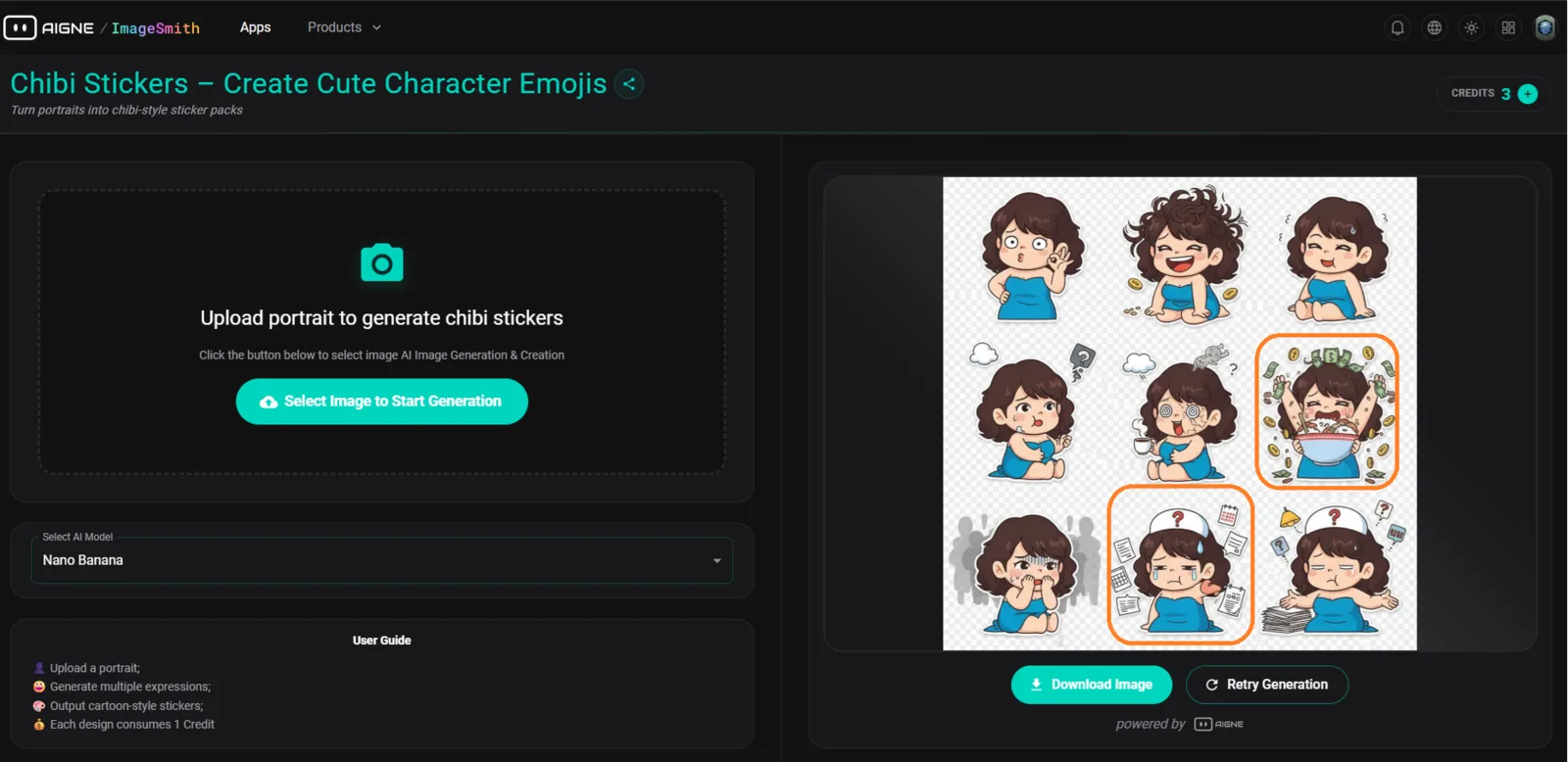
Summary
There is no “Report” button or option to flag inappropriate, offensive, or incorrect AI-generated images in the Chibi Sticker generator results section.
Steps to Reproduce
- Go to AIGNE ImageSmith → Chibi Stickers Generator.
- Upload a portrait and generate a set of stickers.
- Wait for the results to appear on the right-hand side.
- Observe there’s no visible option to report an image result.
Expected Result
- Each generated image (or the overall sticker set) should include a “Report” button or flag icon to allow users to report issues such as:
- Offensive or NSFW output
- Incorrect likeness
- Copyright or data-related concern
Actual Result
- Users can only Download Image or Retry Generation.
- No available button to report problematic or harmful outputs.
Impact
🚨 Moderation / Compliance Issue Without a reporting mechanism, the platform risks hosting or generating unmoderated AI outputs that could violate community or legal standards.
Severity
🟡 Medium (Moderation / Missing Core UX Element)
Visual Evidence
📸 Screenshot: 200fd7a6-8fed-44eb-979f-08d8629fa43c.png
(Highlighted area shows where the "Report" option is expected.)
Recommendations
✅ Add a “Report Image” or ⚠️ Flag button near:
- Each generated image, or
- Below the “Download Image” and “Retry Generation” buttons.
✅ Include modal options:
- Inappropriate content
- Wrong generation
- Copyright violation
- Other
✅ Send report logs to admin/moderation panel for review.