
“Contact Email” Not Redirecting on Aistro.io

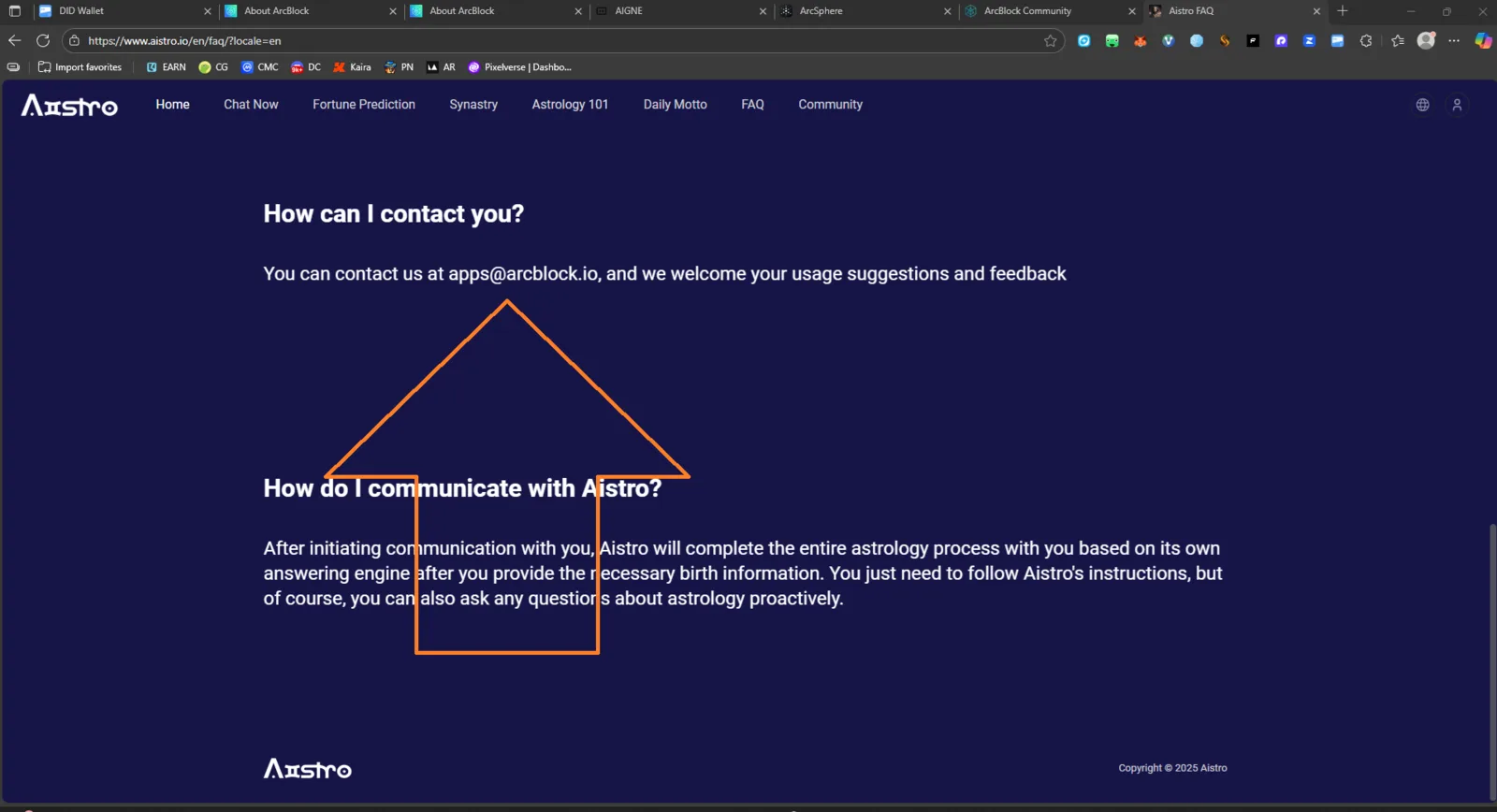
Target Page: https://www.aistro.io/en/faq/?locale=en Severity: Medium Category: UI / UX Functionality
Summary
On the Aistro FAQ page, the contact email (apps@arcblock.io) is displayed as plain text but not clickable (no mailto redirect). Users cannot easily contact support without manually copying the address.
Steps to Reproduce
- Visit the FAQ page: https://www.aistro.io/en/faq/?locale=en
- Scroll to the “How can I contact you?” section.
- Click the email address
apps@arcblock.io. - Observe that nothing happens — no redirect to email client.
Actual Result
- The email text is static and does not open a mail client (no
mailto:link). - Users must manually copy and paste the address.
Expected Result
- Clicking the email address should automatically open the user’s default mail client with the email pre-filled (e.g.,
mailto:apps@arcblock.io).
Impact
- Reduces accessibility and usability for users trying to contact support.
- May lead to fewer feedback submissions or communication delays.
Recommendation
Add a proper clickable mailto link:
<a href="mailto:apps@arcblock.io">apps@arcblock.io</a>