
Missing Background Playback & Picture-in-Picture Support

Summary
Arcsphere browser does not support background audio/video playback or Picture-in-Picture (PiP) mode. When users switch to another app or minimize the browser, video playback stops immediately instead of continuing in the background or as a floating window.
Description
Unlike standard browsers (Chrome, Safari, Firefox), Arcsphere lacks media session handling that allows videos to continue playing when the app is backgrounded. Additionally, there is no Picture-in-Picture mode support, forcing users to stay within the Arcsphere app to watch videos. This significantly impacts multitasking and user experience when consuming media content.
Steps to Reproduce
- Open Arcsphere browser
- Navigate to any video platform (Facebook, YouTube, etc.)
- Start playing a video
- Press the Home button or switch to another app (recent apps gesture)
- Observe that video/audio stops immediately
- Check notification shade - no media controls appear for Arcsphere
Expected Result
- Video should continue playing in background with audio
- OR Video should switch to Picture-in-Picture floating window mode
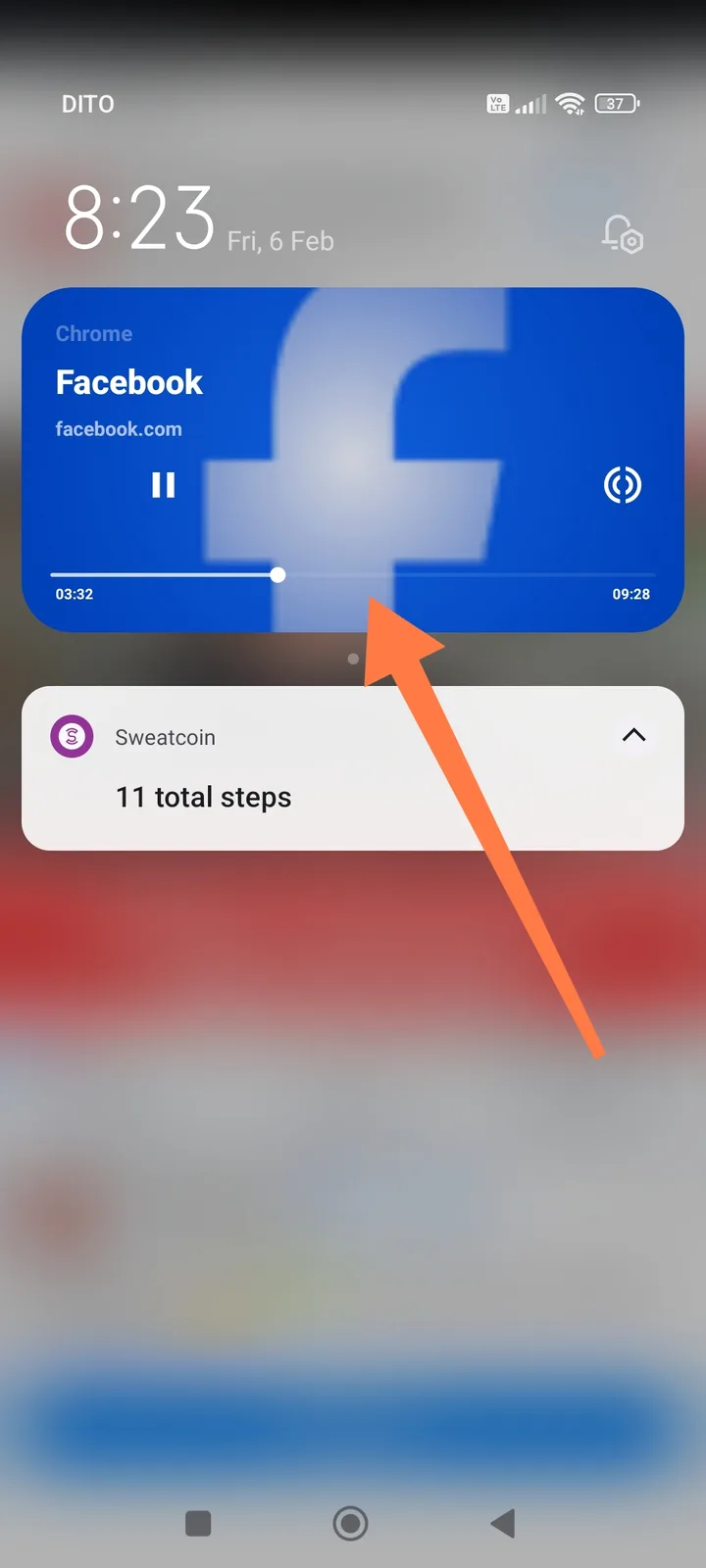
- Media notification should appear in notification shade with play/pause/seek controls (as shown in your Chrome example)
- User should be able to browse other apps while video continues
Actual Result
- Video playback stops completely when app is minimized
- No background audio continues
- No media notification appears in notification panel
- No Picture-in-Picture window option available
- User must keep Arcsphere in foreground to watch videos
Evidence
Screenshot comparison:
- Working example (Chrome): Your screenshot shows Chrome's media notification with Facebook video, displaying playback controls, progress bar (03/09), and pause button - demonstrating proper background media handling
- Missing in Arcsphere: Arcsphere lacks this functionality entirely
Environment
- App: Arcsphere Browser
- Device: Android
- OS Version: Android 13
- App Version: v.1.10.4/0.1.123
- Tested Site: Facebook, YouTube, or other video platforms
Severity
🟡 Medium-High - Core functionality gap
Impact
- Cannot multitask while watching videos
- Podcasts/audiobooks stop when switching apps
- Poor user experience compared to competing browsers
- Forces users to use alternative browsers for media consumption
- Reduced productivity for users who watch educational content
Technical Details
The issue relates to missing implementation of:
- MediaSession API - For media notifications and background controls
- Foreground Service - Required for background audio playback on Android
- Picture-in-Picture (PiP) Mode -
setPictureInPictureParams()API - Audio Focus Handling - Proper audio focus requests for background playback
Suggested Fix
- Implement MediaSession: Add media session handling to show controls in notification shade
- Background Audio Service: Create a foreground service for audio playback when app is backgrounded
- PiP Support: Enable Picture-in-Picture mode for video elements with
android:supportsPictureInPicture="true" - Settings Toggle: Add "Background Playback" option in settings for users who prefer current behavior