
Login Failed: "Not allowed by CORS" error when attempting ArcBlock account login

Description
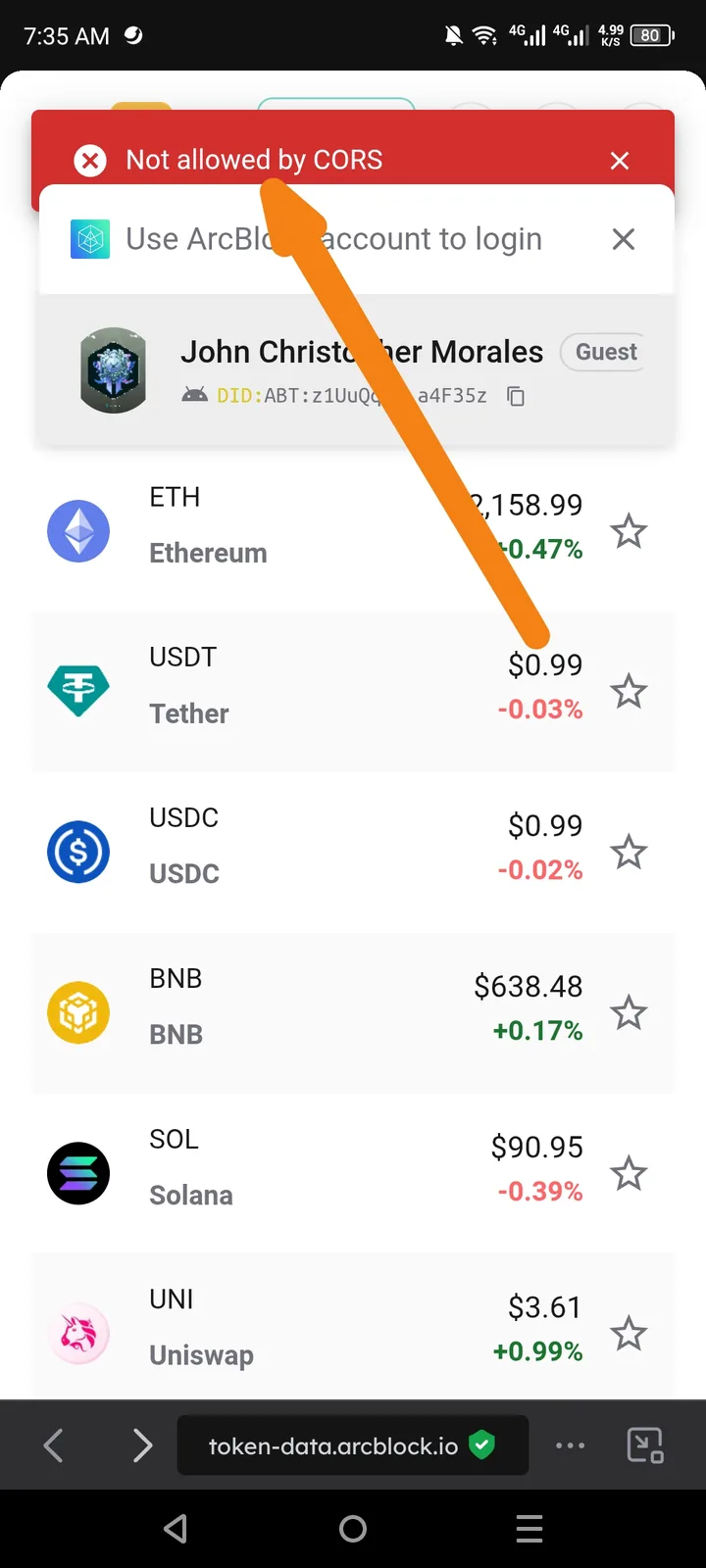
When attempting to log in using an ArcBlock account on the token-data.arcblock.io platform, the system returns a red toast notification error: "Not allowed by CORS". This prevents the authentication handshake from completing, leaving the user in a "Guest" state.
Environment Details
- URL:
https://token-data.arcblock.io - Device: Android Mobile (as seen in screenshot)
- Browser: In-app browser / Mobile Chrome
- Account Type: ArcBlock DID (User: John Christopher Morales)
Steps to Reproduce
- Navigate to
token-data.arcblock.io. - Click on the login/profile section.
- Select "Use ArcBlock account to login".
- Observe the error message at the top of the interface.
Expected Result
The authentication request should be accepted by the server, and the user should be logged in successfully.
Actual Result
The browser blocks the request due to a Cross-Origin Resource Sharing (CORS) policy violation, and the error "Not allowed by CORS" is displayed.