
Sphere Moves but Indicator Dot Does Not Sync

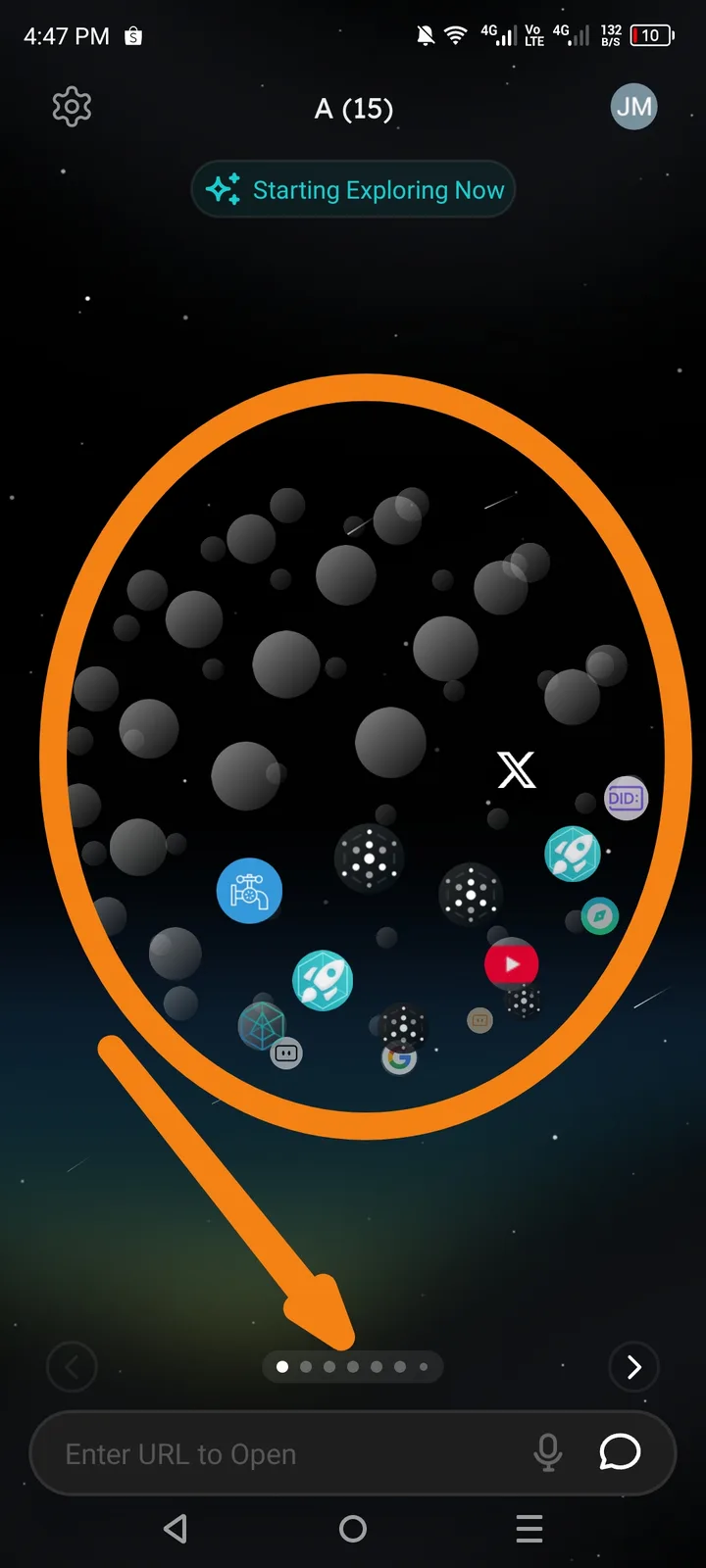
❗ Description
When swiping left or right to move between spheres, the main sphere content moves correctly, but the page indicator dots at the bottom do not update or move to reflect the current position.
This causes a mismatch between the visible sphere and the navigation indicator.
🔁 Steps to Reproduce
Open the ArcSphere app.
Navigate to the Sphere view.
Swipe left or right to move between spheres.
Observe the dot indicators at the bottom of the screen.
💥 Actual Result
Sphere content moves left/right correctly.
The indicator dot remains static and does not change position.
No visual feedback showing the current sphere index.
🎯 Expected Result
Indicator dots should move or update according to the active sphere.
The current sphere should be clearly highlighted in the dot navigation.
Swipe gestures and indicator state should stay synchronized.
⚠️ Impact
Users may become confused about which sphere/page is active.
Navigation feels incomplete or broken.
Reduces usability and visual clarity of the UI.