
Filter Label Still Appears Selected After Being Cleared

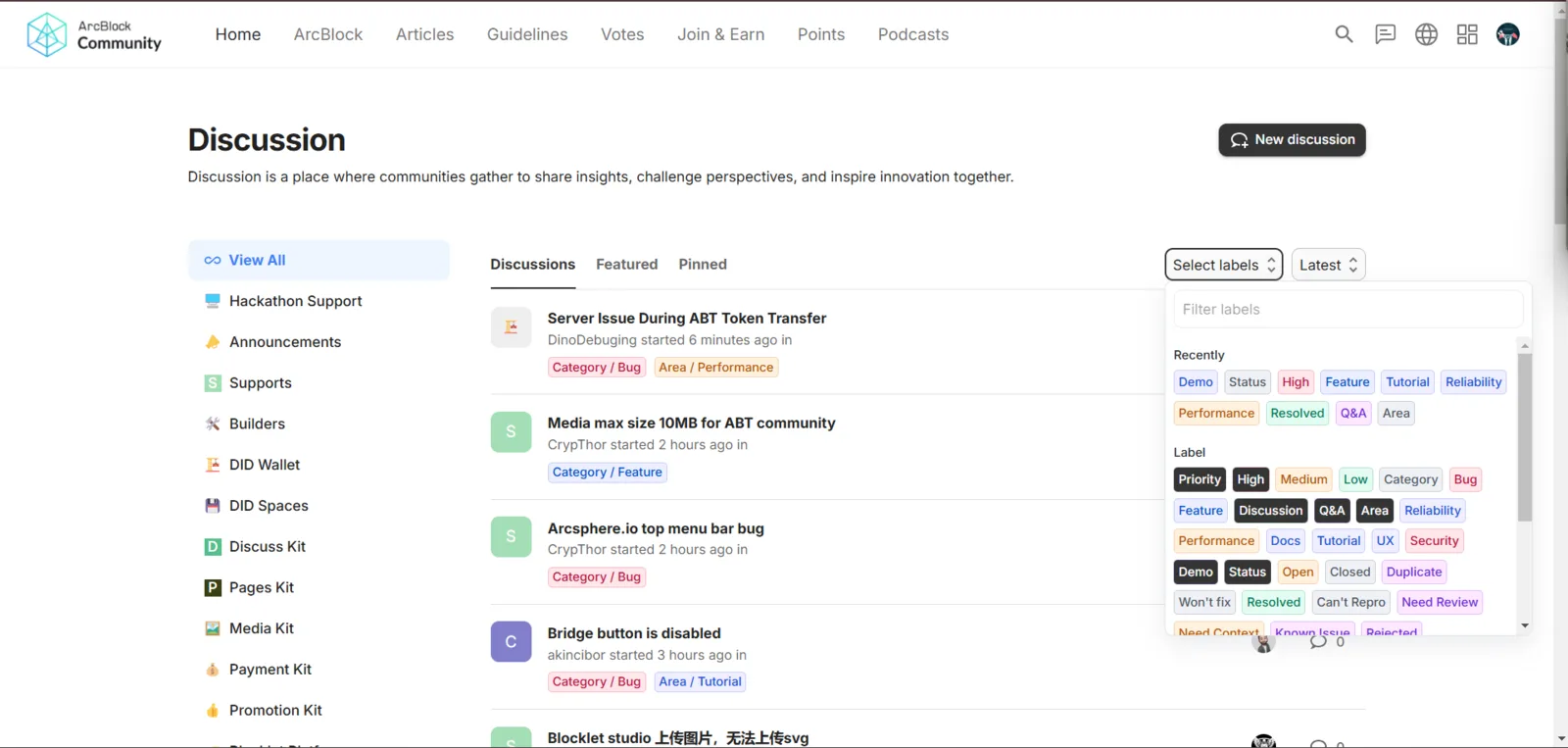
Hello Development Team, I have encountered an issue with the filter label feature on the Discussion page of the ArcBlock Community platform. This issue affects the user experience as the filter status is not synchronized between user actions and the interface. Below are
Description:
When a user clears a filter label on the Discussion page of the ArcBlock Community platform, the label still appears as "selected" in the interface, even though the filter has been removed. This creates confusion because the interface does not reflect the actual filter status.
Steps to Reproduce:
- Open the Discussion page on the ArcBlock Community platform.
- Select a filter label from the dropdown menu in the top-right corner.
- Clear the selected filter label by clicking the "X" or removing all filters.
- Notice that the label still appears as "selected" in the dropdown.
the details of the bug I observed.
I hope this report helps improve the platform's quality. Please let me know if additional information is needed. Thank you for your hard work in maintaining this platform!
4 replies
Hi, can you provide more context about this issue? such as the browser you are using.
We tried to reproduce, but with no luck.
Hi wangshijun,
Thank you for your response. Here are additional details about the issue I encountered:
Issue Description: When I clear a filter label on the Discussion page, the label still appears as "selected" in the dropdown menu, even though the filter has been removed. This creates confusion as the interface does not reflect the actual filter status.
Browser Used: I am using goggle chrome.
Steps to Reproduce:
Please let me know if you need further details or additional screenshots to help investigate this issue. Thank you for looking into it!
look z1VV21NqNWkiadznN32ALkos5dQqQwnCMty
Thanks for your feedback. A similar issue has been reported in Automatic Filter Movement Disrupts User Experience on Discussion Page