
Avatar Cut Off on Top-Right Corner in Mobile View (Android)

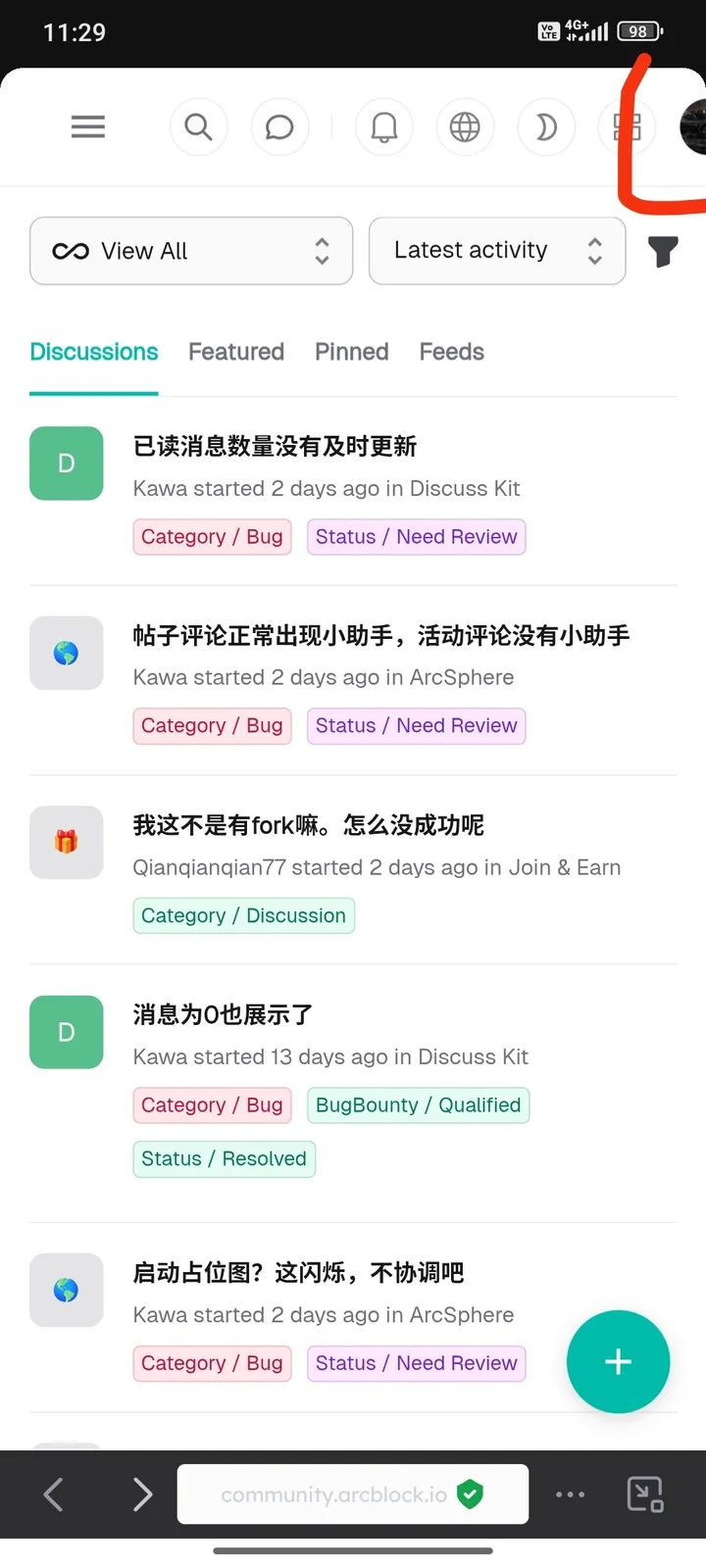
I found a user interface (UI) bug on the community.arcblock.io website when accessed via an Android device using the Chrome browser, where the user avatar located at the top right corner appears partially cut off and too close to the edge of the screen. This issue occurs in the mobile view, affecting the visual appearance even though core functionality remains intact. The bug can be reproduced by opening the site on an Android browser, logging in, and observing the top right corner of the page. The avatar is expected to be fully visible with adequate spacing from the screen edge to maintain a clean and professional UI. A supporting screenshot has been provided
1 reply
The same as this problem: Odd Profile Display on Top-Right Corner