
Payment Kit potential dashboard issue

Because I was having issues on my crazyvisionscomics.com site and getting the stripe set up, I decided to launch the payment kit from my 12inchapps.com site. I was able to get my stripe keys into the payment kit without a problem. So i made a test payment link. I found a potential issue.
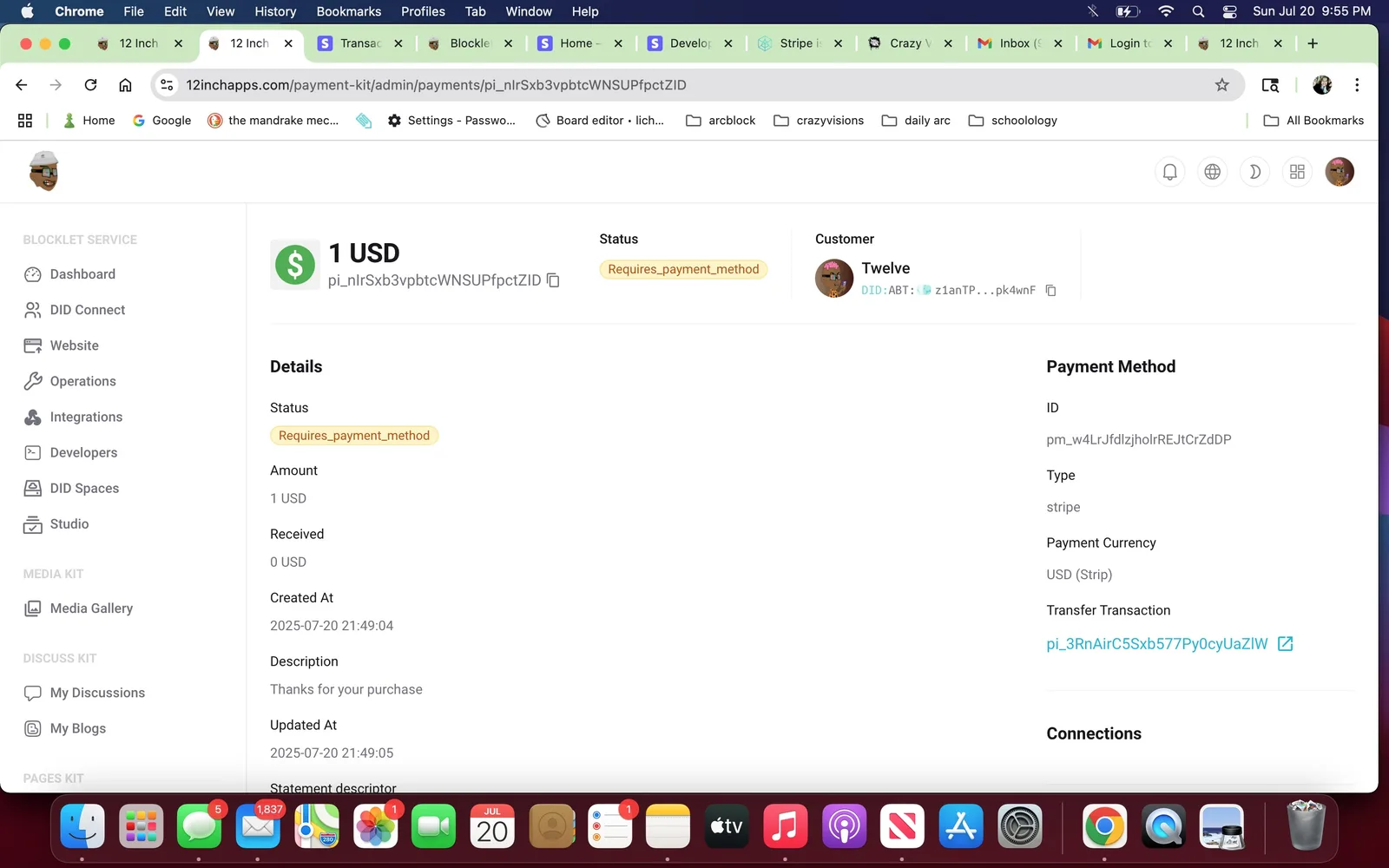
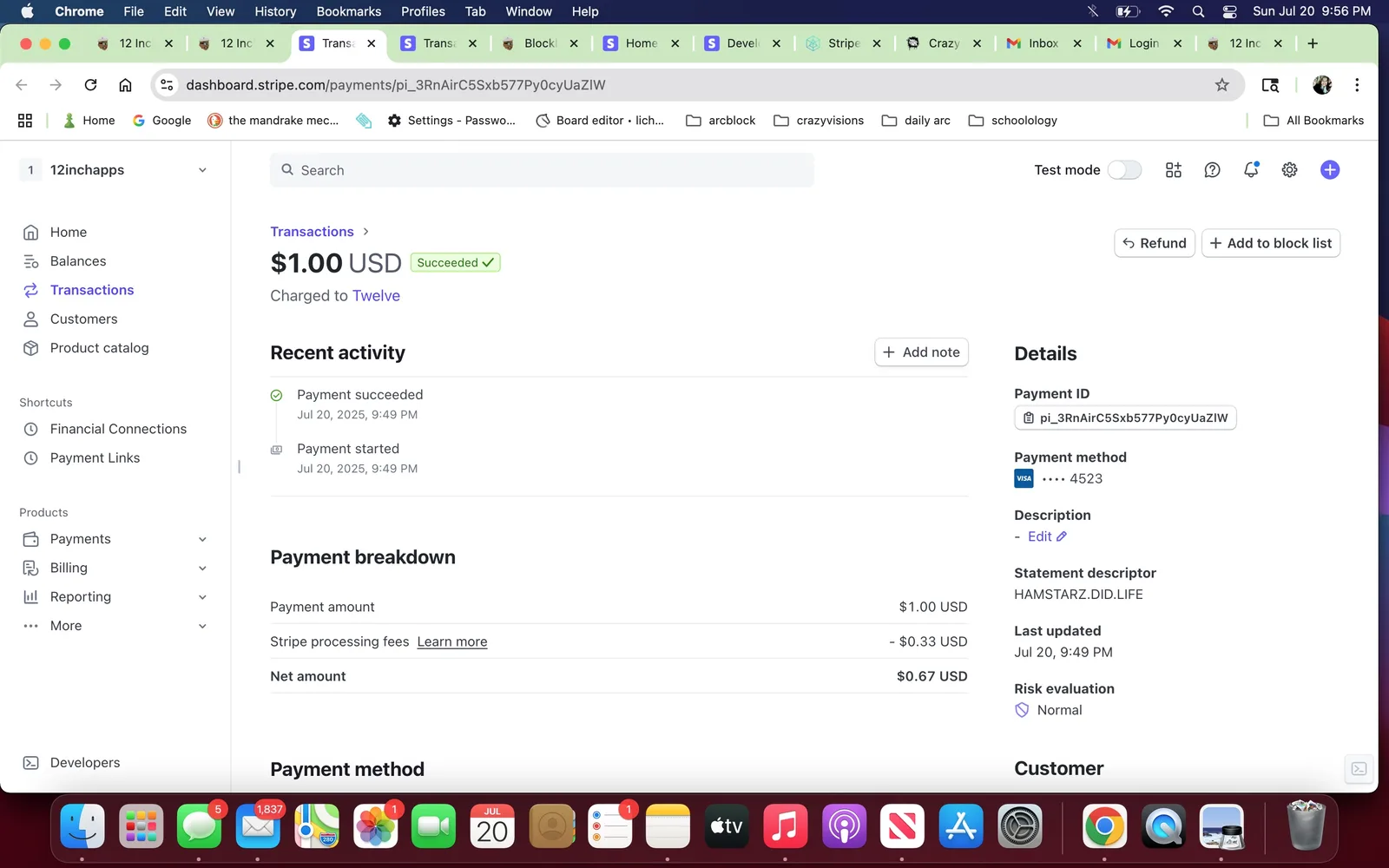
It looks like the payment went through on my stripe side, but in payment kit im not sure. It says "requires_payment_method". Here is a screenshot from both of my dashboards.
(view from payment kit)
(view from stripe)
I hope this message is not to confusing. Please let me know if I can clafiry anything.
Thank you.
3 replies
relates https://community.arcblock.io/discussions/4e970463-6ed0-424a-accd-b94275a63ee0
If the problem has been resolved, please reply.