
[BUG] Sharing and Copying Links from DID Wallet Explorer is not functioning.

When trying to choose the option to share or copy a link from the DID Wallet Explorer, no action is initiated. This problem obstructs users from easily distributing vital information or saving links for future reference.
When I click on the three dots situated in the lower right corner of the screen..
When we click on the three dots, we are presented with this menu.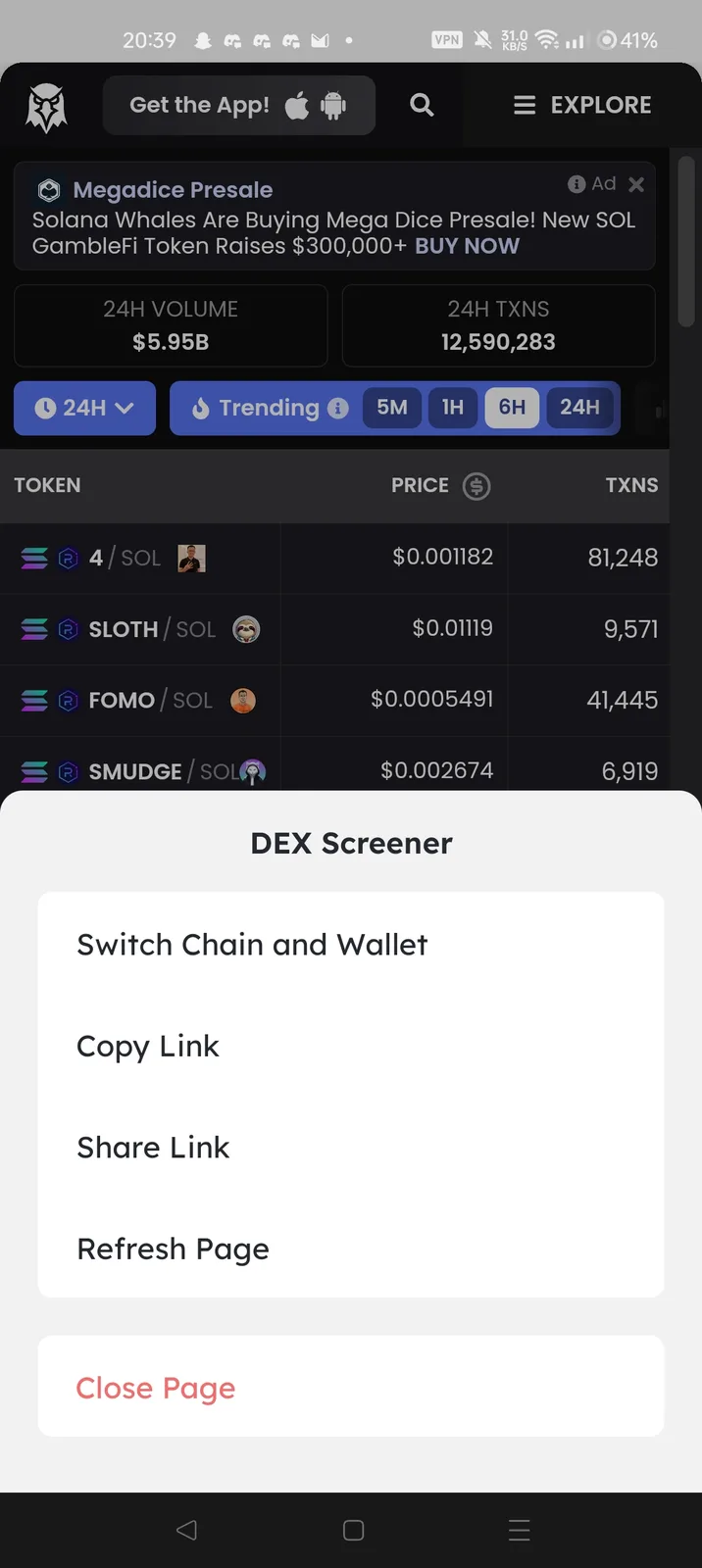 The "Close page and Refresh" function works, however, the "Copy Link" and "Share Link" functions do not work. I am also uncertain about the functionality of the "Switch Chain & Wallet" feature, as I am unsure of how to thoroughly test it.
EDIT: Here is a video of me attempting to copy and paste, but encountering difficulties. The same issue arose when trying to share the link on platforms such as X (Twitter).
5 replies
The "Copy Link" and "Share Link" buttons work fine on our test machines, we will continue to troubleshoot why they don't work on your phone.
"Switch Chain & Wallet" is only activated on some apps in the evm chain.
Very odd, I am using an Oneplus 9Pro.
Just wanted to let you know I updated the post with a video.
More similar reports: DID wallet内置浏览器,“复制链接”这个按钮不能正常复制
z1Qbk7uDebvHP3pe39Gky8Sc52hcM7LWedj Please update to the latest version, it works now ! thank you for your feedback.