
Custom Components in Discuss Kit

Hello team.
Are we able to lock the custom components away from public use?
I want to make components and only give acess
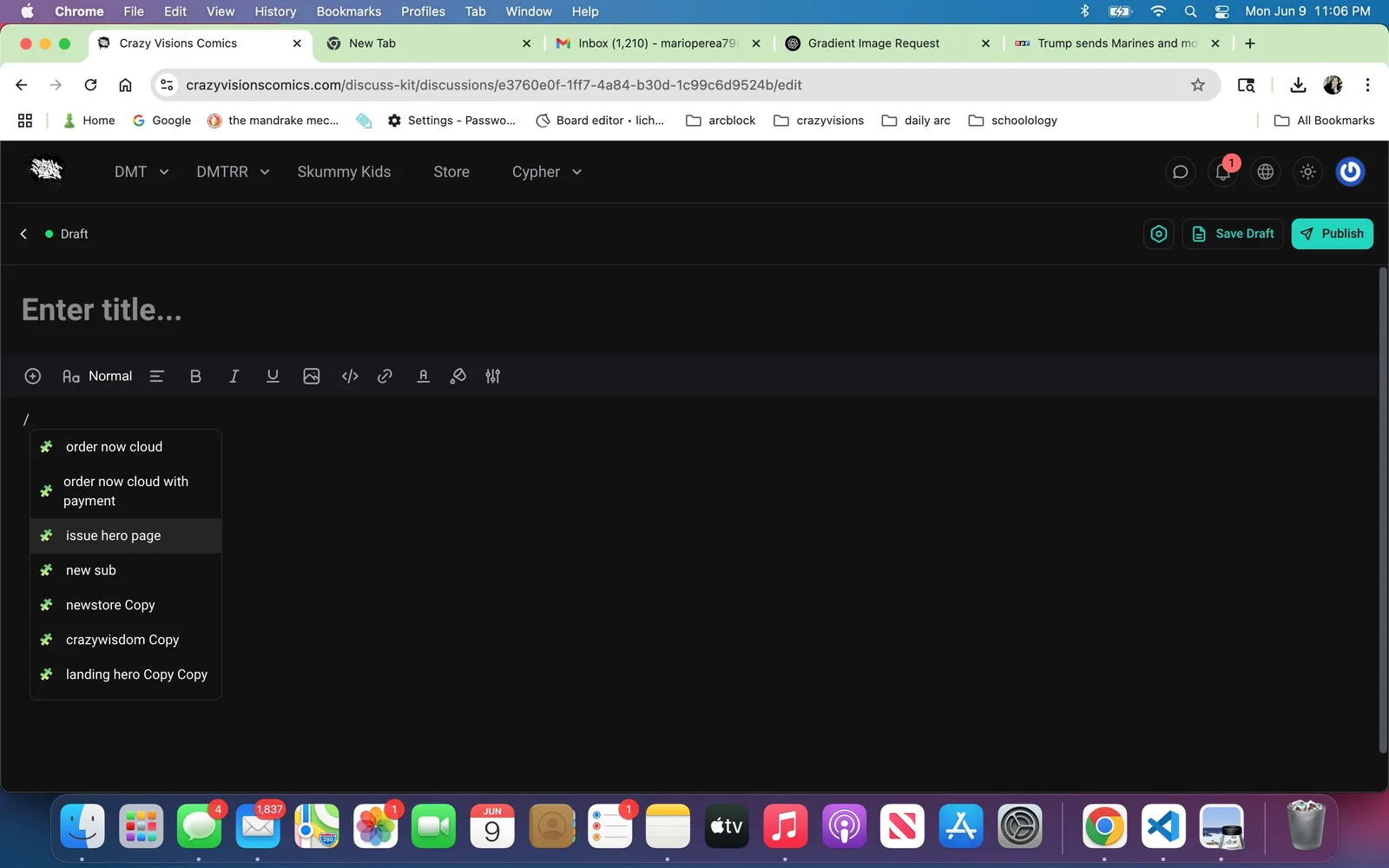
to select people in the discuss kit. As it is right now, once the component is made anybody can use a command to open it in discuss kit. I want to make some of them private. Is this possible?
7 replies
This is not currently possible. We will consider adding a feature to control the access to the components in the future, but don't have an ideal solution at the moment. Further discussion is needed to determine the best approach, and we'll keep you updated.
For now, it’s only possible to make components display different content for different users. If this meets your needs, you can refer to the following code:
Thank you! This actually works well for our current need. One other feature that you may want to consider is adding text such as “You don’t have correct permission to view this component” when someone tries to open a component they don’t have permission to view. Right now a blank screen appears and it is not clear what is happening.
访问没有权限的组件,具体是指什么呢?因为现在组件是没有权限控制的 是指没有权限的用户访问
Draft Preview链接吗?When using the discuss kit, any user can use the component picker. If a user picks a component without having the neccessary passport, then in the text box where the component usually shows up, a blank space appears. The user knows this because a gear icon appears in the dialogue box.
This can be confusing to users and they may think the component is broken if they are not given any further information.
We discussed this issue and are considering restricting components usage to admin users only. This would ensure users cannot add components without the required admin/owner permissions. Suggestions are welcome.
if only admins had acess to component picker, that would be a plus, but also keeping the passport system in place would be great.
I have a comic website. I’ve built a component that allows for digital vie of the comics. I can load these components Up onto a blog and then gate that with a custom passport. I can then sell the passports needed to view these blogs, essentially creating a paywall for our comics. That’s why this current setup works so well.
We’ve just released an update to DiscussKit that lets you control access to components based on passports. You can set it up by going to:
Server Dashboard → DiscussKit Preferences → Pages Kit Component Access Control → Allowed Passports
Only users with the specified passports will be able to access and use those components in the post editor.
The supported built-in passport values are: admin, owner, member, and guest.
If you’re using custom passports, you can find their identifiers under Manage Passports.
Let us know if you run into any issues.