
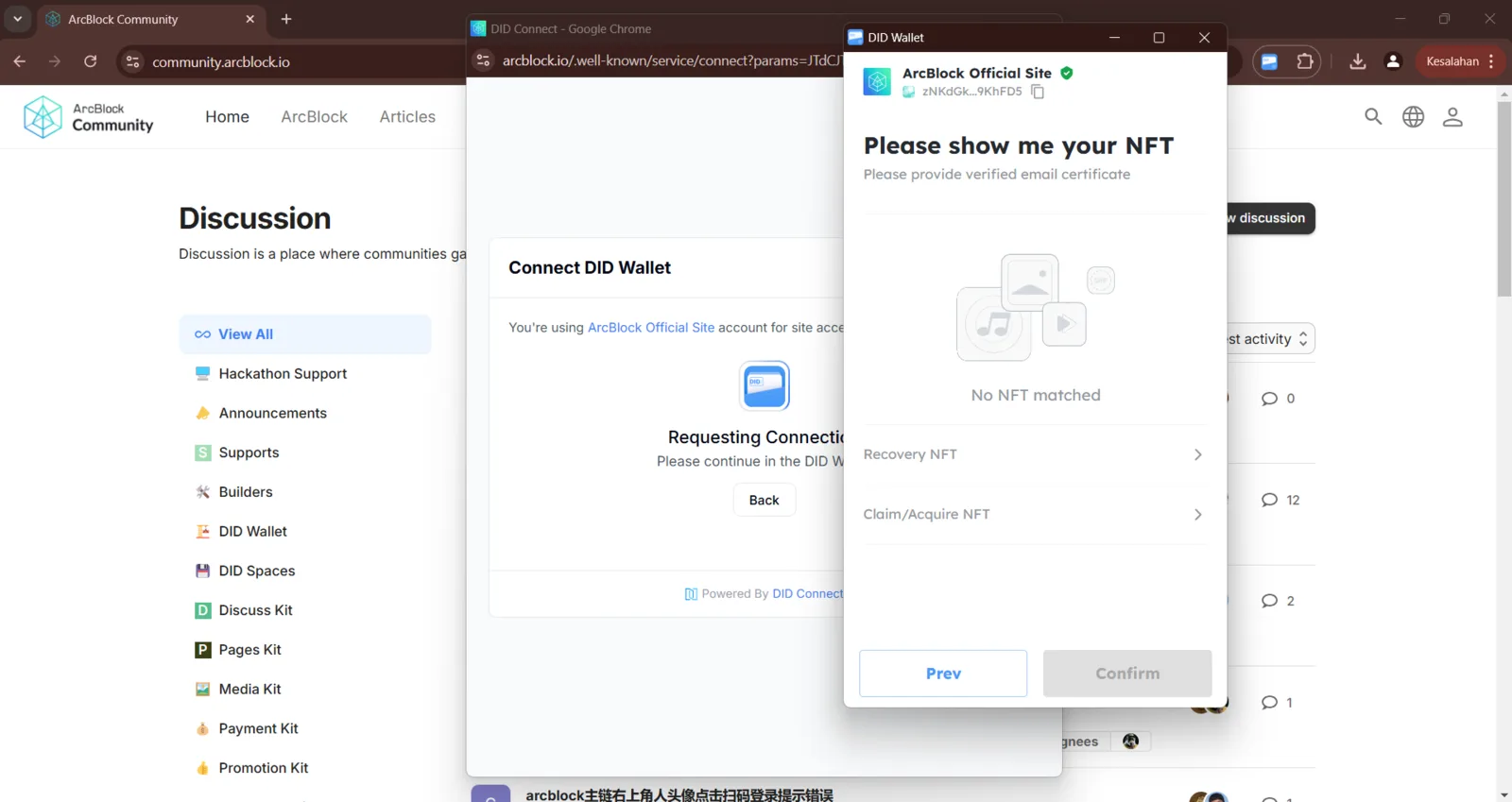
Unable to connect DID Wallet on ArcBlock Community site due to "No NFT matched" issue.

Hello Team,
I’d like to report a bug I encountered while trying to connect the DID Wallet on the ArcBlock Community site. The issue results in a "No NFT matched" message, which blocks the wallet connection process. I've included the details and steps to reproduce this bug below. I’d appreciate it if the team could review and address this issue to ensure a smooth connection process.
Thank you for your attention and assistance.
Description: When attempting to connect the DID Wallet on the ArcBlock Community website, the user encounters a prompt requesting an NFT for authentication. However, the "No NFT matched" message appears, preventing the user from proceeding. This issue may block access to certain features that require DID Wallet verification.
Steps to Reproduce:
- Go to the ArcBlock Community website at community.arcblock.io.
- Click on the DID Wallet option and request to connect your wallet.
- Observe the "Please show me your NFT" prompt.
- Notice the "No NFT matched" message that appears, preventing further action.
Expected Result: The DID Wallet should connect without requiring an NFT if unnecessary, or relevant instructions should be provided on acquiring/connecting the necessary NFT.
Actual Result: "No NFT matched" message appears, blocking wallet connection.
8 replies
please click “claim/acquire” on the no match nft screen in did wallet to verify your email and then get your verification certificate
Thank you so much that was exactly what I needed! You’ve saved the day! 😊
I did everything exactly as instructed, but, alas, it still didn’t work. 😞
Is the "new qrcode failed" issue still exist on your side?
ye sir
Hi, we have upgraded our service, can you help to verify?
yess of coursee sir
The issue should be fixed in latest release.