
Missing "Download All" Feature in Artifacts

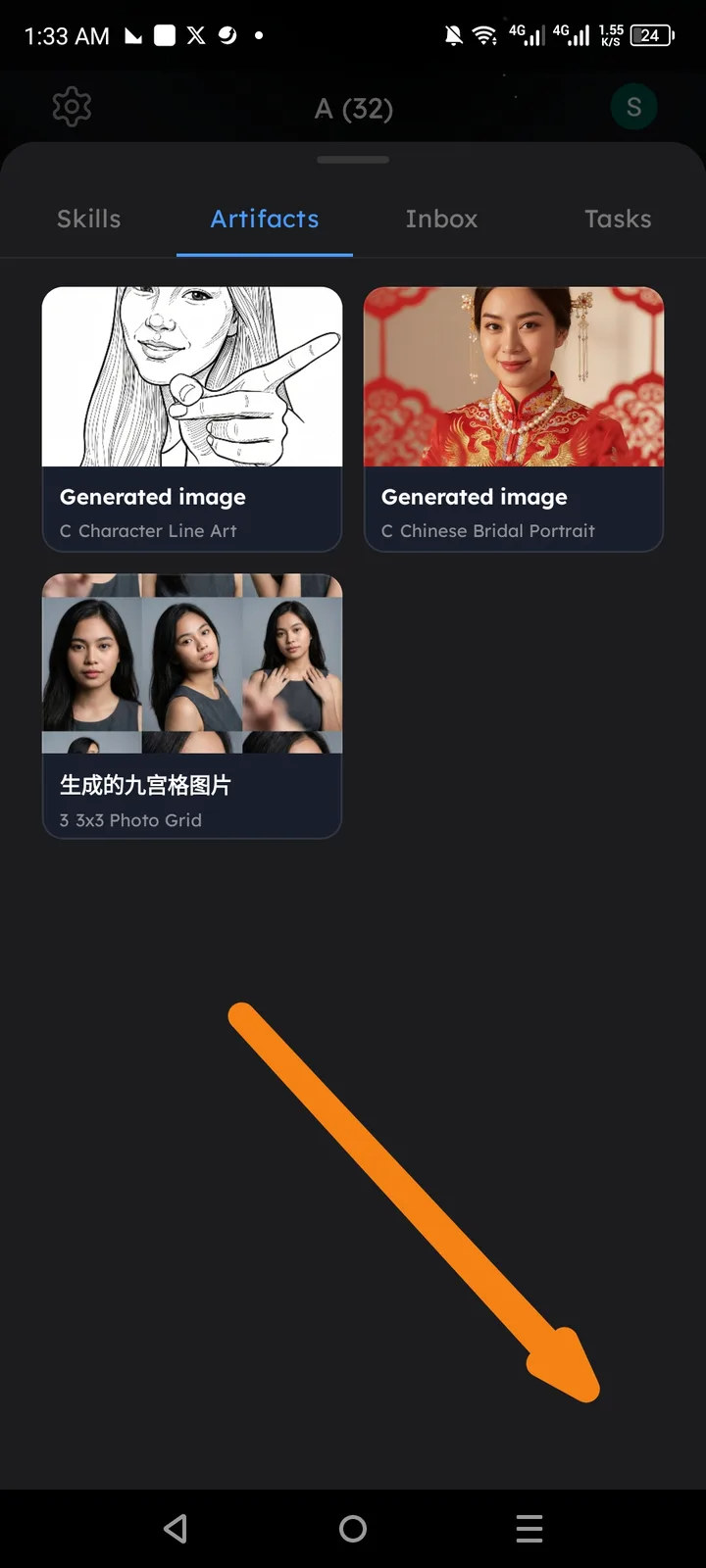
Summary: The Arcsphere "Artifacts" section lacks a bulk action to download all generated images/content at once. Users currently have to manage images individually, which is inefficient when multiple artifacts are present.
Component: Arcsphere -> Artifacts Tab
Description: In the Artifacts view (as shown in the attached screenshot), there are several generated images (e.g., "Character Line Art," "Chinese Bridal Portrait"). However, there is no visible button or menu option to "Download All" or select multiple items for a bulk download.
Steps to Reproduce:
- Open the Arcsphere menu.
- Navigate to the Artifacts tab.
- Observe that there is no global action button to download all assets simultaneously.
Expected Result: There should be a "Download All" button or a "Select" mode to highlight multiple images for a batch download to the device.
Actual Result: Users can only view or interact with artifacts individually, with no bulk download capability.