
Audio Output Failure

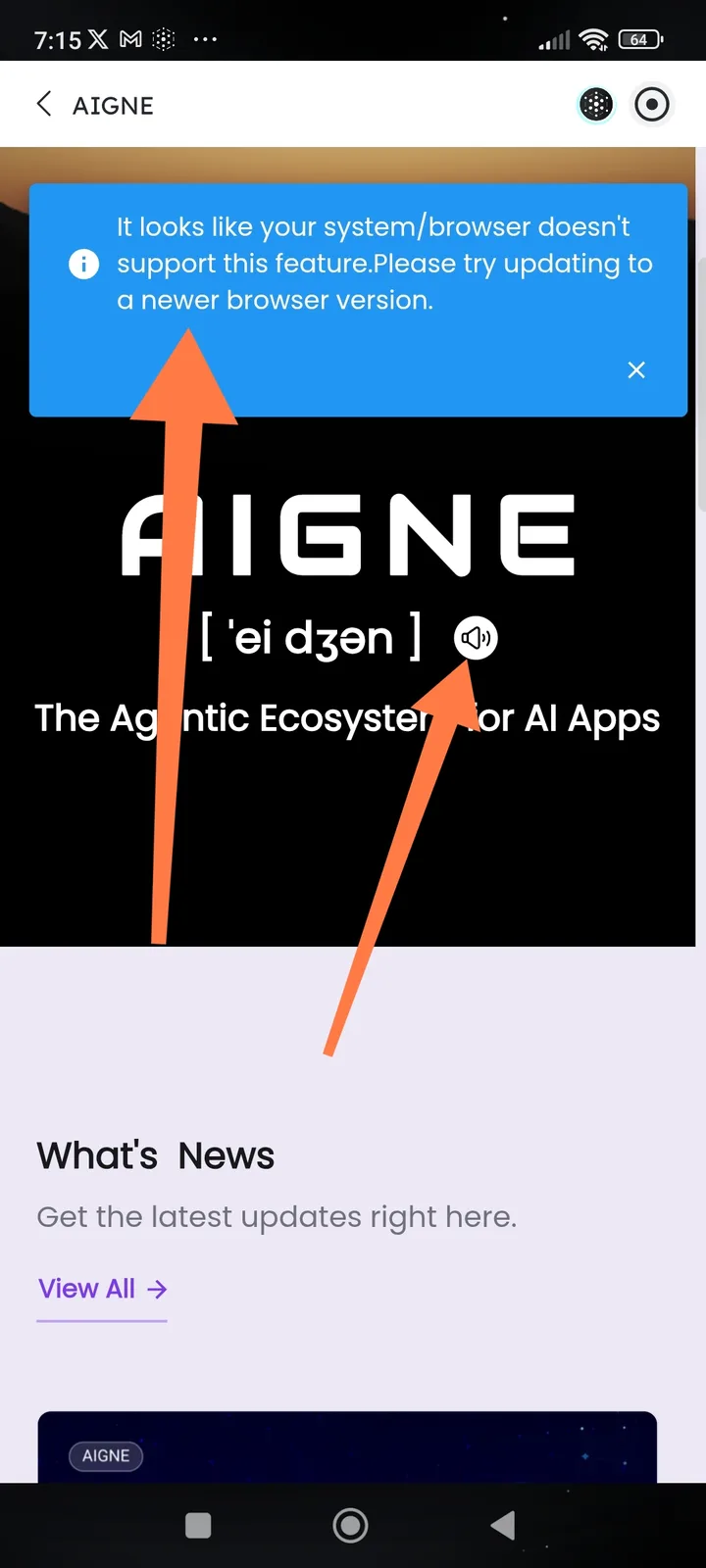
Summary: No audio output is produced when clicking interactive elements or using AI voice features, despite system volume being active.
1. Environment Details
- Application: ArcSphere: AI Browser
- Device: Redmi Note 10 Pro
- Operating System: Android 13
- App Version: v1.10.4
2. Problem Description
- Actual Result: Clicking on "Spheres," invoking the Action Ring, or using the Voice Input feature in AI Chat results in total silence.
- Expected Result: The application should provide audible feedback for UI interactions and playback audio for voice-based AI responses.
3. Steps to Reproduce
- Open the ArcSphere app.
- Ensure the device's physical mute switch is OFF and volume is set to 50%+.
- Enter the AI Chat interface.
- Tap the Voice Input button or trigger an AI response that includes an "Audio Overview".
- Click on various UI elements (tabs, spheres, or navigation icons).
- Observation: No sound is emitted from the device speakers or connected headphones.