
AI Image Generator Not Working

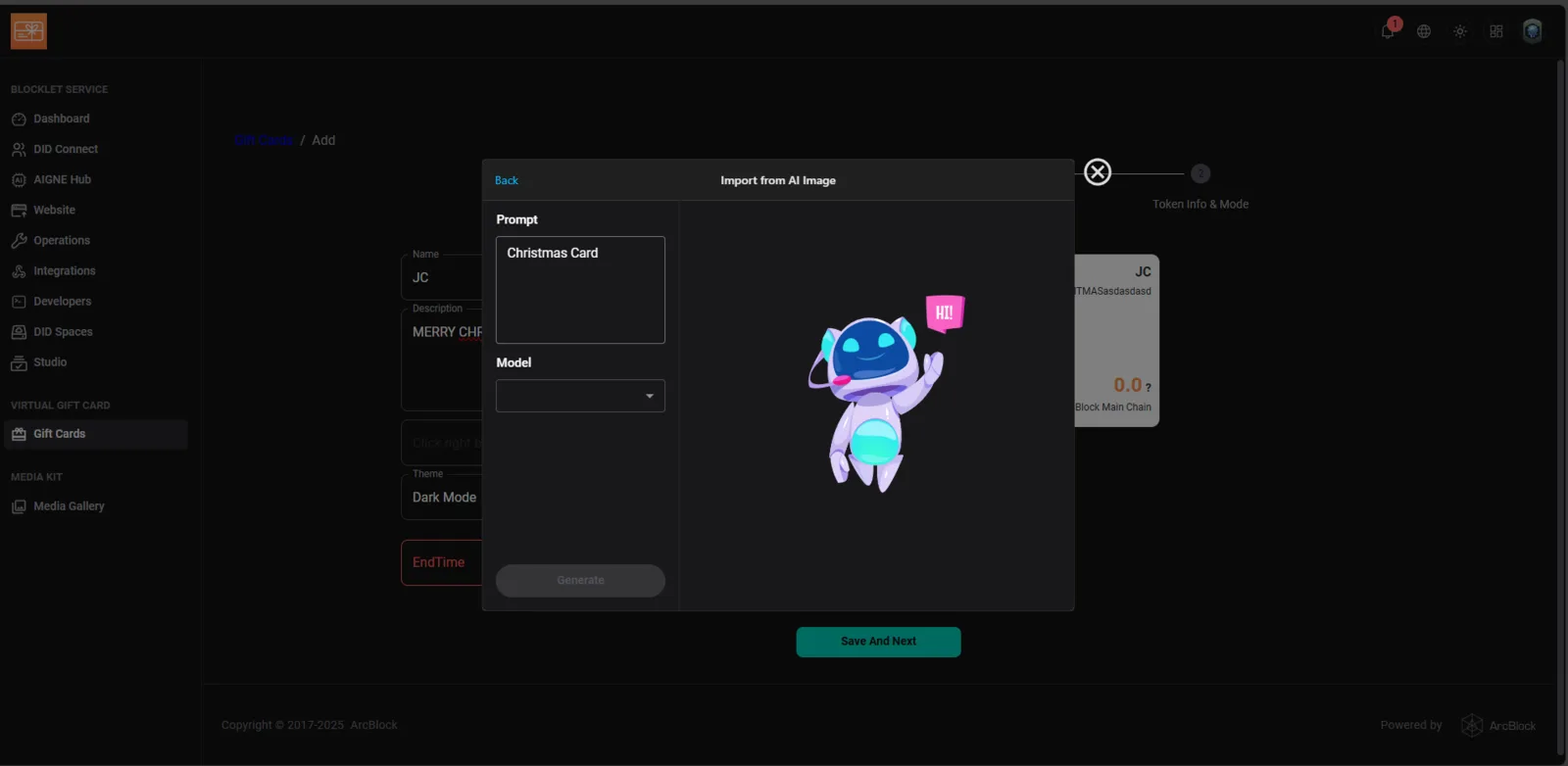
Platform: Blocklet Launcher – Virtual Gift Card Module
Page: Gift Cards → Add → Import from AI Image
Device: PC
Browser: Chrome
Description
The AI Image generation feature in the Virtual Gift Card creation process is not functional. When entering a prompt (e.g., “Christmas Card”), the “Generate” button remains disabled, and no AI models appear in the “Model” dropdown.
Steps to Reproduce
- Navigate to Virtual Gift Card → Add → Import from AI Image.
- Enter any text into the Prompt field (e.g., “Christmas Card”).
- Observe that the Model dropdown is empty.
- The Generate button stays inactive (greyed out).
- No image is generated.
Expected Behavior
- The Model dropdown should show available AI models (e.g.,
Stable Diffusion,DALL·E, etc.). - After selecting a model and entering a prompt, the Generate button should activate.
- The system should create and display an AI-generated image preview.
Actual Behavior
- No AI models are listed.
- Generate button is disabled.
- No image output or system feedback.
Impact
- Users cannot generate or import AI-based images for gift card customization.
- The “AI Image” feature is effectively non-functional.
2 replies
First, you need to configure the authorization under dashborad -> aigne hub before you can use it, Only in this way can your service have AI capabilities
After successful authorization, you can see the amount you can use. If you need more AI capabilities, you may need to purchase some Credits