
Self Hosted DeBOS instance

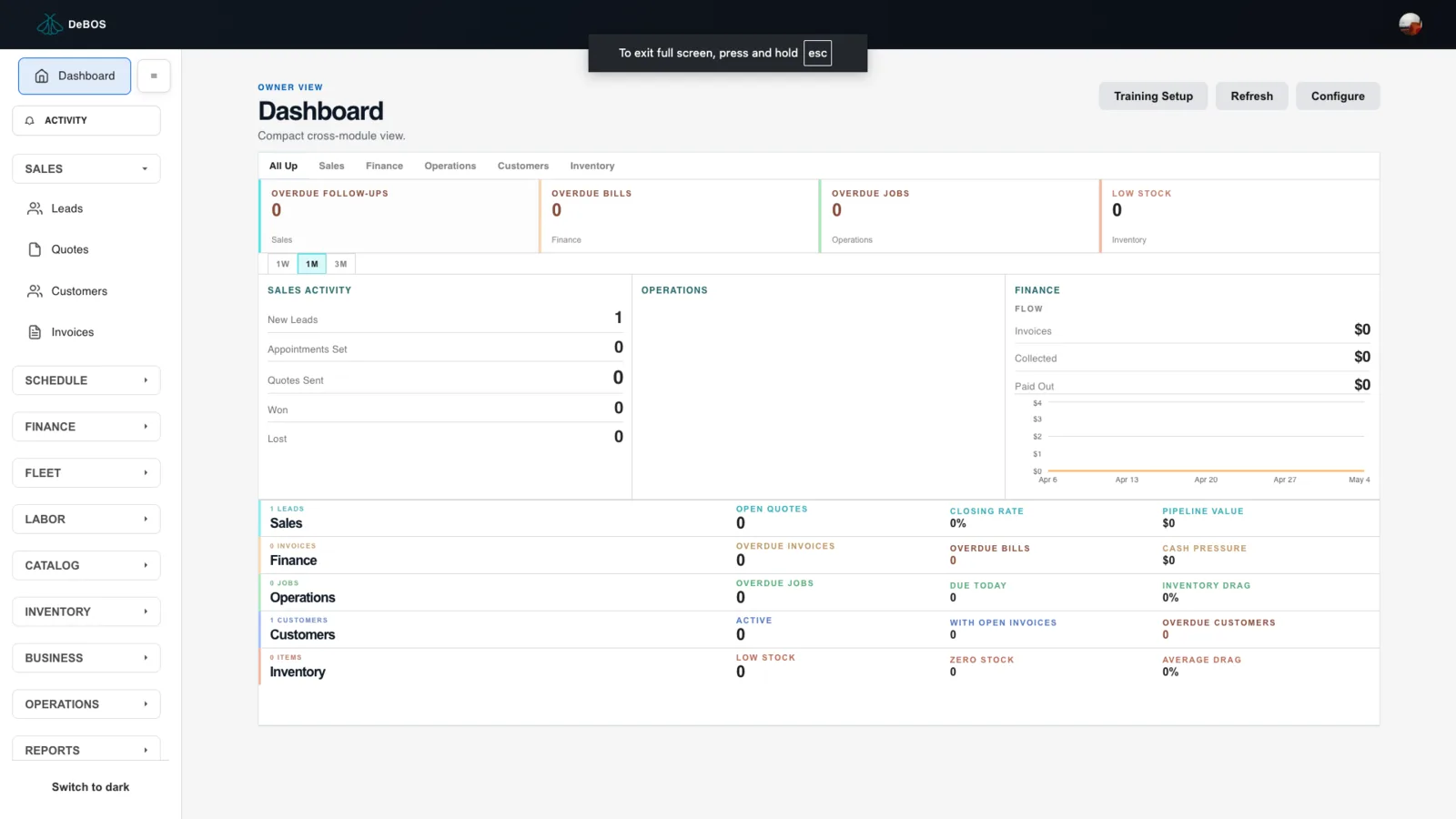
Hello team, happy to say we successfully self-hosted DeBOS on our own Azure VPS using a self-hosted Blocklet Server.
DeBOS is still running as a Blocklet, but the deployment did not depend on ArcBlock Store, Launcher, or Dedicated Space provisioning. We installed Blocklet Server directly on Ubuntu 24.04, configured public access over HTTPS, resolved a fresh-server Bun bootstrap dependency, and launched the DeBOS Blocklet successfully.
Current setup:
- Cloud: Azure VPS
- OS: Ubuntu 24.04 LTS
- Node: 20.x
- Blocklet Server: 1.17.12
- Deployment model: self-hosted Blocklet Server
- DeBOS status: launched successfully as a Blocklet
Next we’re verifying Passport/DID login, owner/admin access, env configuration, persistence, and backup/restore flow and will keep you posted.
15 replies
good
Thank you for testing. We do have some lazy loading issues to workout and for security purposes new users need to get authorization before they can navigate.
I see you in our que and will issue you a proper passport once we connect API. Should have this done later tonight or tomorrow.
好的,谢谢
You have been given a passport and should be able to enter now.
欧克
We successfully launched a new DeBOS instance from our own self-hosted Blocklet Store into our self-hosted Blocklet Server.
This means DeBOS is still running as a Blocklet, but we now have a working path where the package can be distributed through a Blocklet Store we control, then installed onto a Blocklet Server we control. This did not require ArcBlock’s public Store, Launcher, or Dedicated Space provisioning flow.
Confirmed setup:
We also verified that the new store-launched instance receives its own isolated runtime:
We renamed the new instance to The Real DeBOS, and the name change appeared correctly in Blocklet Server while the underlying DID and data directory stayed stable.
This is an important milestone because it proves the flow:
So far we have also confirmed multi-instance hosting, raw backup/restore, DID Space restore, Stripe payment links, Stripe webhook payment confirmation, and per-instance update isolation.
Next we’re continuing to validate customer-ready operations: custom domains, external encrypted backups, restore from off-server storage, and final runbook cleanup.
Hey ArcBlock team z1VV21NqNWkiadznN32ALkos5dQqQwnCMty , we’re seeing a self-hosted Blocklet Server certificate binding issue.
debos.12inchapps.com is correctly added to the Blocklet dashboard, DNS resolves correctly, and Let’s Encrypt cert issuance succeeds. The certificate-manager DB contains a valid cert for debos.12inchapps.com.
But live HTTPS still serves the fallback *.ip.abtnet.io certificate, causing browser cert errors.
We also confirmed the app routes correctly and /api/health works when bypassing cert validation, so this looks like a Blocklet Server router/SNI cert selection issue rather than DNS or app config.
Server details:
Any ideas?
z1VV21NqNWkiadznN32ALkos5dQqQwnCMty any ideas on how I can configure this correctly?
You think this is my code causing problem?
I also have tried debos.did.life for the same blocklet and am getting similar issue
z1VV21NqNWkiadznN32ALkos5dQqQwnCMty I finally got it to work, but I had to hack around for quite awhile.
DeBOS is running on our own server at:
debos.12inchapps.com
DNS was working, but the domain/cert would not attach correctly through the normal flow.
Workaround: We manually updated Blocklet Router so it would route debos.12inchapps.com to the DeBOS app instance. After that, HTTPS/cert worked.
Is this the expected way to handle custom domains on a self-hosted Blocklet Server, or should this work through the normal UI/config without editing Blocklet Router?
We can send the server version, router version, DNS setup, and the exact router change.
z1VV21NqNWkiadznN32ALkos5dQqQwnCMty still having problems getting this flow down. seemsm like sometimes it works and sometimes it doesnt.
I do the same flow but get different results.
my question now is On self-hosted Blocklet Server 1.17.12, what process publishes A records for an app’s default .did.abtnet.io domain, and how do we force-refresh or repair it when blocklet server start --update-db --routing full succeeds but the app DID hostname still has no A record?
If we are unable to consistently and cleanly tie domains to our blocklets, I think having a smooth onboarding process is goign to be very difficult.
blocklet server start --routing full, if the issue persists whenever a new cert is generated, please let me know.grep "@abtnode/certificate-manager" /path/to/.blocklet-server/logs/_abtnode/daemon*.log