
Mint URL Fails to Open NFT Collection Page

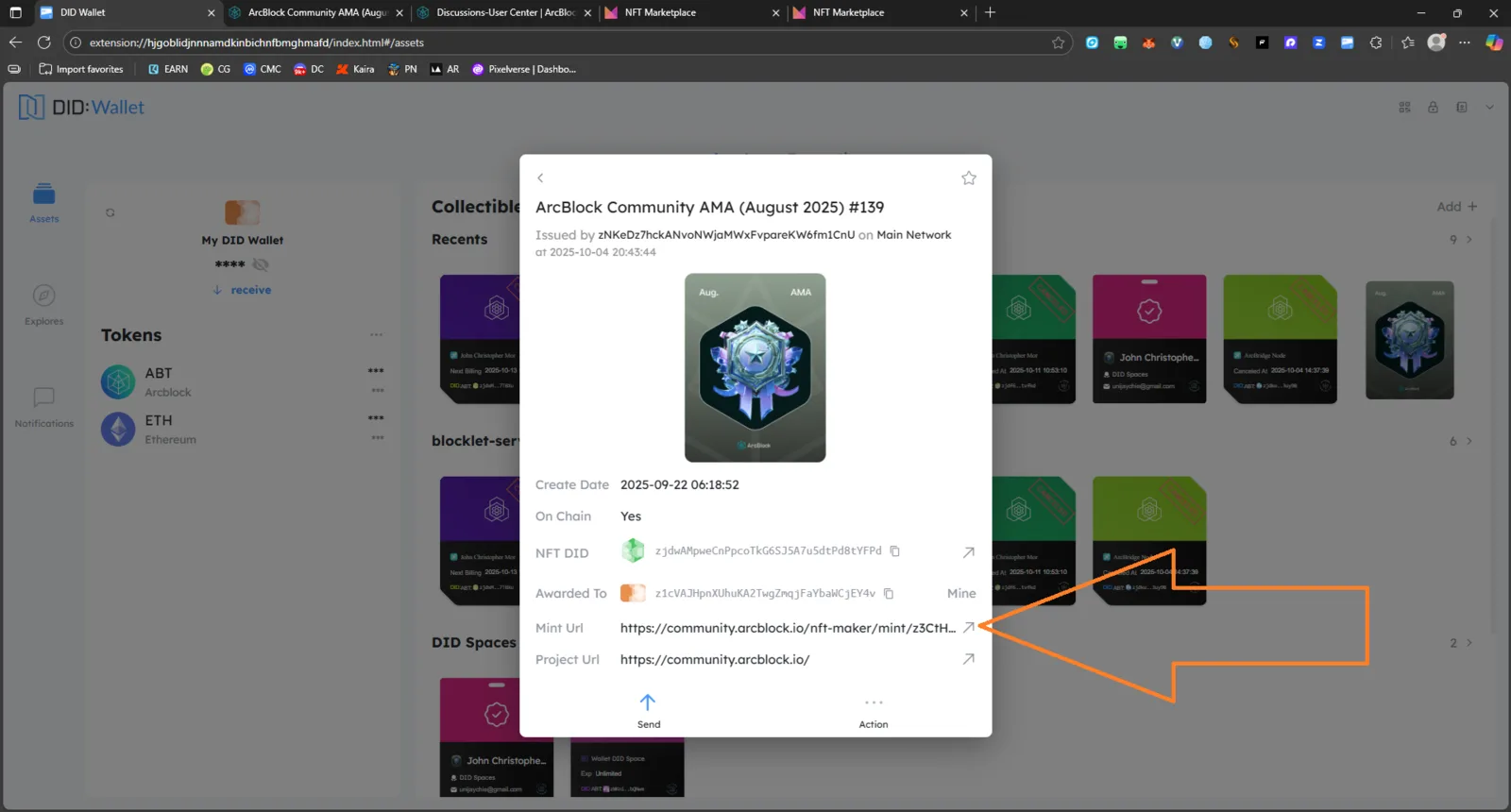
Issue Summary: When attempting to open the Mint URL for an NFT in the DID Wallet extension, an error message appears stating:
“The Collection Data corresponding to the address was not found.”
Steps to Reproduce:
- Open DID Wallet Extension on desktop.
- Navigate to Assets → Collectibles.
- Select an NFT (example: ArcBlock Community AMA (August 2025) #139).
- Click the Mint URL link.
- Observe the error message on the webpage.
Expected Behavior: The Mint URL should redirect to the correct NFT collection page on community.arcblock.io, displaying details for the corresponding NFT.
Actual Behavior: The page fails to load and displays an error:
“The Collection Data corresponding to the address was not found.”
Impact: Users are unable to access their NFT minting page or verify collection details through DID Wallet.
Attachments: 📸 Screenshot – Error on NFT Mint URL
Severity: 🔴 Major – NFT data access failure impacts user verification and trust.
Environment:
- Browser: Microsoft Edge (Extension Mode)
- OS: Windows 11
- App: DID Wallet (Extension)