
“support@arcblock.io” Email Link Not Redirecting

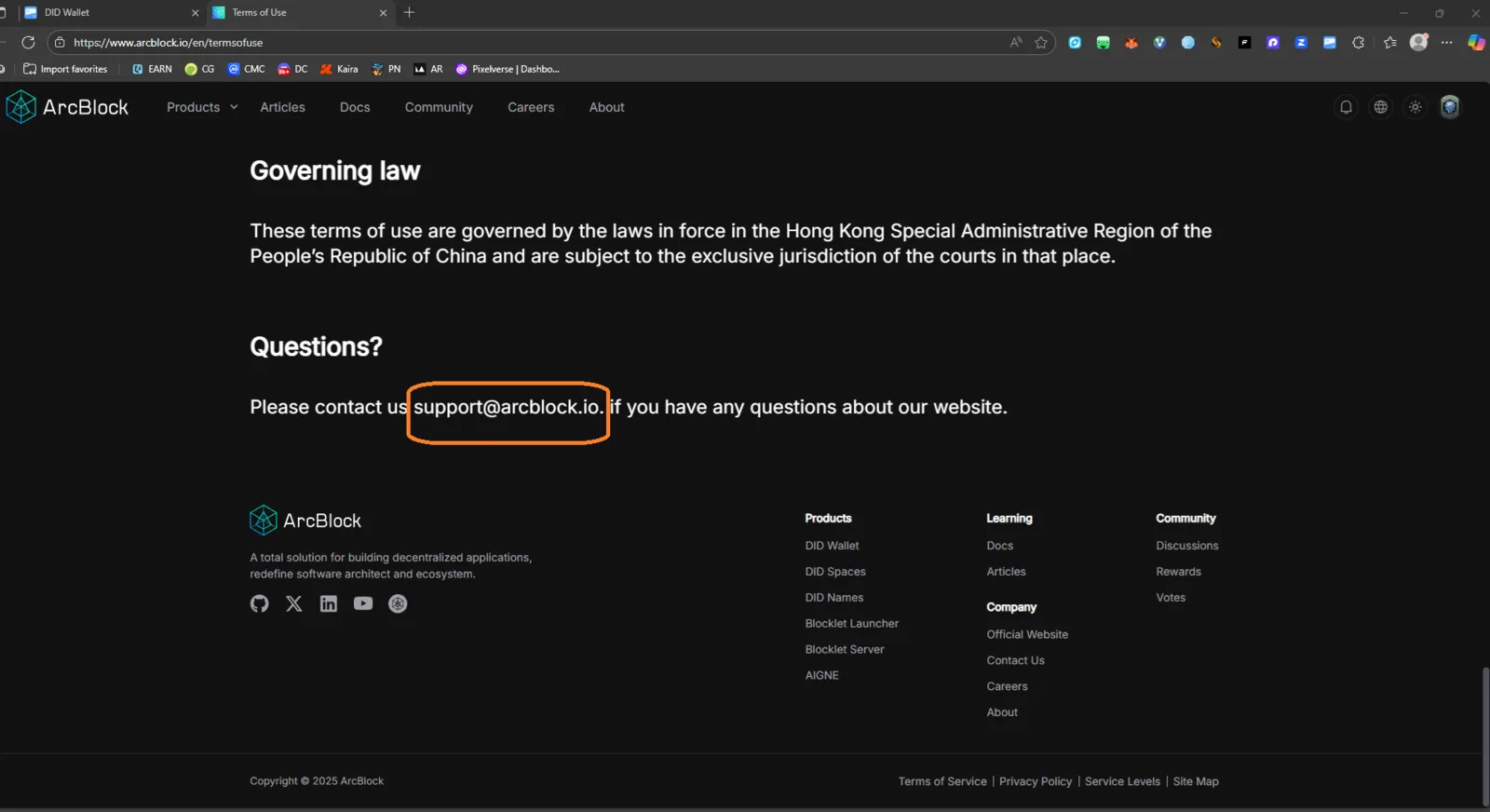
Target URL: https://www.arcblock.io/en/termsofuse Severity: Low Category: UX / Broken Link
Summary
The “support@arcblock.io” contact email under the “Questions?” section does not redirect to the user’s default email client (e.g., Outlook, Gmail, Mail app). It appears as plain text instead of a clickable mailto: link.
Steps to Reproduce
- Go to https://www.arcblock.io/en/termsofuse.
- Scroll down to the “Questions?” section.
- Click on “support@arcblock.io”.
Observed Result
- The email address is not clickable and does not open any email application.
- No redirect or
mailto:action occurs.
Expected Result
- Clicking the email link should open the default email client with the address pre-filled:
javascript mailto:support@arcblock.io - Example behavior: Automatically opens Outlook, Gmail, or Mail app for user convenience.
Impact
- Poor user experience for visitors trying to contact ArcBlock support directly.
- Can lead to confusion or missed support requests from less technical users.
Recommendation
✅ Update the HTML to include a proper mailto: hyperlink:
<a href="mailto:support@arcblock.io">support@arcblock.io</a>
✅ Optionally, include a tooltip or copy-to-clipboard button for better usability.