How do I get my apps to go from expired to terminated?
4 replies
WAwangshijun2 years ago(edited)
If ArcBlock Launcher failed to collect payment for your app, your blocklet is marked as expired:
No more invoices will be generated for expired blocklet
There maybe due invoices for expired blocklet, which must be paid before you can launch a new blocklet.
Expired blocklet are stopped automatically, if you do not want your blocklet be stopped unexpectly, please ensure enough token balance in your Launcher account.
Successful payment to due invoice for expired blocklet will make the blocklet live again.
If your blocklet has expired for a certain amount of time (30 days at the time of this comment):
Your blocklet will be terminated, and if you do not have any backup to your blocklet, you will not be able to recover it anymore
All blocklet launched from ArcBlock Launcher will be listed in your blocklet list, even if they are terminated.
TWTwelve2 years ago
Thank you.
I understand now.
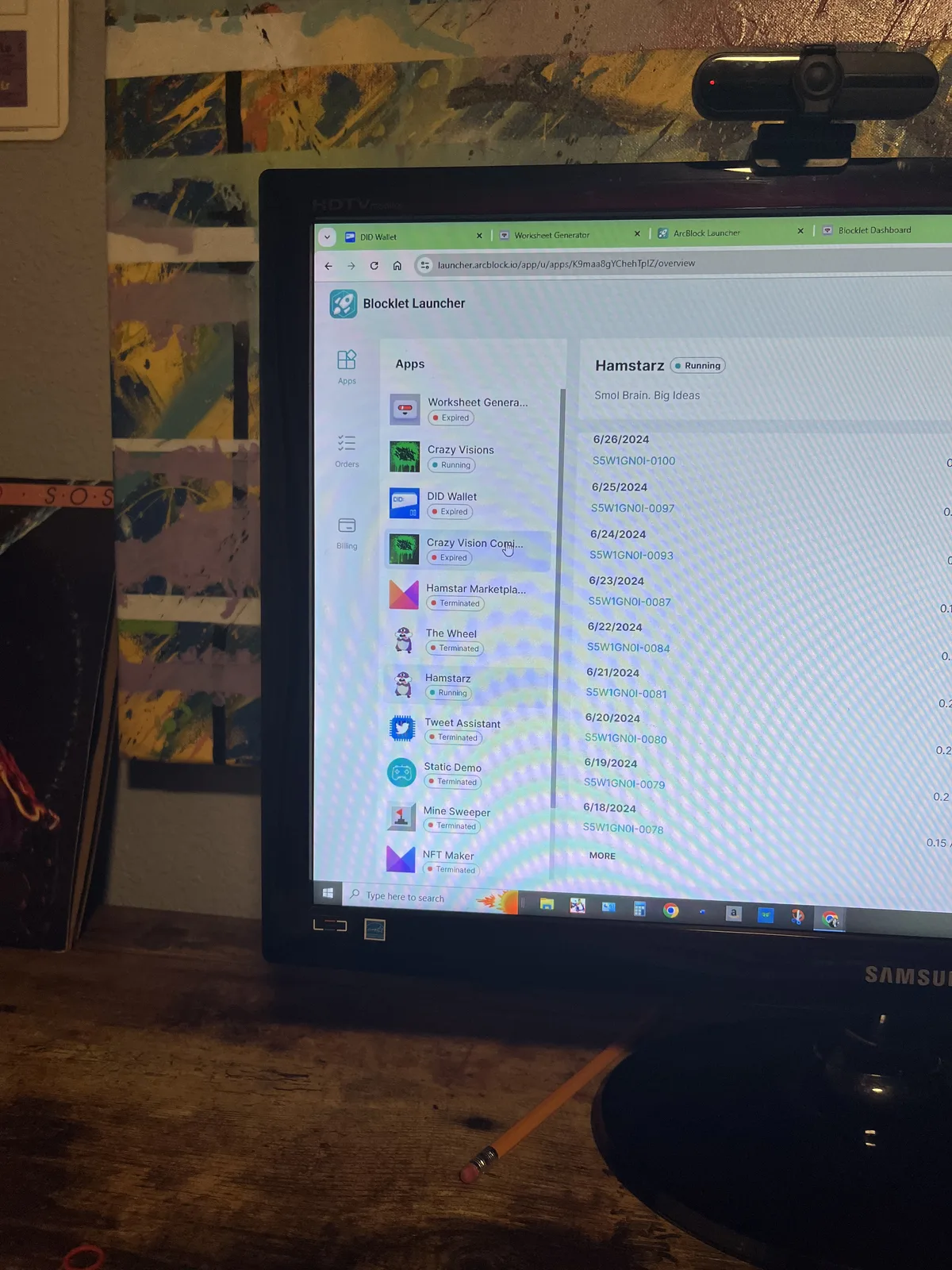
Might Be nice to be able to toggle off seeing old apps. What happens when I try 50 apps, but only want to see active ones? Billinh area will begin to get cluttered and could dissuade people from experimenting.
WGwgring2 years ago
😅😅😅😅 the list fills yes
needed addition for sure. Ones from previous blocklet server installs and testing are still on mine
WAwangshijun2 years ago
Might Be nice to be able to toggle off seeing old apps.
An improvement for this is deployed on ArcBlock Launcher.


4 replies
If ArcBlock Launcher failed to collect payment for your app, your blocklet is marked as expired:
If your blocklet has expired for a certain amount of time (30 days at the time of this comment):
All blocklet launched from ArcBlock Launcher will be listed in your blocklet list, even if they are terminated.
Thank you.
I understand now.
Might Be nice to be able to toggle off seeing old apps. What happens when I try 50 apps, but only want to see active ones? Billinh area will begin to get cluttered and could dissuade people from experimenting.
😅😅😅😅 the list fills yes
needed addition for sure. Ones from previous blocklet server installs and testing are still on mine
An improvement for this is deployed on ArcBlock Launcher.