
“Media Kit” Image Missing on Docsmith (Aigne.io)

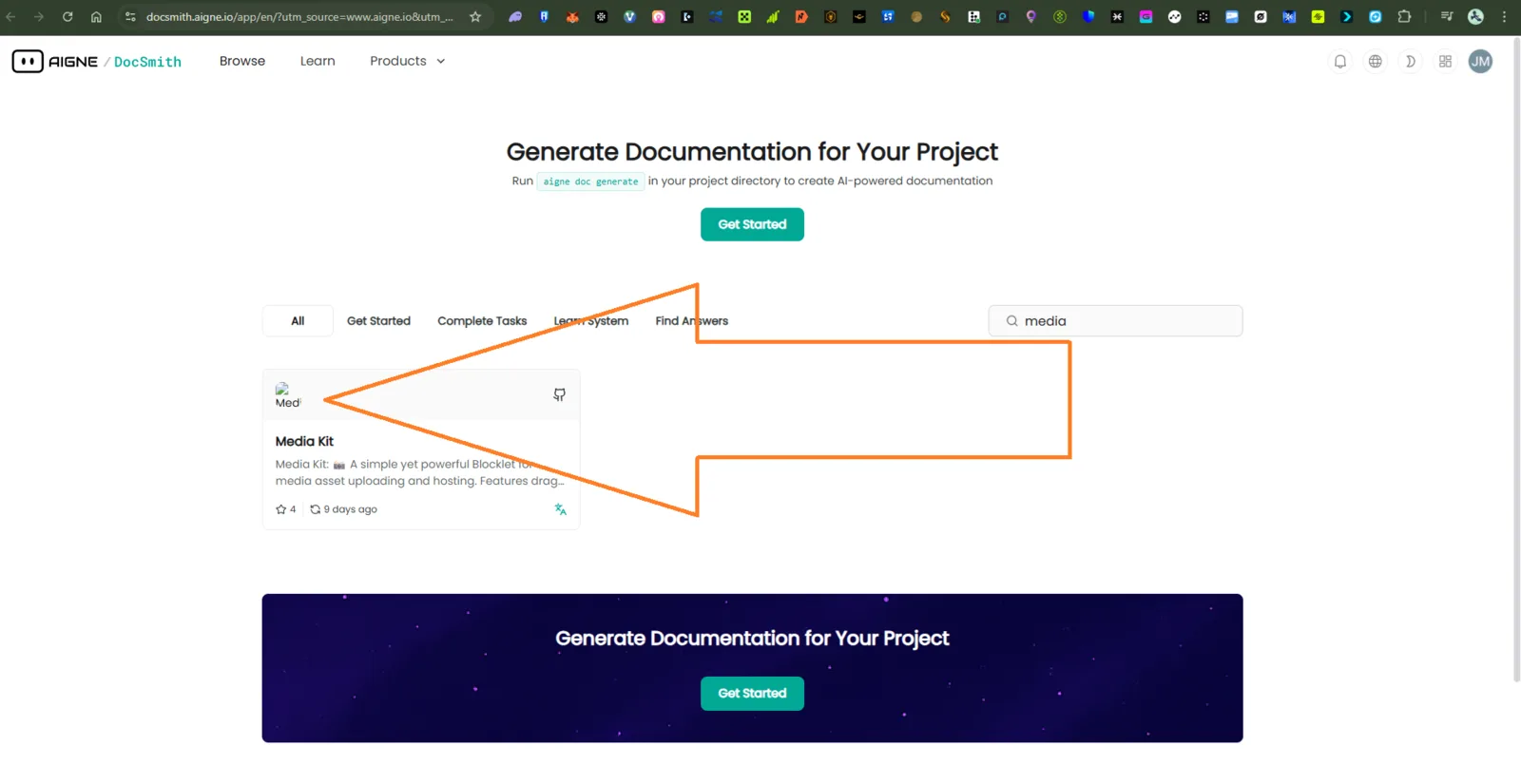
🌐 Platform: https://docsmith.aigne.io/app/en ⚙️ Severity: Medium 💡 Category: UI / Asset Loading / Content Delivery
🧩 Description:
When searching for “Media Kit” on the Docsmith platform, the related image fails to load. The page shows a broken or missing image placeholder, even after multiple refresh attempts.
This issue persists across browsers and devices, indicating a possible image hosting or CDN problem rather than a temporary cache issue.
🪜 Steps to Reproduce:
- Open the website: 👉 https://docsmith.aigne.io/app/en
- Use the search bar to type “Media Kit”.
- Observe the results — the Media Kit image fails to display.
- Refresh the page several times; the issue persists.
✅ Expected Result:
- The Media Kit image should load correctly and display the proper preview or thumbnail.
- No broken image icon or missing asset should appear.
❌ Actual Result:
- The image area appears blank or displays a broken image placeholder.
- Reloading or clearing cache does not resolve the problem.
- The rest of the page loads normally.
⚠️ Impact:
- Reduces professional presentation of Docsmith documentation.
- Confuses users trying to access or download media materials.
- Affects content trustworthiness and visual consistency.
🔍 Possible Cause (Hypothesis):
- The image file for “Media Kit” may have been moved, renamed, or deleted from the CDN or asset server.
- Possible 404 (Not Found) error in the network console.
- Missing or broken file path reference in the database or Markdown document.
- Cache or access permission issue for public image URLs.
🧰 Suggested Fix:
- Verify the file path or CDN URL of the missing Media Kit image.
- Re-upload or re-link the correct image asset in the Docsmith backend.
- Check browser console (Network tab) for 404 or CORS errors related to the image.
- Add a fallback placeholder or “image not available” message if asset fails to load.
1 reply
That's normal; it was probably a network issue at the time.