
ArcPrompt not showing in Navigator sidebar

Severity: Medium (UI/Feature missing, impacts usability)
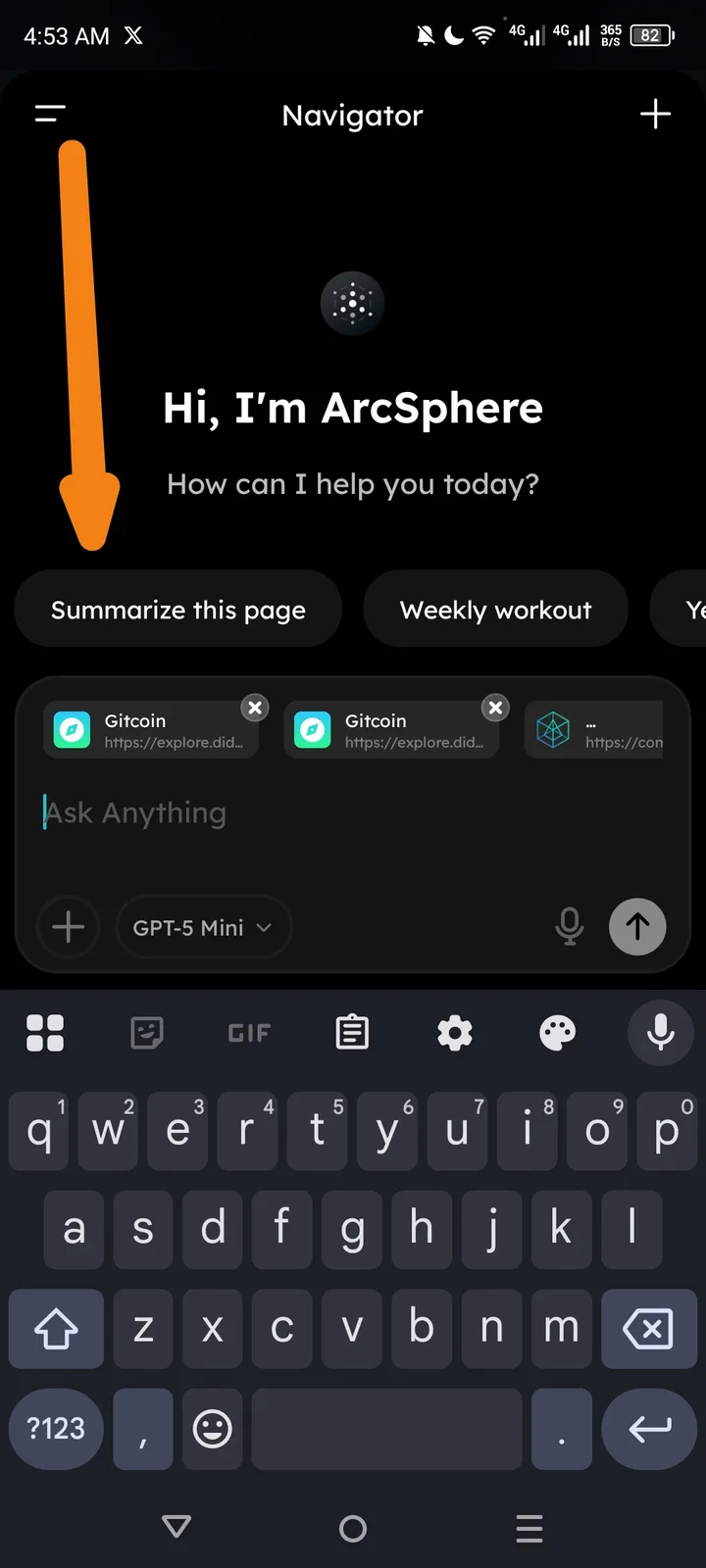
Description: In the Arc browser mobile app, the "Navigator" sidebar opens but the expected "ArcPrompt" (AI prompt input or chat interface) is not displaying. Instead, the sidebar shows:
- Greeting: "Hi ArcSphere" (possibly "Hi, I'm ArcSphere")
- Options/buttons: "Summarize this page", "Weekly workout" (may be context-specific or OCR artifact), GitHub, Gitcoin/ETH icons(?), "Ask anything"
- Keyboard is visible and open (qwerty layout)
- Additional text/elements: "GPS me" (possibly "Get page summary" or OCR error)
The ArcPrompt field/input area appears missing, preventing users from typing custom prompts.
Steps to Reproduce:
- Open the Arcsphere browser mobile app on Android (Redmi device).
- Navigate to/activate the "Navigator" feature (highlighted in sidebar).
- Observe the sidebar content – ArcPrompt does not appear despite keyboard being active.
Expected Behavior: ArcPrompt input field should display prominently in the Navigator sidebar, allowing users to type and submit custom AI prompts (e.g., alongside "Ask anything").
Actual Behavior: No ArcPrompt visible; only static options and greeting shown.
Environment:
- Device: Redmi Note 10 Pro
- OS: Android 13
- App: Arcsphere
- Time of issue: ~4 AM (local time, with notifications visible)
- Network: 5G
Attachments:
- Screenshot provided (shows Navigator sidebar, options, keyboard).
Additional Notes:
- No crashes or errors reported – just missing UI element.
- Possibly related to recent update, mobile-specific bug, or account/login state.