
Only One App Displayed on DID Wallet Explorer

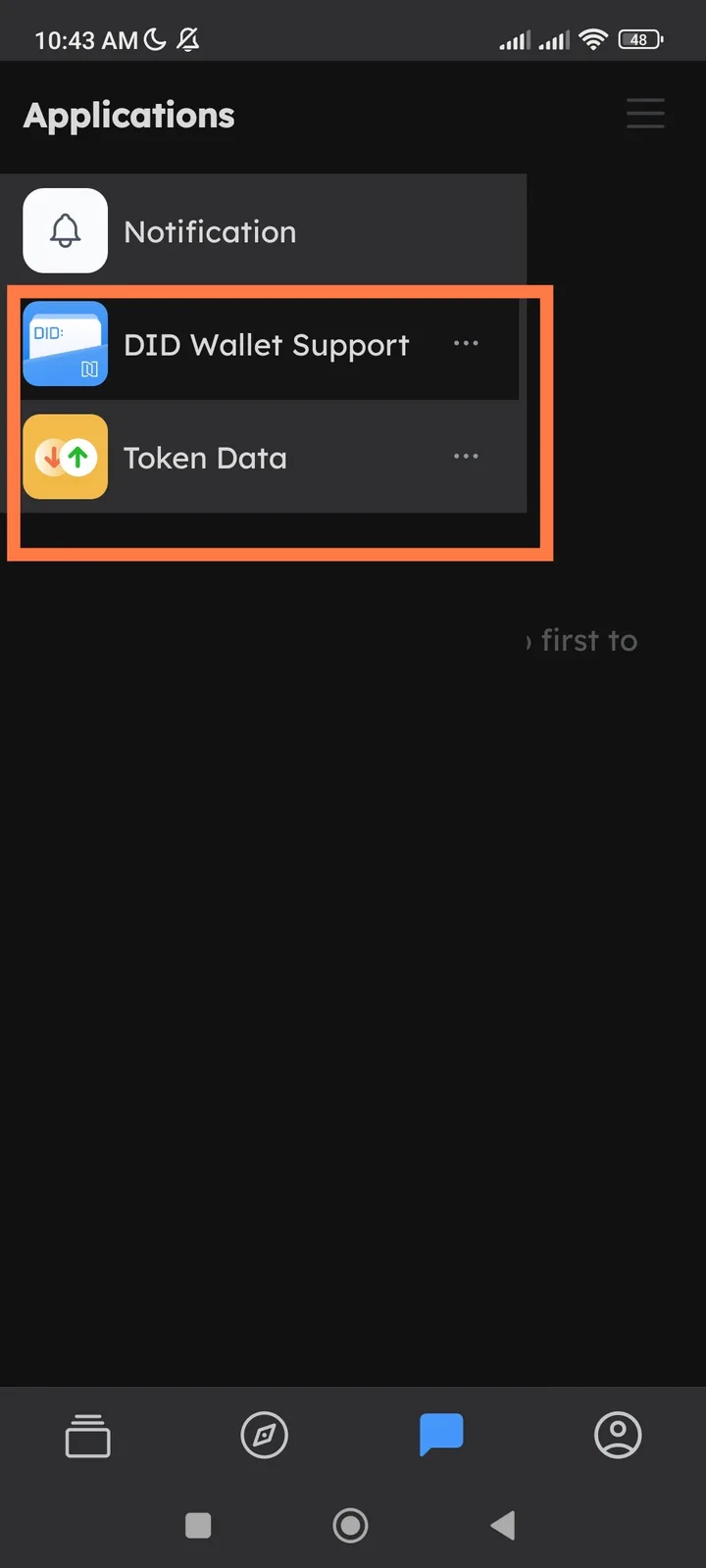
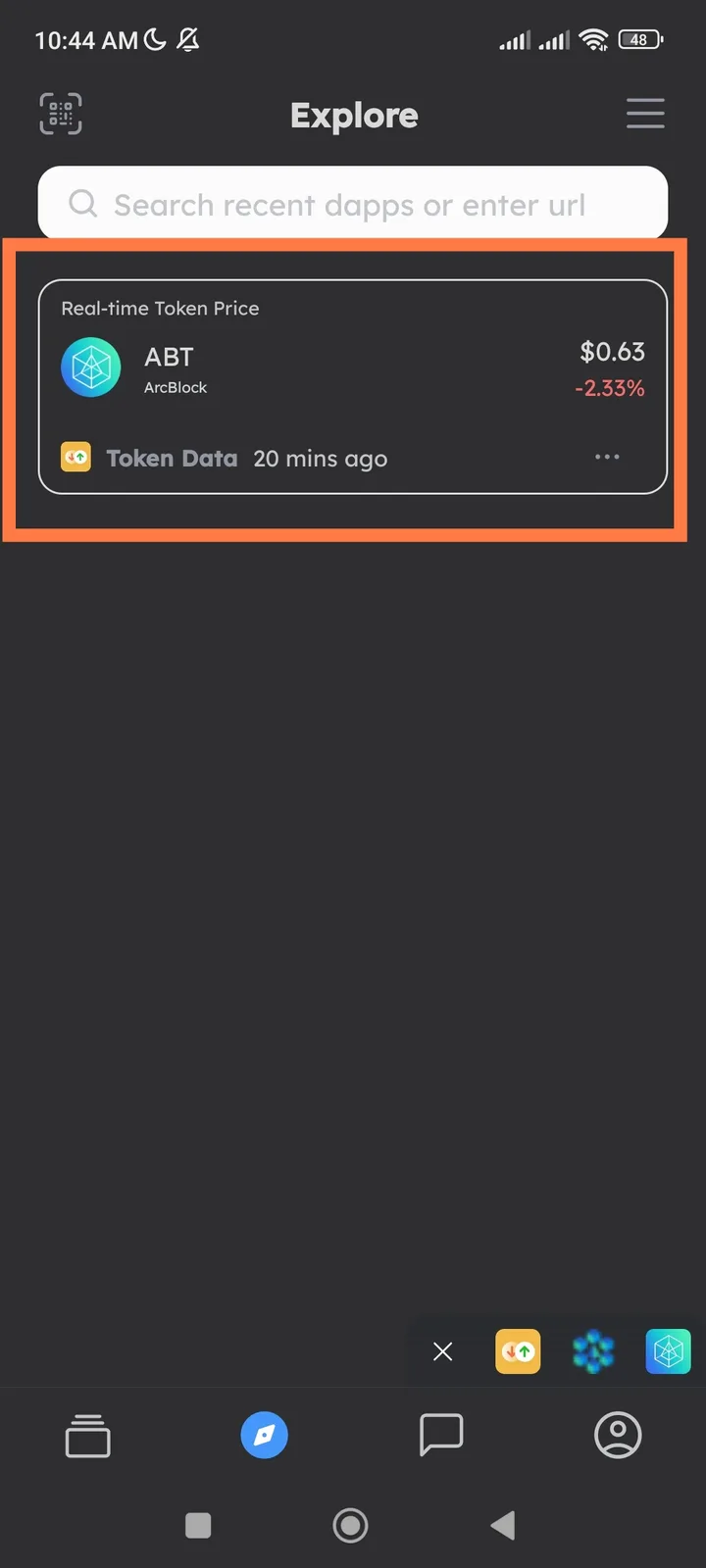
🌐 URL / Affected Module: DID Wallet → Explorer
📱 Platform: DID Wallet Mobile App (iOS/Android)
🧾 Summary: In the Explorer section of the DID Wallet, only one connected app is displayed — even though two apps are actually connected to my wallet.
🧪 Steps to Reproduce:
- Open the DID Wallet App.
- Go to Explorer → check connected apps.
- Observe the number of listed applications.
💥 Actual Result:
- Only one app appears in the Explorer list.
- The second connected app is missing from the display.
✅ Expected Result:
- The Explorer should show all connected apps, not just one.
- Each app should appear with its icon, name, and status (connected/authorized).
⚙️ Possible Cause:
- Data sync issue between the DID authorization registry and the Explorer display module.
- The second app connection may not have been cached or indexed properly.
📂 Category: UI / Data Sync 🧱 Severity: 🟠 Medium 🎯 Priority: High (affects user trust in app connectivity and wallet visibility)
1 reply
The Explorer page is a widget provided by a DApp; not all DApps provide this feature.