
Bug Report: Language Switcher Not Functioning on Trinity Network

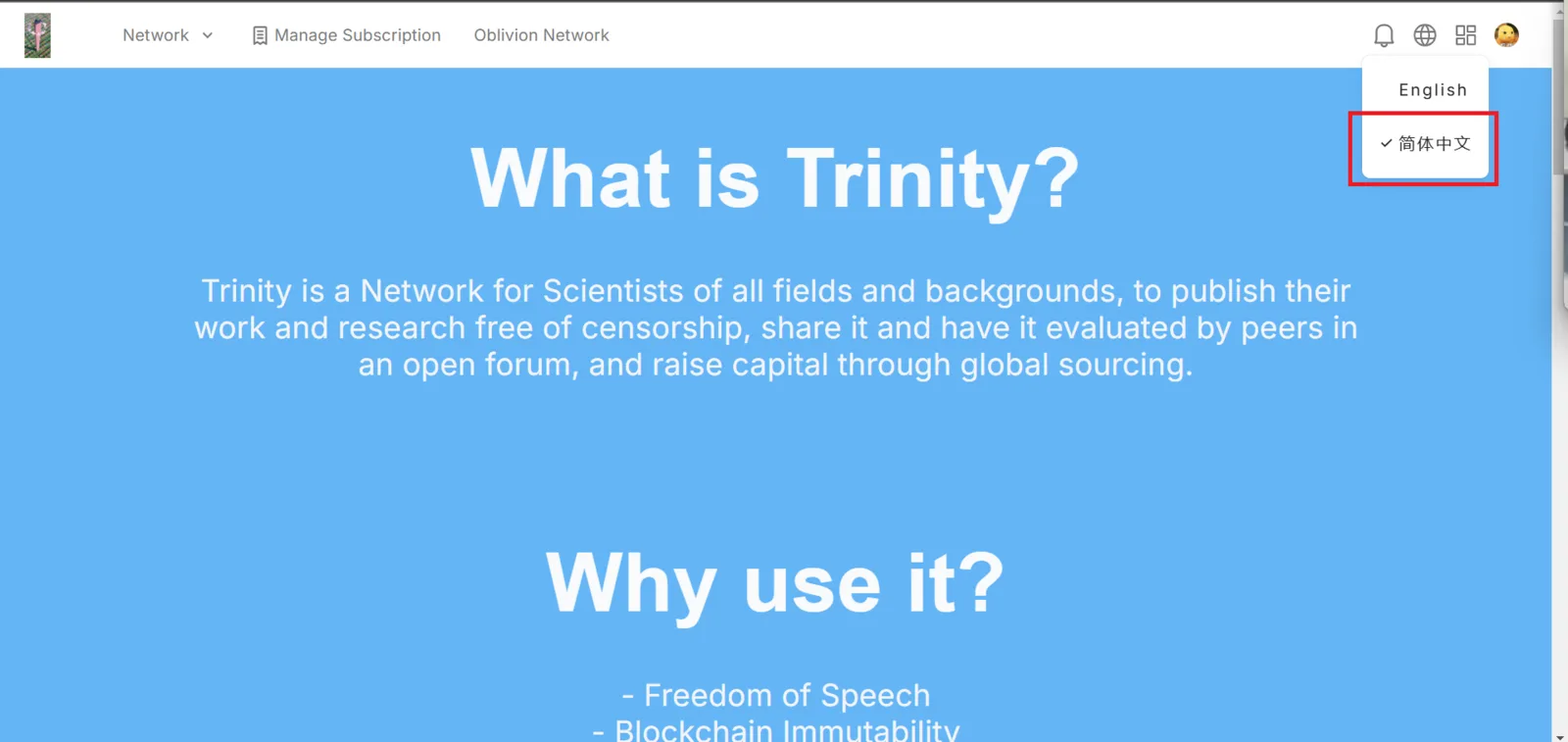
The language switcher feature on the Trinity Network website does not change the language of the content when switching between English and Simplified Chinese. Despite the presence of the language selection dropdown, selecting a different language does not update the text on the page. If multilingual support is not available, the language switcher should be removed to avoid user confusion. Otherwise, the issue should be fixed so that the page content updates correctly when a different language is selected.
Steps to Reproduce:
- Open the Trinity Network website.
- Click on the language switcher in the top-right corner.
- Select Simplified Chinese (简体中文).
- Observe that the page content remains in English and does not change.
Expected Behavior:
- When selecting Simplified Chinese, all text should switch to the corresponding language.
- If multilingual support is not available, the language switcher should be removed or disabled.
Recommendation:
- Verify whether translations exist and are properly linked to the language selection feature.
- If translations are not available, consider removing or hiding the language switcher.
- If translations exist but are not loading, check the front-end logic to ensure the correct language files are being retrieved and displayed.