
No "Retry" option available for failed tasks — only "Delete"

Description
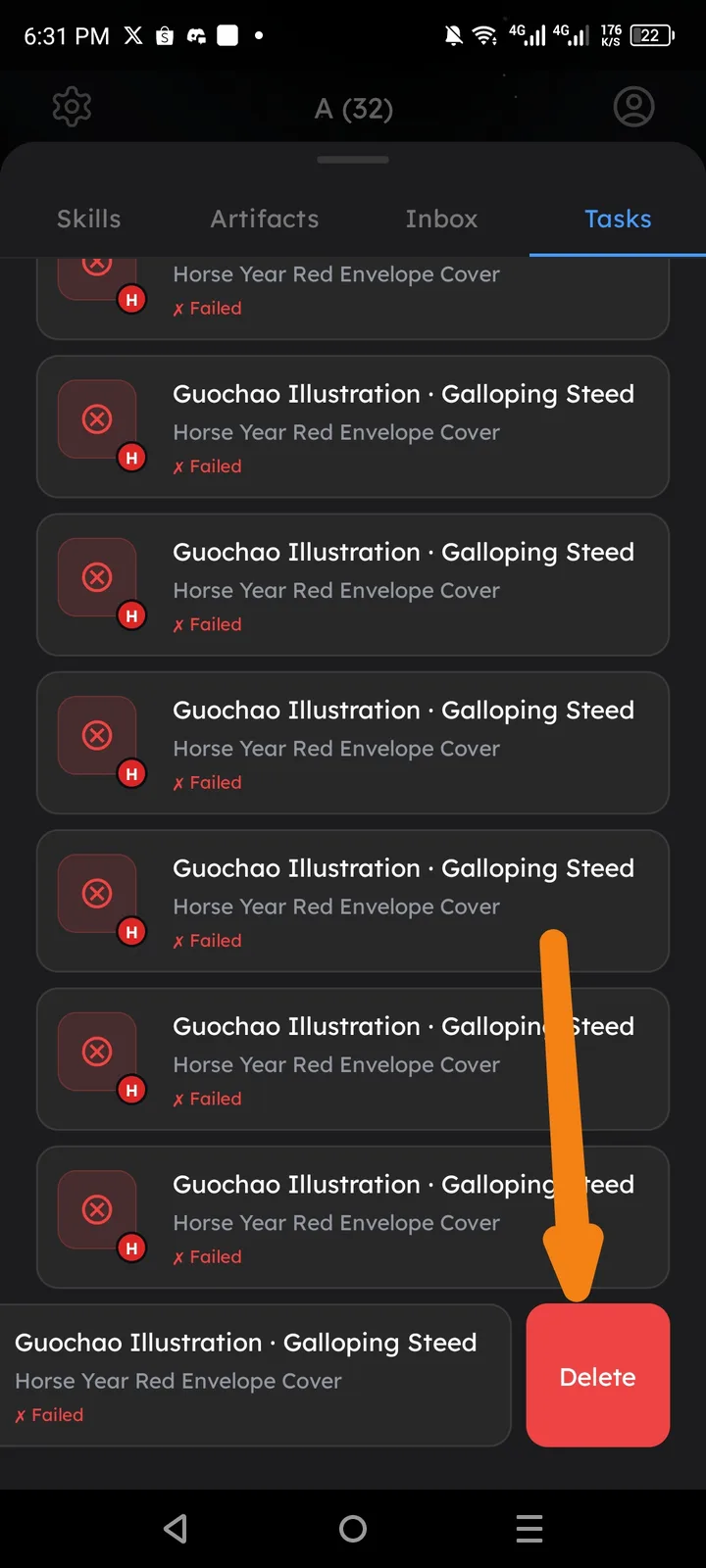
When a task fails, users are presented with only a "Delete" action. There is no option to retry the failed task, forcing users to lose their work entirely instead of attempting to re-run it.
Steps to Reproduce
- Open the app and navigate to the Tasks tab.
- Observe one or more tasks with a "✗ Failed" status (e.g., "Guochao Illustration · Galloping Steed – Horse Year Red Envelope Cover").
- Long-press or select a failed task.
- Observe the action options presented at the bottom of the screen.
Expected Behavior
- A "Retry" button should be available alongside (or instead of) the Delete button, allowing users to re-attempt the failed task without having to recreate it from scratch.
Actual Behavior
- Only a "Delete" button is shown for failed tasks.
- There is no "Retry" option available.