
Promotion Code "Authentication Required" Error

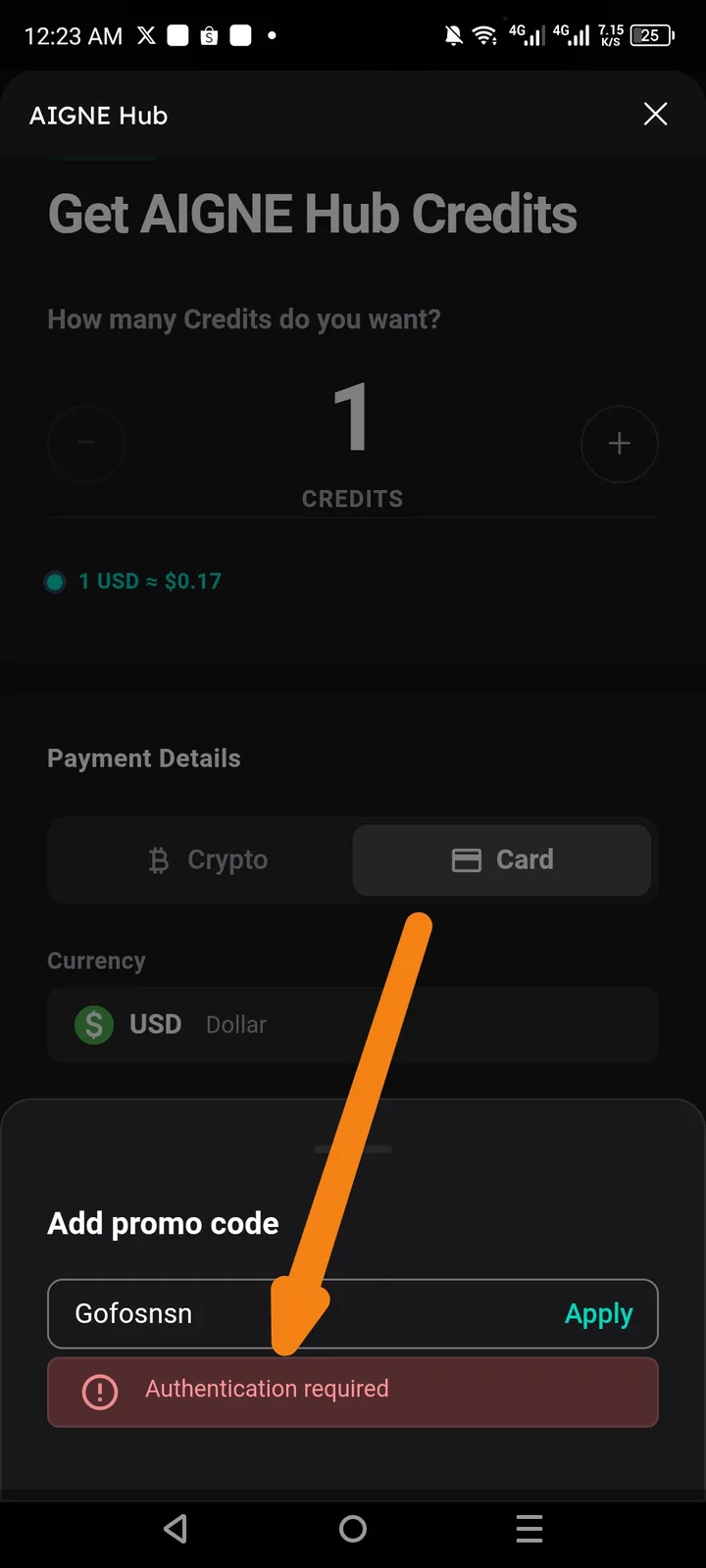
Description: When attempting to apply a promo code (e.g., "Gofosnsn") on the "Get AIGNE Hub Credits" screen, the system returns an "Authentication required" error message in a red banner, even though the user appears to be active within the AIGNE Hub interface.
Steps to Reproduce:
- Open AIGNE Hub.
- Select Get AIGNE Hub Credits.
- Choose a credit amount (e.g., 1 credit).
- Select Card as the payment method.
- Click on the Add promo code field.
- Enter a promo code and click Apply.
Expected Result: The promo code should either be accepted (applying a discount) or rejected with a relevant error message (e.g., "Invalid code" or "Expired code").
Actual Result: The system displays a red error banner stating: "Authentication required", preventing the code from being processed.