
Pages Kit subscription failed- This site can’t be reached

When I go to launch Payment Kit it asks me to subbsdirbe to the space. I want to do it on demand, and when i go to pay it comes to this page right after ( see pic). Is it because I don’t have a Blocklet server? I was able to launch NFT maker/blender this way before just fine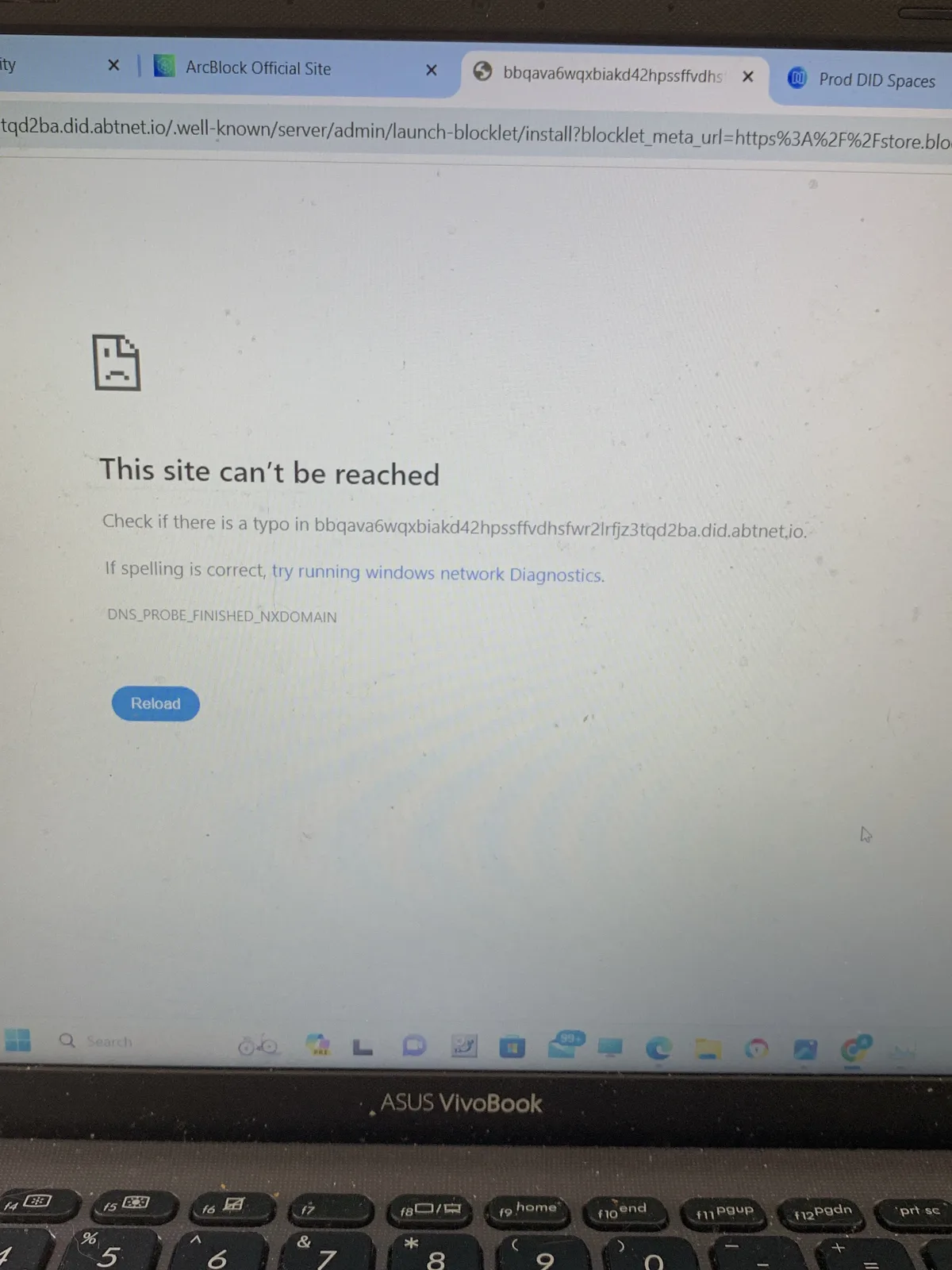
9 replies
Can you share your app url so that we can investigate what has went wrong?
i’m not quite sure which one is the url since I didn’t get to set up a domain yet. when I go to did wallet and look for pages kit, I try run the blocklet with this:
https://bbqa6hgg5vdjssazbtx2oiilh42jfmgka5e4dhaagb4.did.abtnet.io/?vcId=z2iU1qG48XTEsjNemZwFyMYSeVFTkAWwDXPbb&assetId=none&locale=en
And it says page under maintenance
In the previois screenshot I sent, trying to set up the domain and getting the error, this was the url:
https://baaaq6qddfejucstvetyfvs3zsihpe5ts2a7f4kt6lq.slp.abtnet.io/.well-known/service/setup/domain?redirect=%2F&componentId=zNKsP1HYMhuiKedqmuFgujRcEydJ4HMKXWd4%2Fz8iZiDFg3vkkrPwsiba1TLXy3H9XHzFERsP8o&serverUrl=https%3A%2F%2Fbbqava6wqxbiakd42hpssffvdhsfwr2lrfjz3tqd2ba.did.abtnet.io%2F.well-known%2Fserver%2Fadmin%2F&fromLauncher=true&launchType=serverless&nftId=zjdjNMJbKj5yszfk6MQ73F1dVZ17DuhGS3fu&chainHost=https%3A%2F%2Fmain.abtnetwork.io%2Fapi%2F
Can you open the "dashboard" link on this error screen and try to start your app:
doesn’t appear anymore, i think i managed to access pages kit now though which is good 🙂
to expand further, now when I try access pages kit, I have 2 blocklet space NFTs in my wallet, but when I try launch pages kit and say I have “dedicated space”, the NFTs dont show up for me to the. connect to pages kit
We have some confusion on your first screenshot, 😄
According to the existing workflow of ArcBlock Launcher, you need to access the URL in the first screenshot to complete the launch process, but seems you eventually got your app launched successfully at (https://bbqa6hgg5vdjssazbtx2oiilh42jfmgka5e4dhaagb4.did.abtnet.io)
And according to another report from you: Pages kit custom domain error & under maintenance error , you encountered a similar network error when trying to attach a DID Domain to your app, but you finally got it to work.
According to our analysis, both network errors are highly likely caused by the same root cause. Just need more info to confirm.
yep it is very confusing tbh😅 I managed to fix all those issues mentioned by just refreshing and trying again and again
Managed to get a custom domain too. I wanted to buy a new one so got an NFT for it and used that.
Everything was running smoothly with Pages Kit, but now I encountered another problem, it says Pages Kit stopped (as in pic) and can’t access the blocklet anymore. all i did was change the Page name, description and copyright footer
Seems DID Wallet did not sync the latest status of your app, you can just open press the open button and verify.
I just opened your app in my Chrome, its running.
yep, all fixed now it seems, thank you!😁