
Missing "Add to Home Screen" Feature

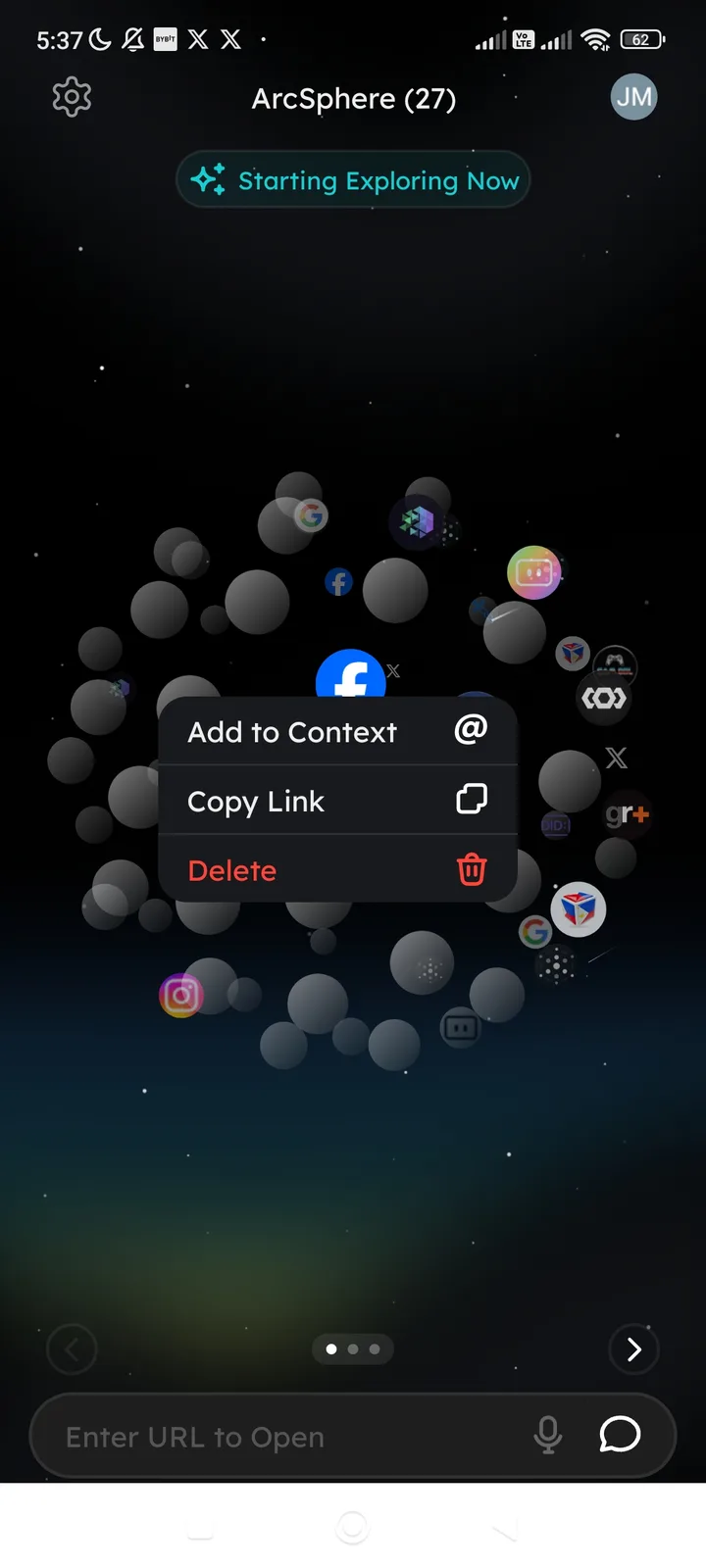
Summary: There is no option within the ArcSphere interactive menu to add specific app shortcuts (e.g., Facebook, Instagram) directly to the mobile device's home screen for quick access.
Location: Main ArcSphere "Sphere" view — Long-press menu on app icons.
Description: When long-pressing an application icon within the ArcSphere (such as the Facebook icon shown in the screenshot), the context menu only displays:
- Add to Context
- Copy Link
- Delete
The option to "Add to Home Screen" (shortcut creation) is missing from this menu.
Requested Feature: Add an "Add to Home Screen" option to the context menu. This should trigger the native Android/iOS prompt to create a shortcut icon on the device's launcher, allowing the specific URL/app to be opened directly.