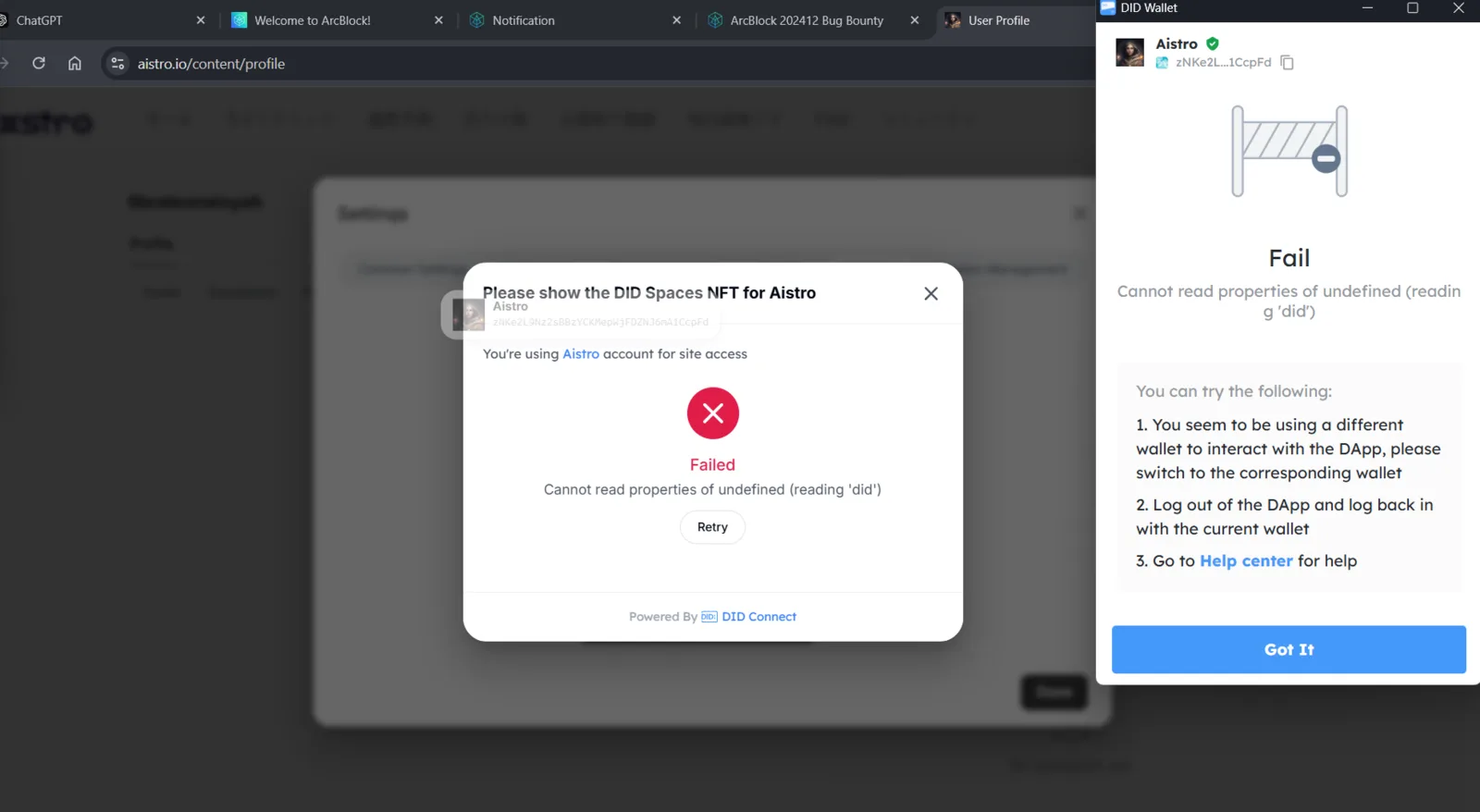
Failed to Connect with DID Wallet on Aistro Profile Page

Bug Description: When a user opens the profile page on the Aistro website and tries to connect their account with a DID Wallet, the process fails, displaying the error message: "Cannot read properties of undefined (reading 'did')". This issue prevents users from verifying their NFT or performing other wallet-dependent activities.
Steps to Reproduce:
- Navigate to Aistro via
https://aistro.io/content/profile. - Log in using your Aistro account.
- On the profile page, attempt to connect your account with a DID Wallet.
- Try to verify an NFT through DID Spaces NFT.
- The system displays an error message: "Cannot read properties of undefined (reading 'did')" and fails to connect.
Expected Result: The user should be able to connect their DID Wallet successfully without errors and proceed with NFT verification.
Actual Result: The connection process fails, and the system displays a technical error message indicating an issue with the 'did' property.