
“Pro” Logo Not Responding

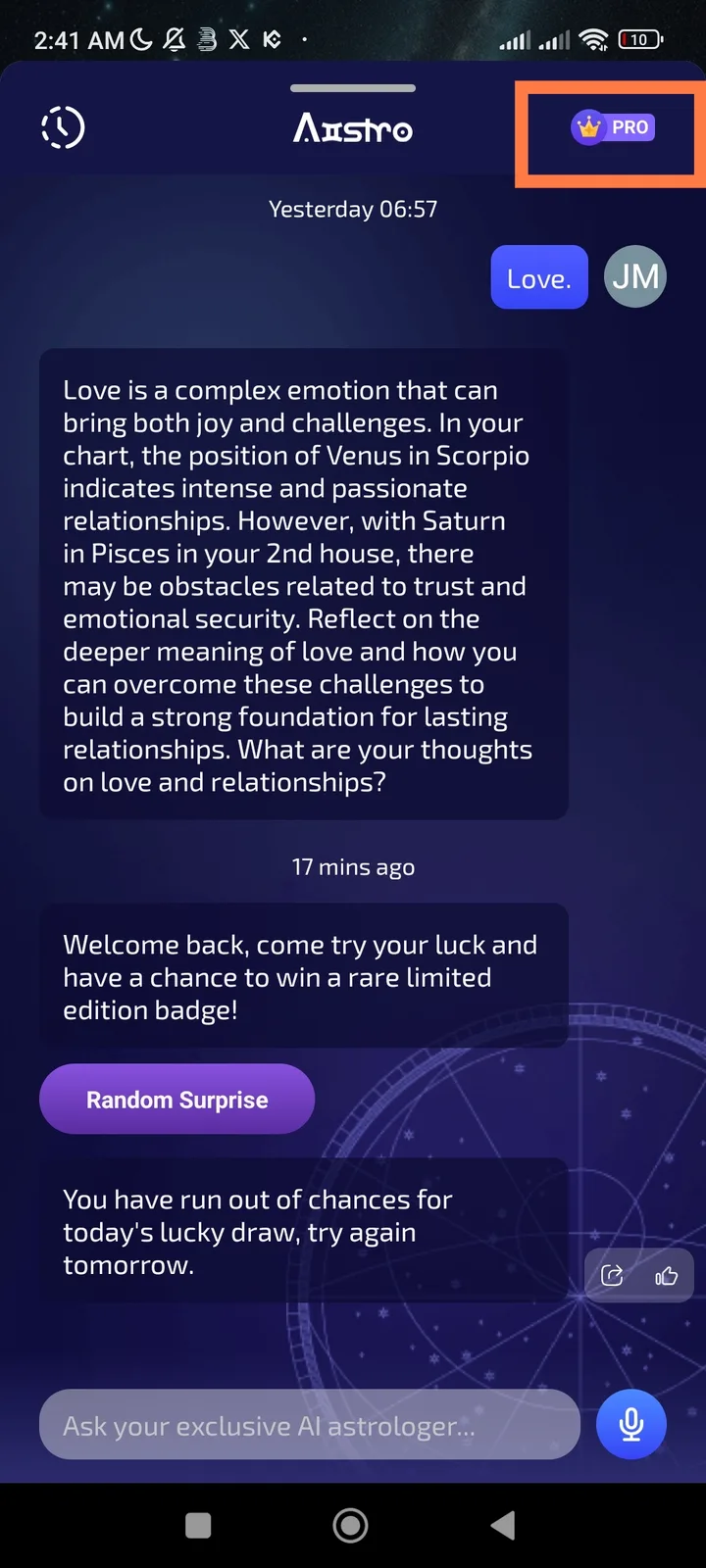
📱 Platform: DID Wallet (Mobile App) 🧠 Feature: Aistro → Pro
🧩 Description:
When tapping the “Pro” logo in the Aistro section, nothing happens. The element appears clickable but is unresponsive — no popup, navigation, or action occurs on mobile.
🪜 Steps to Reproduce:
- Open the DID Wallet app on your mobile phone.
- Navigate to the Aistro section.
- Tap the “Pro” logo (usually located at the top or near the AI area).
- Observe that nothing happens — no response or feedback.
✅ Expected Result:
- The “Pro” logo should open a Pro information or subscription upgrade screen.
- User should see a loading animation, visual feedback, or Pro features overview.
❌ Actual Result:
- Tapping the “Pro” logo does nothing.
- No animation, no page load, and no visible response.
- The issue persists even after app restart.
⚠️ Impact:
- Users are unable to view or access Aistro Pro benefits.
- Premium engagement and upgrades are blocked.
- Reduces trust and creates confusion about the Pro feature.
🔍 Possible Cause:
- Missing or disconnected onClick/tap event handler.
- The Pro icon may be a static image with no link.
- Frontend not connected to subscription or Pro feature endpoint.
🧰 Suggested Fix:
- Add a working tap event to redirect users to the Aistro Pro info or upgrade page.
- Implement touch feedback (e.g., ripple animation or highlight effect).
- Test across Android and iOS devices.
1 reply
你好,如果已经是 Pro 了,那里只是一个 Pro 徽章,用来标识你已经是 Pro 用户了。