
ArcBridge Node: Revoke Stake leads to blank page/doesn't load properly

v1.4.85
Testing/attempting to revoke stake shows blank page.
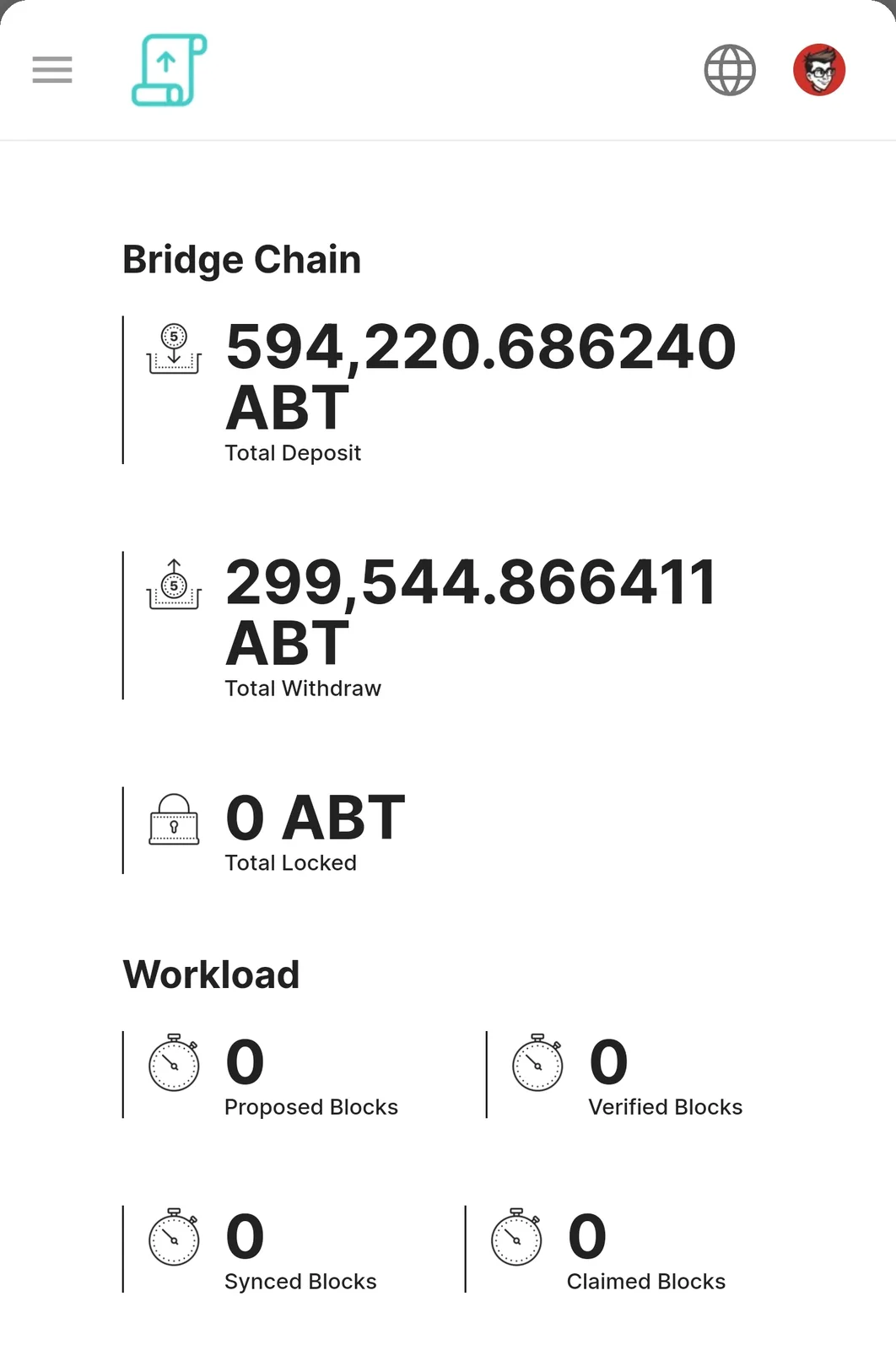
Suspending, and leaving the bridge worked just fine. Revoke did not. Rejoining the bridge also worked just fine. After rejoining, the statistics of blocks was reset to 0 for each. Is this something that can be adjusted to display again, since its the same node? Or is it designed to reset to zeros treating it as a session/instance per each join/leave?
Videos from firefox mobile, chrome mobile, and DID Wallet - along with a screenshot of the reset statistics:
10 replies
It may be a little challenging for you, but I would appreciate it if you retry this on a desktop and take a screenshot of the error thrown on the console.
The page crash on revoking stake is fixed in v1.4.86, please upgrade to verify if the fix works on your side, thanks for the reporting.
updated, revoke stake page shows with the "start revoke" button.
rejoined bridge, didnt attempt to revoke yet
So far this is where it is at after trying to rejoin the bridge, it seems to be stuck in a wait join loop.
screen shot of log as well
Can you retry the join process again? from the error message, your node is not added to the bridge contract yet.
👍 videos/screenshots in the chat, still same error in logs. have tried restarting the blocklet as well
when attempting to rejoin, console view in browser: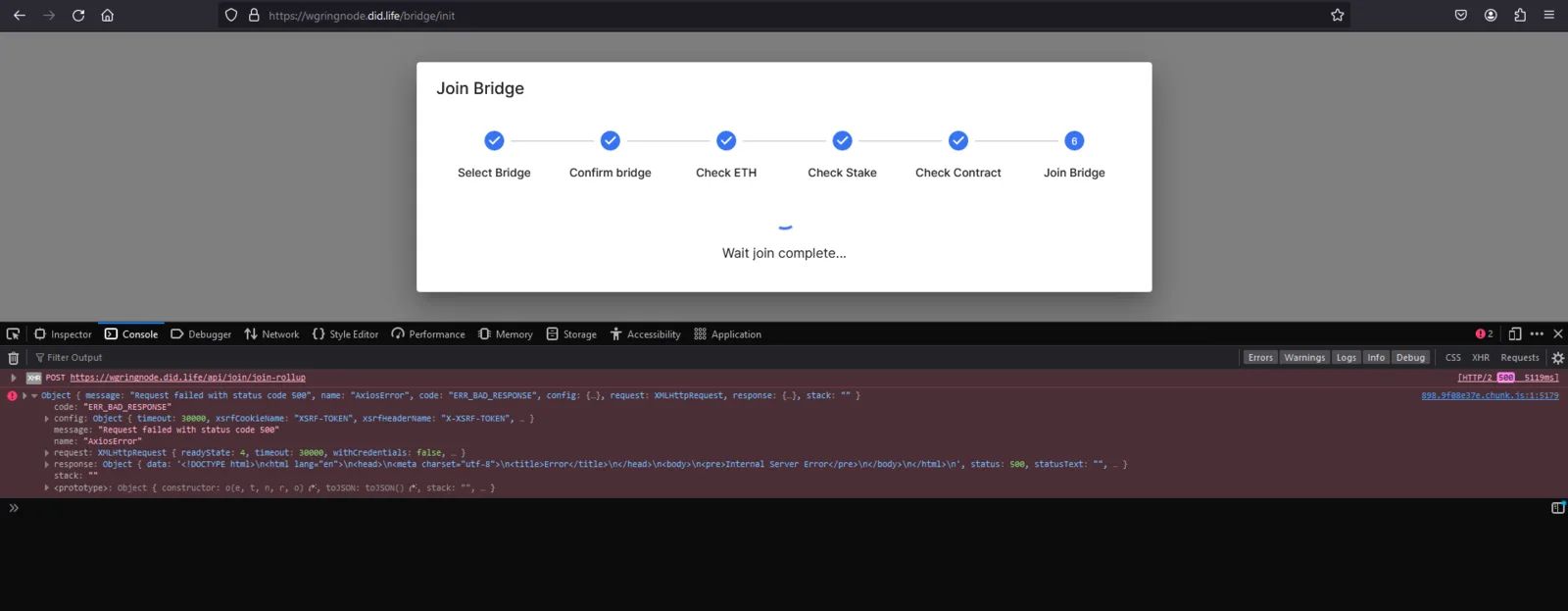
server version:
Fixed in v1.4.87, thanks always for reporting, verifying, improving with us!
Great work guys!!