
ArcBridge Node Startup Failure - Missing Required Configuration

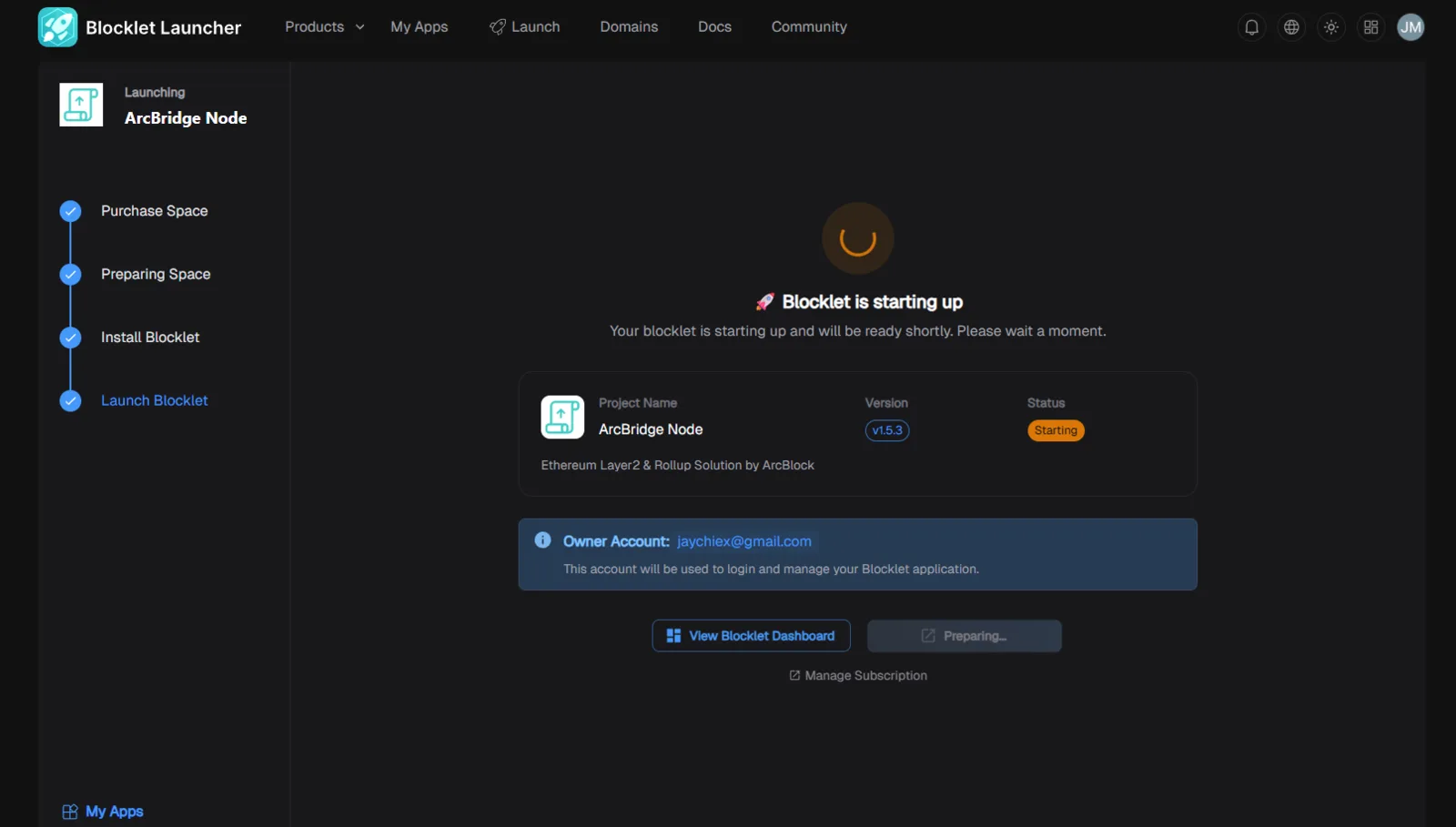
🐛 Summary
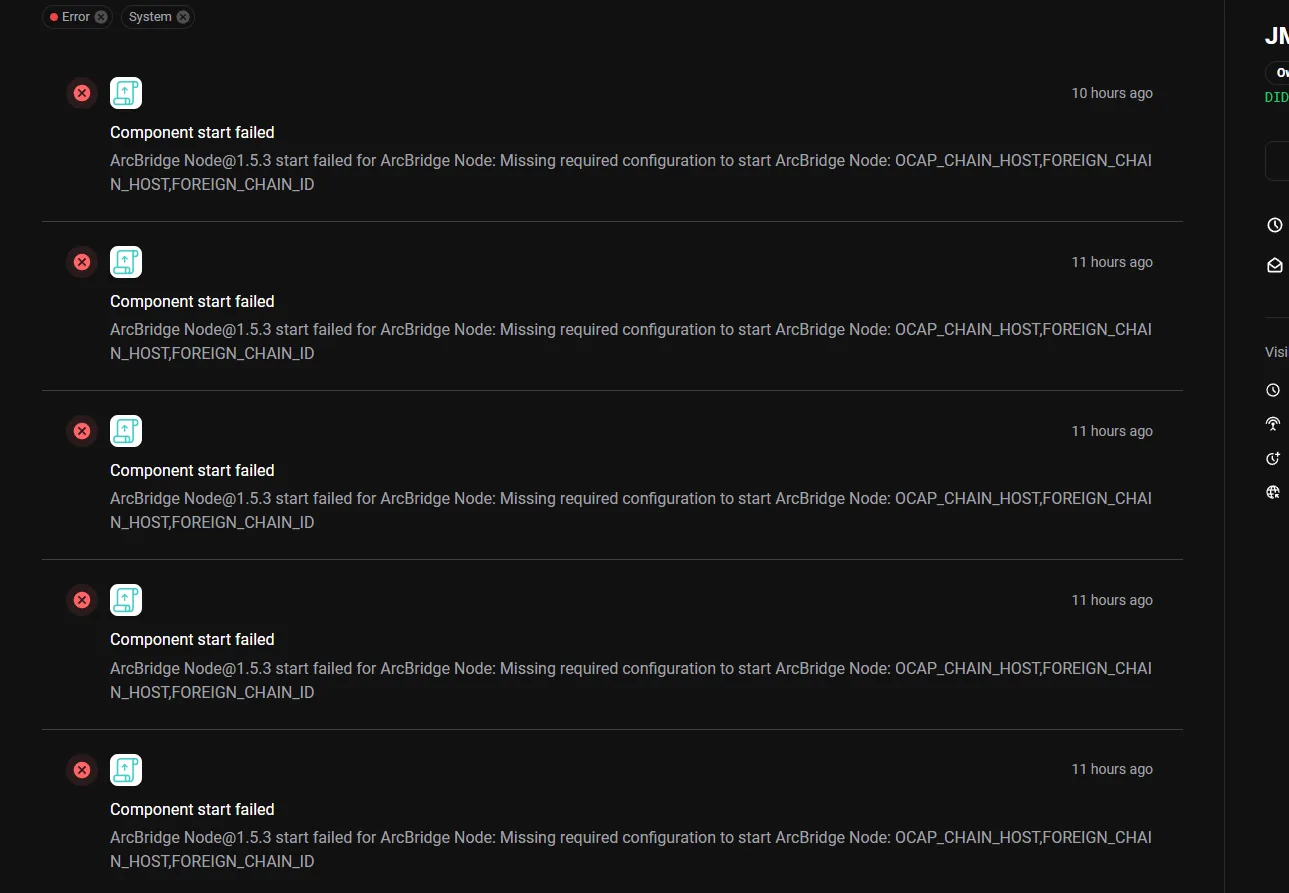
ArcBridge Node fails to start after more than 10 hours of attempting initialization. The error message indicates missing required configuration variables:
OCAP_CHAIN_HOST, FOREIGN_CHAIN_HOST, and FOREIGN_CHAIN_ID.
🔁 Steps to Reproduce
- Start ArcBridge Node (version 1.5.3).
- Wait for the startup process to complete (takes >10 hours).
- Observe the error notification: bash
javascript Component start failed ArcBridge Node@1.5.3 start failed for ArcBridge Node: Missing required configuration to start ArcBridge Node: OCAP_CHAIN_HOST, FOREIGN_CHAIN_HOST, FOREIGN_CHAIN_ID
📉 Severity
Critical – Prevents the node from starting, rendering the system non-functional.
🛠️ Expected Behavior
- ArcBridge Node should validate required configuration variables before attempting startup.
- If variables are missing, the node should fail fast with a clear error message and exit immediately.
🧪 Actual Behavior
- Node attempts to start for >10 hours without progress.
- Eventually fails with a generic error message about missing configuration variables.
4 replies
I can't withdraw my funds, and I need to pay my loan, it's already overdue
You do not need to run a ArcBridge Node to withdraw your funds, just you the standard bridge in DID Wallet.
If your bridge transactions did not go through, please provide your transaction link for further investigation.
This is how ArcBridge Node is designed to work, please open your app dashboard, and fill in the required environment variables and then it should start.
I tried to fill the variables still not working