
Website Favicon/Logo Display Issue in Tab Menu

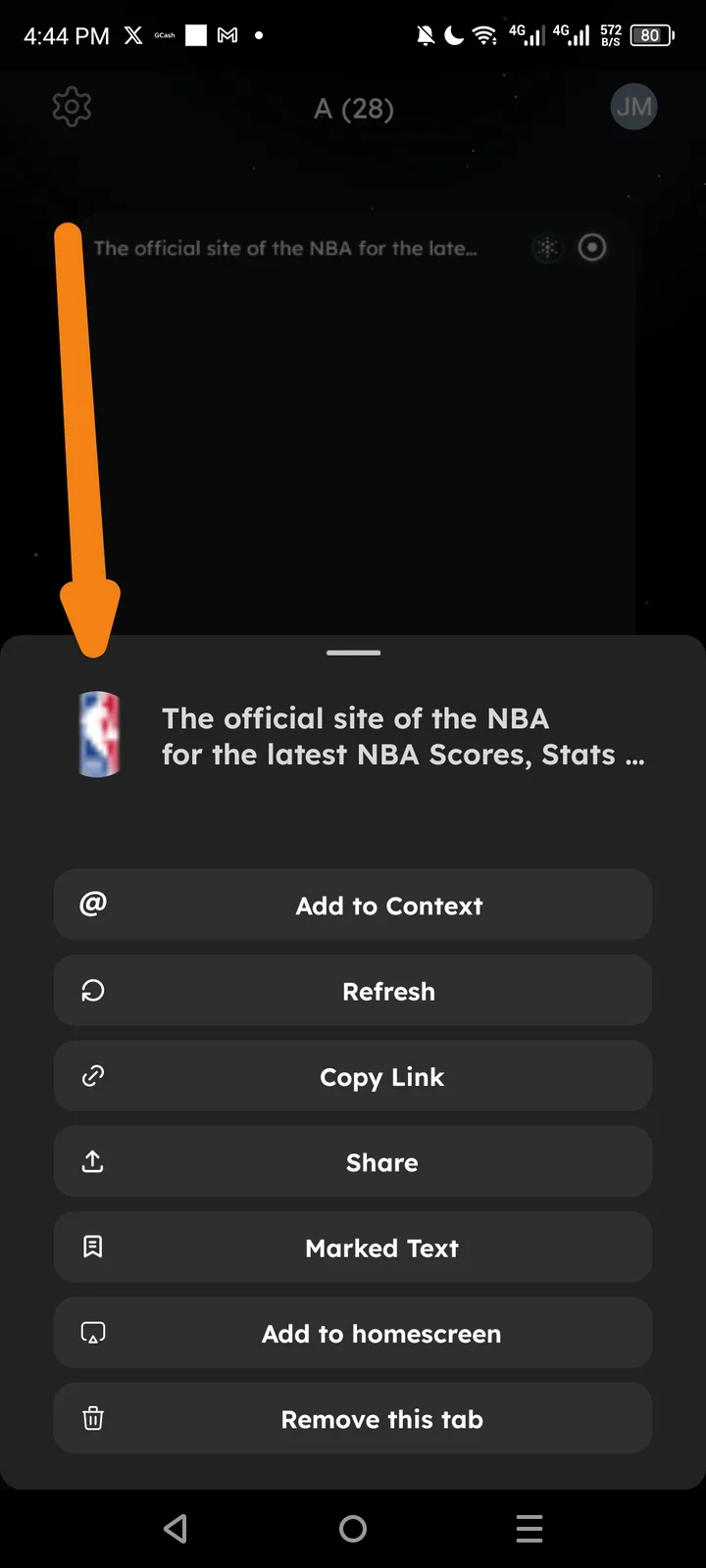
Issue Description
In the Arcsphere tab management menu, the website logo/favicon for "The official site of the NBA" (NBA.com) is not displaying correctly. The logo appears to have rendering/display issues when accessed through the tab options menu.
Impact
- Visual Consistency: Incorrect or broken logo display affects the professional appearance of the browser interface
- User Recognition: Users rely on favicons to quickly identify websites; display issues make recognition harder
- Brand Integrity: Website logos/favicons may appear distorted, pixelated, outdated, or fail to load entirely
Steps to Reproduce
- Open Arcsphere browser
- Navigate to an NBA-related website (NBA.com)
- Open the tab menu/options for that specific tab
- Observe the logo displayed next to the website title in the menu
Recommended Fix
- Favicon Refresh: Implement a cache refresh mechanism for website favicons when they appear outdated or broken
- Fallback Icon: Display a generic globe or text-based icon if the logo fails to load rather than showing a broken/missing image
- Higher Resolution: Ensure logos are fetched in appropriate resolution for the menu display size to prevent blurriness
- Dynamic Update: Automatically update favicons when websites change their branding/logos