NFT arcblock marketplace

Tried to list an NFT for sale and I got the following:
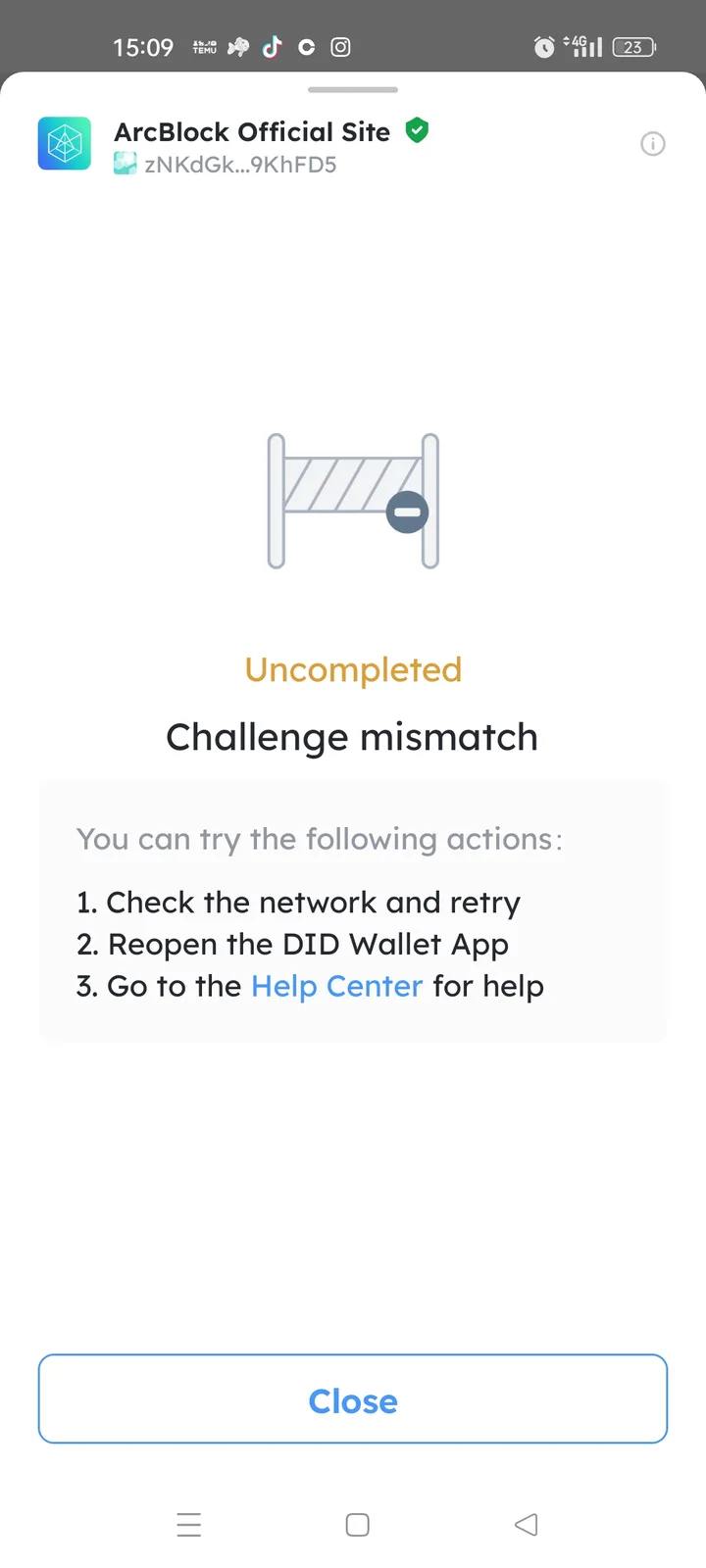
What is this? It's my first attempt to list for sale
Tried to list an NFT for sale and I got the following:
What is this? It's my first attempt to list for sale
10 replies
👀
could you try again and screen record the process?
Man I'm a boomer, I can't screen record 😂😂😂
If you have an iPhone you just swipe from top of screen down, and press the circle button to record👀 once you’re done, you swipe down to go back there and press the circle again to stop the recording. It will save in your camera roll as a video
Android 🤨
I’ve never used one, but I’m use Android has a similar function lol
pull down notification panel and check button, there should be a screen record option - if it doesnt show, tap the pencil to edit and add it to the screen:
Here is an example @That Crypto Barbie
Is the error still present on your end?
It is but I located the bug exactly. If when prompted to did connect you press it, you end up in the error, always. If you let it autoload it works normally. So you could actually fix it.