
Incomplete Language Translation

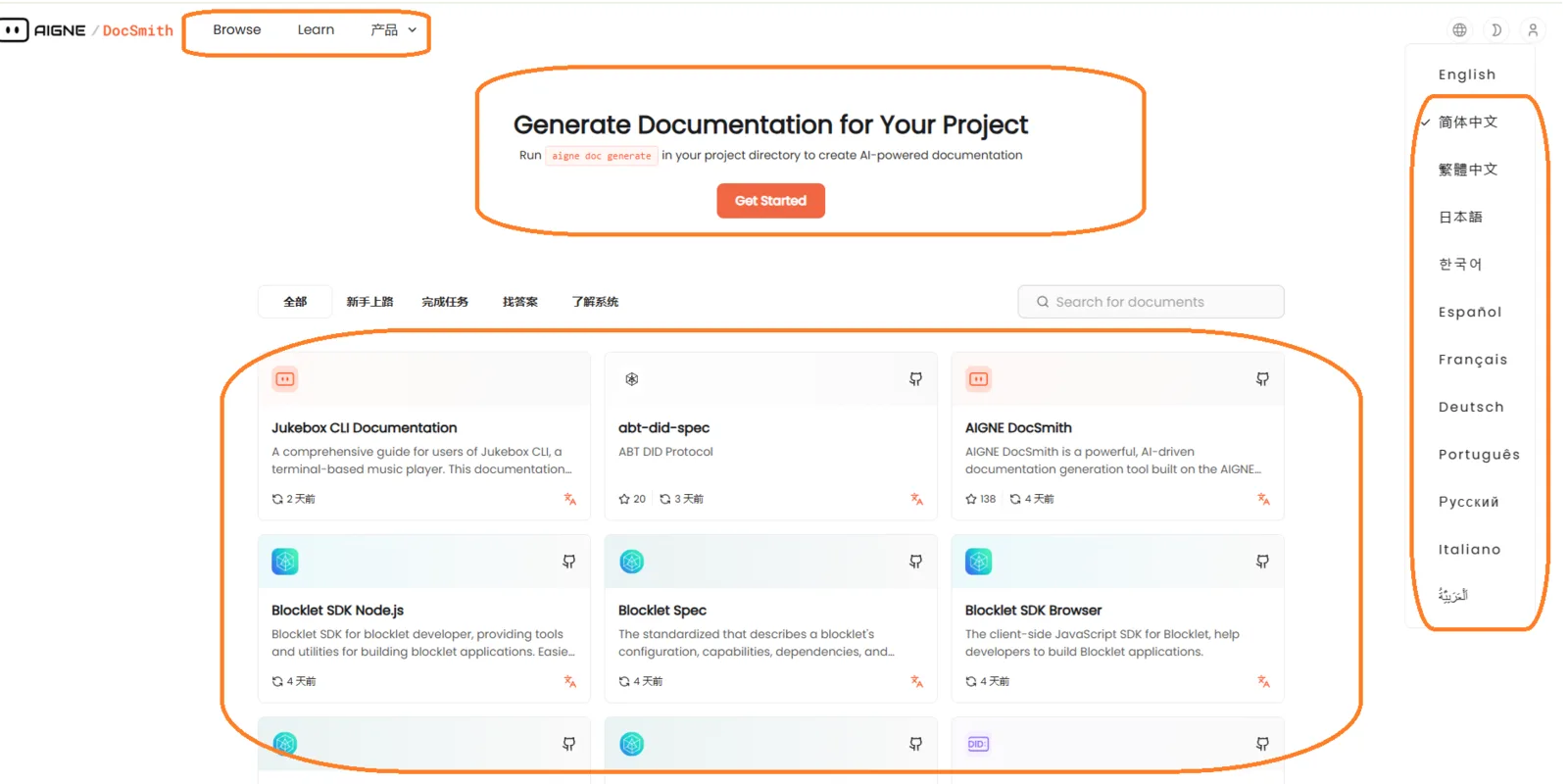
Bug Description
When switching languages on https://docsmith.aigne.io/app, not all UI elements are translated. Some sections (e.g., buttons, labels) remain in the default language (e.g., English).
Steps to Reproduce
- Navigate to https://docsmith.aigne.io/app.
- Switch the language to Chinese or another supported language.
- Observe that some UI elements remain in English (e.g., buttons, labels).
Expected Behavior
- All UI elements should be fully translated when switching languages.
Actual Behavior
- Only partial translations are applied.
Severity Classification
Severity: Medium
- Impacts user experience for non-English speakers.
- May indicate incomplete translation files or missing keys in the i18n files.
Suggested Fix
Frontend Fix
- Update Translation Files:
- Add missing keys to non-English language files.
- Example: json
javascript // Add missing translations { "zh-CN": { "create_project": "创建项目", "save_changes": "保存更改" } }
- Fallback Logic: javascript
javascript // Example: Fallback to English if translation is missing const t = (key) => { return translations[currentLanguage][key] || translations['en'][key]; };
- Ensure the app defaults to English if a translation is missing.